


Copy link to clipboard
Copied
Hi there...
Is there a problem with hiding the comments from being printed out? I'm using Adobe Acrobat Pro DC Version 2019.010.20099
I did the following but still did not work:
- Deselect Print Notes And Pop-ups and
- Select Hide Comment Pop-ups When Comments List is Open.
- select Document from the Comments And Forms drop-down list
The comment I added on the document was through "comment" tool then "add text comment"
Thnx in advance!




Copy link to clipboard
Copied
Hi Ahmad,
Please clarify. Are the comments printing when you don’t want them to?
You should be able to do that by:
- Choosing that option in the Print dialog box
or - Filtering the comments to hide all comments
I’m not sure that you have said either of those.
~ Jane
 5
Replies
5
5
Replies
5


Copy link to clipboard
Copied
Hi Ahmad,
Please clarify. Are the comments printing when you don’t want them to?
You should be able to do that by:
- Choosing that option in the Print dialog box
or - Filtering the comments to hide all comments
I’m not sure that you have said either of those.
~ Jane
Copy link to clipboard
Copied
Hi Jane and thanks for jumping in! ...Yes I do not want them to be printed out and I tried to go to:
Preference then commenting:
- Deselect Print Notes And Pop-ups (Preference, commenting)
- Select Hide Comment Pop-ups When Comments List is Open.
and then
Print Dialogue:
- select Document from the Comments And Forms drop-down list
Nothing worked...
Copy link to clipboard
Copied
- Here are two screen shots from the Print dialog box. Selecting Document should hide all Comments if they are comments:


- Please expand your Comments panel. Do they show up here?

- In addition, hiding comments from the Filter menu at the top right of the Comments panel makes Comments non-printing.

Documents and Markups are selected, but they don't print because they are hidden.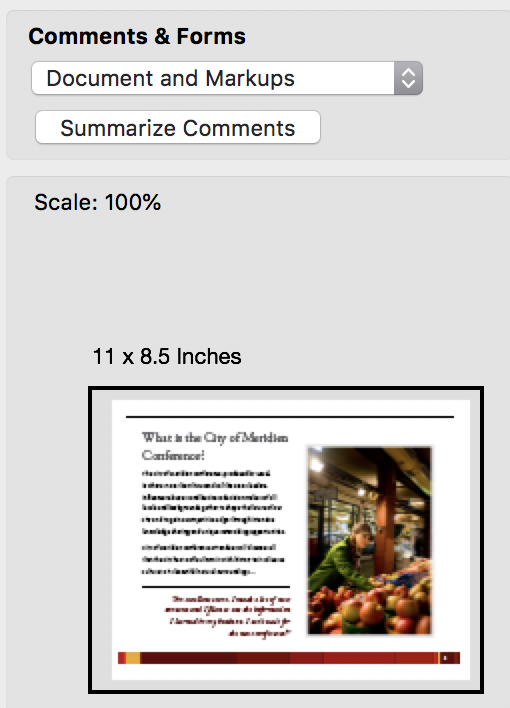
I hope the addition of screen shots will help to clarify what I said the first time. I suspect that what you think are comments are not and will not show up in your comments panel, but let's look. Can you show a screen shot?
~ Jane
Copy link to clipboard
Copied
Hi again ... Yes it works with "Hide all comments"
Thank you very much Jane 
Copy link to clipboard
Copied
Oh, I'm so glad we found a solution that works for you!
You're welcome, Ahmad!
~ Jane


Get ready! An upgraded Adobe Community experience is coming in January.
Learn more
 AdChoices