


Participant
Jul 10, 2021 1:22 PM UTC
Answered

Set page boxes

In older versions of Acrobat, there was a keyboard shortcut to open the "Set page boxes" dialogue. Now I have to go through about four steps. Is there a faster way to access this dialogue? Or, if there is no easier way, how can I create my own keyboard shortcuts for Acrobat? Thank you.
Mike BroCorrect answer
Legend
Jul 10, 2021 4:18 PM UTC

Hello @A.D.5CAB 


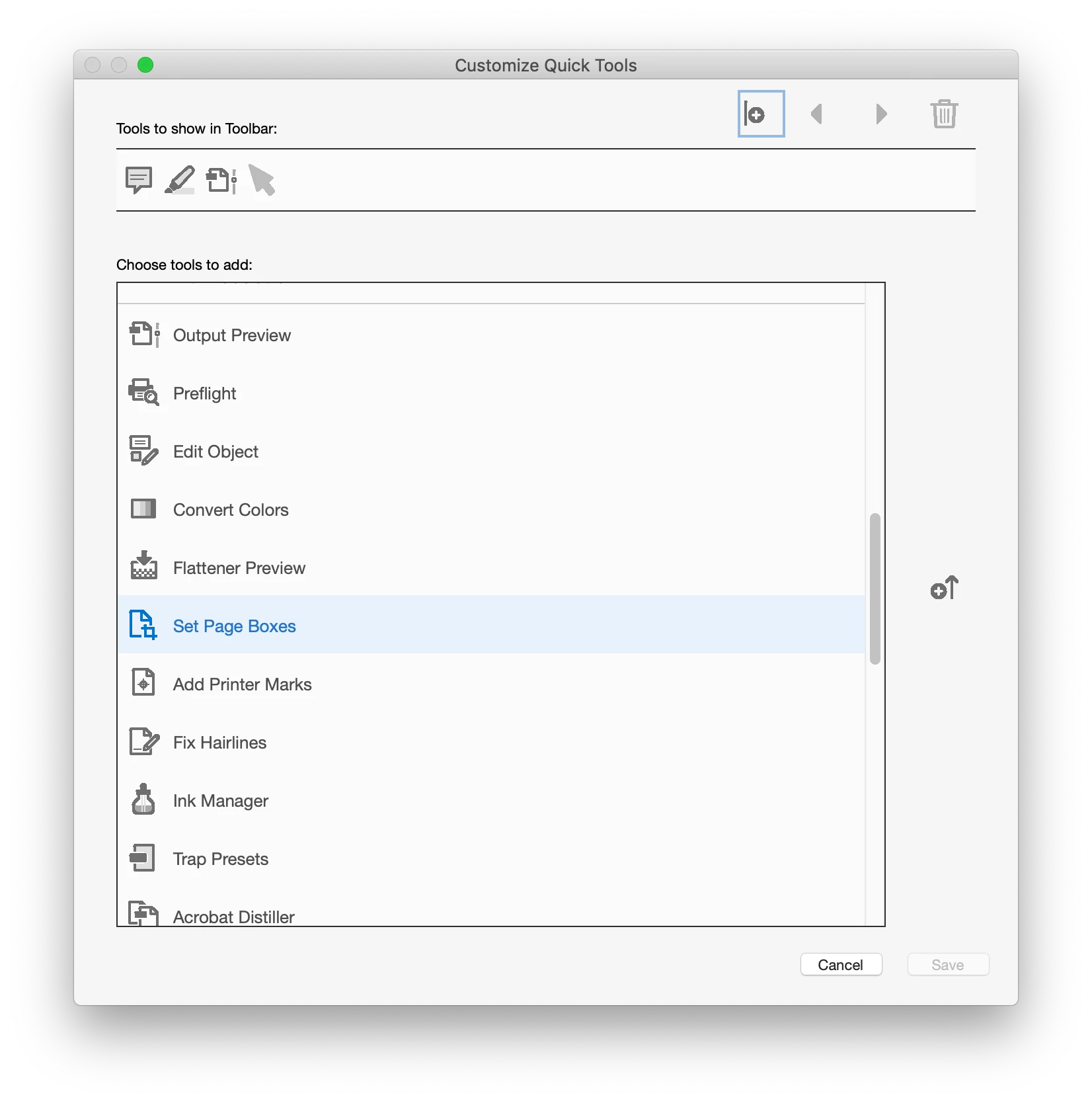
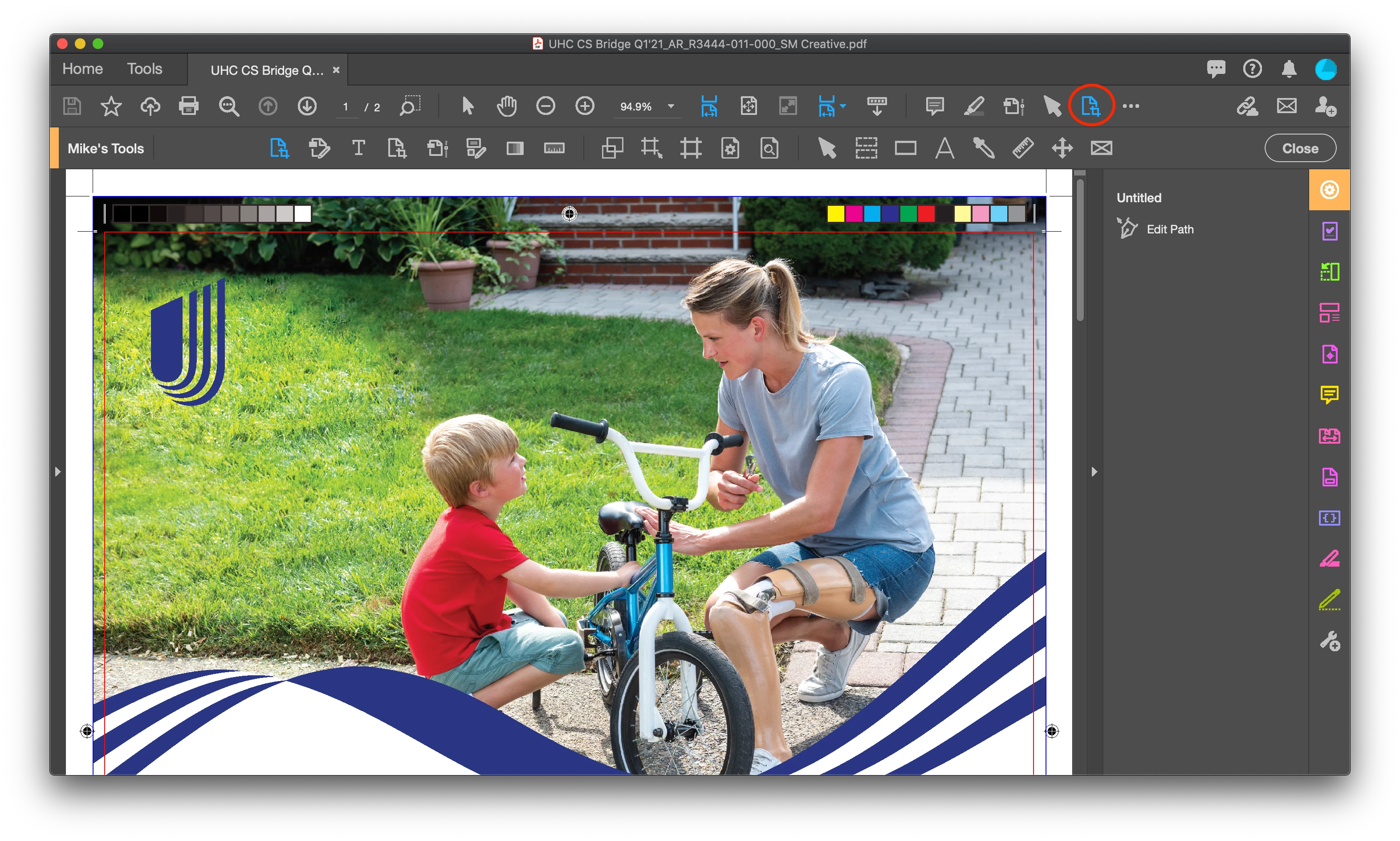
You can add the Edit Page Boxes using the Customize Quick Tools to show up in your tool bar

If you hover over the tool, in the tool tip pop-up it show the keyboard shortcut that probably varies by OS.

Regards,

Mike

2 replies

Mike BroCorrect answer
Legend
Jul 10, 2021 4:18 PM UTC

Hello @A.D.5CAB 


You can add the Edit Page Boxes using the Customize Quick Tools to show up in your tool bar

If you hover over the tool, in the tool tip pop-up it show the keyboard shortcut that probably varies by OS.

Regards,

Mike

Translate
A.D.5CABAuthor
Participant
Jul 11, 2021 1:59 PM UTC

Excellent. This is exactly what I wanted. Thank you.


Translate