Copy link to clipboard
Copied
Copy link to clipboard
Copied
1) Create a form field for each rectangle to get the rect property of each area by running the following script in the console:
this.getField("Text1").rect;
2) Run a script to crop the page.
3) Run a script to save the file.
4) Reverse crop the page and repeat for the next area:
https://pdfautomationstation.substack.com/p/cropping-and-reverse-cropping-pdf
Copy link to clipboard
Copied
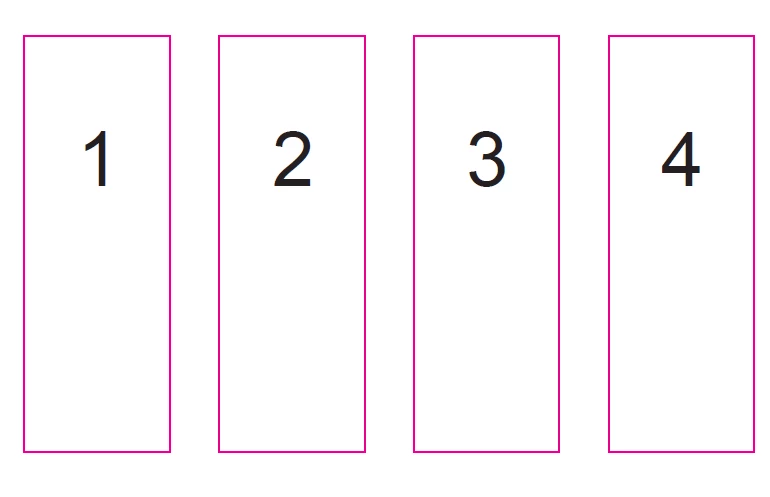
Those rectangles are part of the page content. A script cannot get any information on page graphics. If the rectangles are a consistent known size, then a script could be written to split the page. But if not, then unless you follow the advice from PDF_AS and add fields or some other type of annotation to mark the location, a scripted solutions is not possible. This could be done with a plug-in, but it would be tricky and expensive.
Copy link to clipboard
Copied
If it's possible for you to add marks to indicate the areas to be cropped, I think it's easier with square-type annotations.
In fact, the difficulty for you will come from the number of areas to indicate in the document, but if they're already drawn, that simplifies things a bit...
I've used this method in the past to crop different text areas in a document and extract them one by one.
This is an answer that certainly won't suit everyone, but it shows a possibility of using in JavaScript.
Here's a script that will do this:
var nbPages=this.numPages;
for (var p=0; p<nbPages; p++) {
var zones=[];
var annots=getAnnots({nPage:p});
if (annots!=null) {
for (var i=0; i<annots.length; i++) {
if (annots[i].type=="Square") {
zones.push(annots[i].rect);
}
}
for (var i=0; i<zones.length-1; i++) {
this.insertPages({
nPage: p,
cPath: this.path,
nStart: p
})
}
for (var i=0; i<zones.length; i++) {
this.setPageBoxes({
cBox: "Crop",
nStart: p+i,
rBox: zones[i]
})
}
}
p+=zones.length;
nbPages+=zones.length;
}
var annots=getAnnots();
for (var i=0; i<annots.length; i++) {
if (annots[i].type=="Square") annots[i].destroy();
}
this.saveAs(this.path.replace(/.pdf$/i,"_Cropped.pdf"));
Below, you will find your example on several pages before and after cropping.
@+

Copy link to clipboard
Copied
1) Create a form field for each rectangle to get the rect property of each area by running the following script in the console:
this.getField("Text1").rect;
2) Run a script to crop the page.
3) Run a script to save the file.
4) Reverse crop the page and repeat for the next area:
https://pdfautomationstation.substack.com/p/cropping-and-reverse-cropping-pdf
Copy link to clipboard
Copied
Those rectangles are part of the page content. A script cannot get any information on page graphics. If the rectangles are a consistent known size, then a script could be written to split the page. But if not, then unless you follow the advice from PDF_AS and add fields or some other type of annotation to mark the location, a scripted solutions is not possible. This could be done with a plug-in, but it would be tricky and expensive.
Copy link to clipboard
Copied
If it's possible for you to add marks to indicate the areas to be cropped, I think it's easier with square-type annotations.
In fact, the difficulty for you will come from the number of areas to indicate in the document, but if they're already drawn, that simplifies things a bit...
I've used this method in the past to crop different text areas in a document and extract them one by one.
This is an answer that certainly won't suit everyone, but it shows a possibility of using in JavaScript.
Here's a script that will do this:
var nbPages=this.numPages;
for (var p=0; p<nbPages; p++) {
var zones=[];
var annots=getAnnots({nPage:p});
if (annots!=null) {
for (var i=0; i<annots.length; i++) {
if (annots[i].type=="Square") {
zones.push(annots[i].rect);
}
}
for (var i=0; i<zones.length-1; i++) {
this.insertPages({
nPage: p,
cPath: this.path,
nStart: p
})
}
for (var i=0; i<zones.length; i++) {
this.setPageBoxes({
cBox: "Crop",
nStart: p+i,
rBox: zones[i]
})
}
}
p+=zones.length;
nbPages+=zones.length;
}
var annots=getAnnots();
for (var i=0; i<annots.length; i++) {
if (annots[i].type=="Square") annots[i].destroy();
}
this.saveAs(this.path.replace(/.pdf$/i,"_Cropped.pdf"));
Below, you will find your example on several pages before and after cropping.
@+
Find more inspiration, events, and resources on the new Adobe Community
Explore Now