
Upgrade Acrobat 2017 to Acrobat
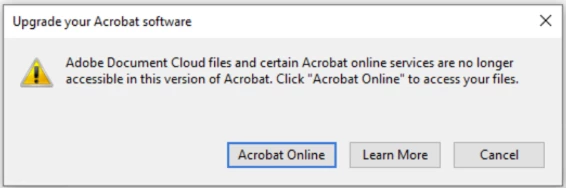
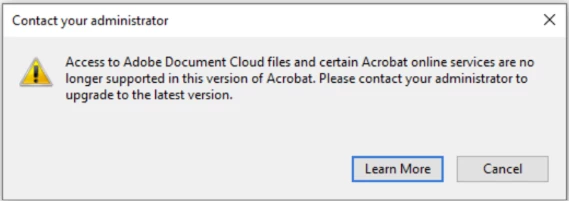
If you are using Acrobat 2017 and trying to access Adobe Document Cloud files or other online services, you will see one of the following prompts to upgrade your Acrobat software or contact your administrator:
Why am I being asked to upgrade my Acrobat?
Adobe Document Cloud files and online services, such as file upload, sharing, and shared commenting, are no longer supported in Acrobat 2017. However, the files and services will remain available on Acrobat Online.
Does this change impact the features and tools dependent on online services? No, you can continue to use all the tools and features as before.
No, you can continue to use all the tools and features as before.
How can I access my uploaded or shared files?
You can sign into Acrobat online to access your files. Go to https://documentcloud.adobe.com/link/home/.
Even if you don’t upgrade, your files will remain safe. You can download them anytime from the above link.
How do I upgrade Acrobat 2017 to Acrobat?
If you’re an enterprise user, contact your administrator. (The administrator needs to upgrade your Acrobat 2017 to Acrobat or Acrobat 2020.)
If you’re an individual user, visit the Acrobat page to purchase the latest version of Acrobat. Afterward, you can uninstall Acrobat 2017 and then install Acrobat.
Have you found this answer helpful?
If so, Join the conversation with us and share your thoughts. Your feedback is valuable to us, and we are always listening.
 AdChoices