Copy link to clipboard
Copied
Hi
i have a large document (450 pages) created in MS word , A4 size. But printing company requires me to submit it to them with "bleed".
I know i can create bleed in MS word by enlarging the paper size.
However, i do not wish to reformat everything in MS word as (believe me) is alot of work if the alignment is out and paragraphs starts to auto flow from one page to another.
I imagine a feature that can allow me to do this : idefine a "larger than A4 size" PDF with page number and a header design that extended out of bleed area.
All i wish to do is to insert each page in the word (just the conent without page number or header) into this PDF template . and this template should also indicate the page number too as each page gets created.
I have adobe cloud (full suite) but not sure is there a tool that allow me to achieve just that.
Please let me know if you have a suggestion for me.
thank you
BY

Copy link to clipboard
Copied
[moved from Adobe Creative Cloud to Creating PDFs]
Copy link to clipboard
Copied
If you have access to CC, you can use Indesign. There is a script to import a multi page PDF into Indesign and you can configure the Indesign page with bleed and all you need. This is especially helpful, if you need one or the other adaptation.
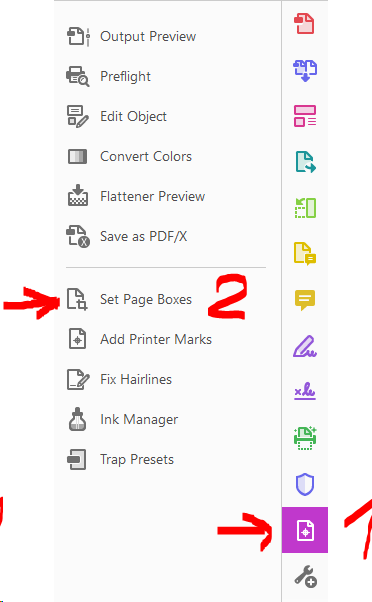
You can Also use Acrobat DC to Edit the page size and to set the bleed and trim box.


Copy link to clipboard
Copied
Thank you for the suggestion. I have tried your method and it does produce the bleed and other markers when i changed the page size to A3. Just wondering, it is difficult to include a "colour bar on the top edge of the header" in MS word that extend out to the top horizontal bleed mark so that printer company can cut out precisely. is there a way for me to include such a "header" in PDF itself ? also, can i include page number on the PDF instead of using the page number in MS word ? I need to combine a few documents and i hope to number the pages as the PDF is created instead of relying on the the auto page number in MS word as i might get the page number wrong, having to combine with a few documents. Thank you.
Copy link to clipboard
Copied
The print service provider normally does not need marks and the colour bar. Ask your printer what is needed.
Page numbering is also not needed. You can, however add a header to your PDF file using Acrobat and add there a page number.
Acrobat has all the tools needed, however, if you have a lot of elements to add, it may be easier and more flexible to add those using Indesign.
Get ready! An upgraded Adobe Community experience is coming in January.
Learn more