Exit
  • Global community
    • Language:
      • Deutsch
      • English
      • Español
      • Français
      • Português
  • 日本語コミュニティ
  • 한국 커뮤니티
0

Form/PDFs obscured by black grid and incorrectly rendered

Community Beginner ,
Jul 16, 2020 Jul 16, 2020

I want to fill out an application, in this case a Canadian passport application, using Adobe Reader DC Version 2020.009.20074 on Windows 10. While the form initially renders correctly, after a second or two it becomes corrupted, replaced with a black grid and manged text. Here is a screenshot:
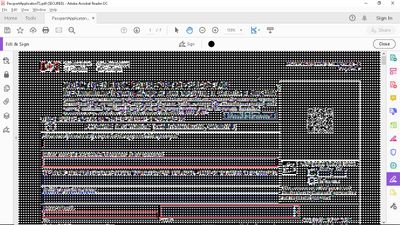
passportForm.jpg

 I'd love to know if there is an obvious reason this is happening. Is there a problem with the PDF, and I should contact the government? Or is this a known issue with the reader? I would appreciate any help with this, because this is a new problem for me.

Edit: I tried a few other documents, and this happens in every case, whether it is a form or simply a PDF document. This is the first time I've had this problem.

TOPICS
Edit and convert PDFs , PDF forms , View PDF
796
Translate
Report
Community guidelines
Be kind and respectful, give credit to the original source of content, and search for duplicates before posting. Learn more
community guidelines
Adobe Employee ,
Jul 17, 2020 Jul 17, 2020
LATEST

Hi there


We are sorry for the trouble. As described you are getting the black and white dots on the PDF files.


Pleaase try the steps provided in a similar discussion https://community.adobe.com/t5/acrobat-reader/screen-turns-to-black-and-white-dots-using-adobe-acrob... and see if that works for you.


Regards

Amal

Translate
Report
Community guidelines
Be kind and respectful, give credit to the original source of content, and search for duplicates before posting. Learn more
community guidelines
