

Answered
Enable User Rights in Acrobat 7 Pro
I created a PDF using Adobe Acrobat Designer 7.0 since I have the 7 Pro suite. The issue I am having is I want the user to be able to input the data into the fields given and be able to save it with that data. Currently when they try this it prevents it stating you must print it and they receive this error.
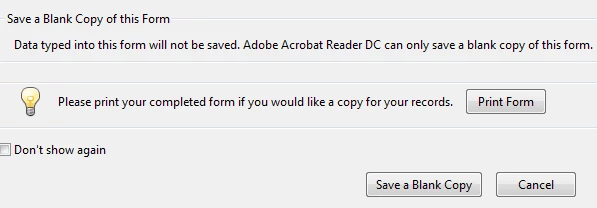
I have searched the forums for the answer to correct this when they are in Adobe Reader. Everything I am finding indicates go to the Advanced Menu in Adobe Acrobat and select "Enable User Rights in Adobe Reader". I can't find that in ANY section in Adobe Acrobat. Where is it? Or is there a different way to enable the user to be able to add data into the PDF and save it?
Thanks
Tim
 AdChoices