Copy link to clipboard
Copied
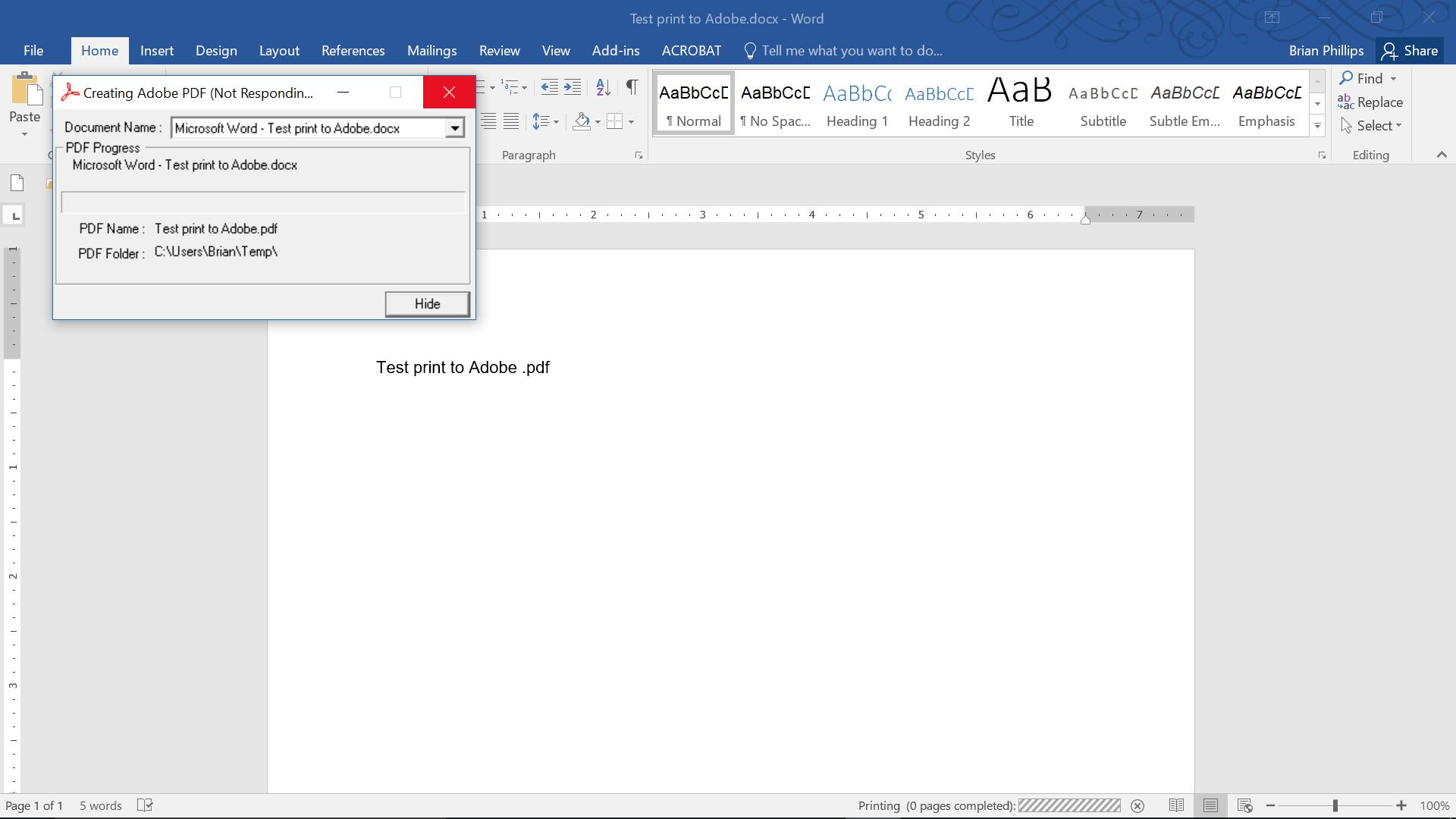
When I attempt to print a document using the Adobe print driver, no .pdf is created. It just stalls out on this screen (see screenshot, below). My OS is Windows 10, and I'm using Adobe Acrobat XI Pro. This is a recurring issue, and happens 100% of the time. It was working fine at least a week ago.

Copy link to clipboard
Copied
Hi OkieInCOS,
Sorry for the delay in response.
If you are still experiencing the issue, please try to repair the installation of the Adobe Acrobat XI.
To repair, open the Adobe Acrobat application and go to Help menu > Repair Installation.
Make sure that the application is updated to the latest patch released.
You may refer this help document for more information on updates: Release Notes | Adobe Acrobat, Reader
Also try once the troubleshooting steps provided here: Troubleshoot Windows system errors, freezes | Adobe software
If this does not help, try once to reset the preferences: How to reset Acrobat Preference settings to default.
Check if this helps.
Let us know if you have any question.
Regards,
Meenakshi

Copy link to clipboard
Copied
Hi OkieInCOS,
Sorry for the delay in response.
If you are still experiencing the issue, please try to repair the installation of the Adobe Acrobat XI.
To repair, open the Adobe Acrobat application and go to Help menu > Repair Installation.
Make sure that the application is updated to the latest patch released.
You may refer this help document for more information on updates: Release Notes | Adobe Acrobat, Reader
Also try once the troubleshooting steps provided here: Troubleshoot Windows system errors, freezes | Adobe software
If this does not help, try once to reset the preferences: How to reset Acrobat Preference settings to default.
Check if this helps.
Let us know if you have any question.
Regards,
Meenakshi
Copy link to clipboard
Copied
Interestingly enough, my hard drive failed since my last post, and I had to install a new one. That meant reinstalling my software, too. After reinstalling Adobe Acrobat XI Pro, the Adobe PDF printer started working, again. Not sure why all your suggestions from repairing to reinstalling didn't work before. But, now it's working. So, it's a moot point, I guess.
Copy link to clipboard
Copied
Just a note that the recommended way to make a PDF from Word is the Acrobat ribbon. Much more control and quality.
Copy link to clipboard
Copied
Thanks. Good to know.
Get ready! An upgraded Adobe Community experience is coming in January.
Learn more