


- Home
- Acrobat
- Discussions
- Change PDF page dimension without scaling content
- Change PDF page dimension without scaling content
Change PDF page dimension without scaling content

Copy link to clipboard
Copied
Very simple problem I can't find the answer to: We have a book that printed 8 x 9 when it was printed offset, and our digital printer can't accommodate that trim size. I want to edit the PDF to add 1/4" to the top and 3/4" to the bottom so the text block will look ok in an 8 x 10 trim. A kind of "reverse crop." I'm going to feel stupid when someone gives me the obvious answer.
So be it, and thanks in advance.
Rob


 6
Replies
6
6
Replies
6


Copy link to clipboard
Copied
Use the Crop Tool in Adobe Acrobat Pro. There you can increase the page size.
Copy link to clipboard
Copied
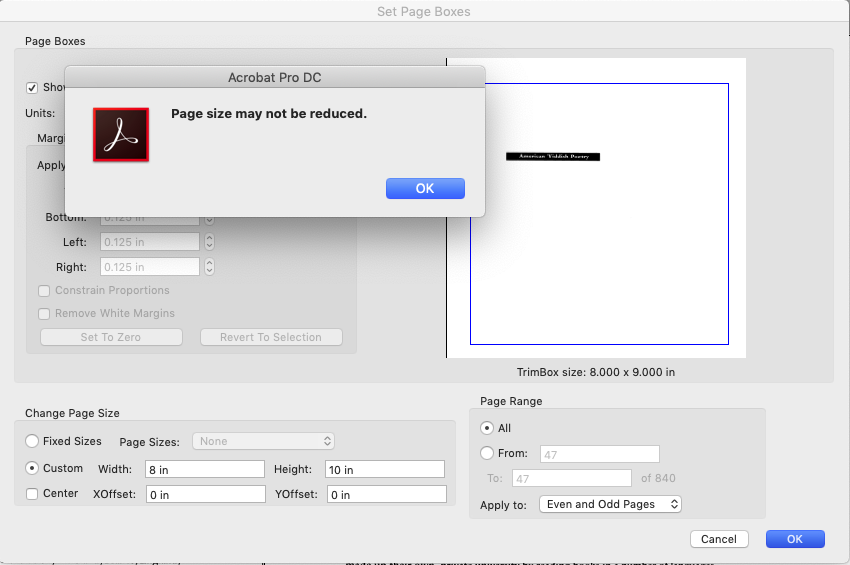
This is what I tried at first. But I'm still doing something wrong. I'm trying to change the page size from 8 x 9 to 8 x 10, and offsetting the y-axis by 1/4", to have all the objects sit 1/4" lower on the new page than they do on the old one. I'm being told the page can't be reduced. I'm misunderstanding something . . .
Copy link to clipboard
Copied
The trim box is 8x9. What is the page size?
Copy link to clipboard
Copied
The document's original page size is 8x9. And so I take it the trim box is 8x9 as well, right? I want the new PDF dimension to be 8x10. I want 1/4" added to the top margin, and 3/4" to the bottom.
Copy link to clipboard
Copied
What happens when you click on the button "Set to Zero" ?
Copy link to clipboard
Copied
Five weeks later . . . (apologies, long story)
Setting to zero adds the 1/8" bleed margin to the full page size, as far as I can tell, which isn't what I want to do.


Get ready! An upgraded Adobe Community experience is coming in January.
Learn more
 AdChoices