Exit
  • Global community
    • Language:
      • Deutsch
      • English
      • Español
      • Français
      • Português
  • 日本語コミュニティ
  • 한국 커뮤니티
0

Error message when trying to save

New Here ,
Jan 17, 2018 Jan 17, 2018

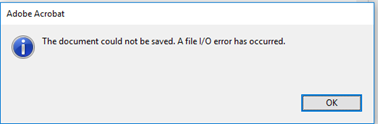
When trying to save a PDF i get the following error: "the document could not be saved. an i/o file error has occurred. I have checked for updates and repaired the installation but the issue still persists.

TOPICS
General troubleshooting
2.1K
Translate
Report
Community guidelines
Be kind and respectful, give credit to the original source of content, and search for duplicates before posting. Learn more
community guidelines
Adobe Employee ,
Jan 17, 2018 Jan 17, 2018

Hello jaytriceg55929013

We apologize for the inconvenience caused, as per the description above, you are not able to save the PDF file as getting an I/O error message, Is that correct?

Please navigate to Edit>Preferences>Page Display panel>uncheck the option of Use 2D Graphics acceleration>Click OK.

Close Acrobat and try saving the PDF file again and see if this brings any difference.

If the issue persists, please share the following details:

Let us know with your findings.

Regards,

Anand Sri.

Translate
Report
Community guidelines
Be kind and respectful, give credit to the original source of content, and search for duplicates before posting. Learn more
community guidelines
New Here ,
Mar 05, 2018 Mar 05, 2018

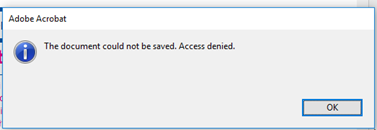
I am having this same issue. I am unable to save any PDF files. Each time I get one of the following three error messages:

Translate
Report
Community guidelines
Be kind and respectful, give credit to the original source of content, and search for duplicates before posting. Learn more
community guidelines
Adobe Employee ,
Mar 09, 2018 Mar 09, 2018
LATEST

Hello Genaterlizzi,

Sorry for the delayed response and inconvenience caused. Check for any pending updates of Acrobat from help>Check for updates, install the updates and reboot the machine.

If the issue still persists, please use Acrobat cleaner tool to remove Acrobat Download Adobe Reader and Acrobat Cleaner Tool - Adobe Labs

Reboot the machine install Acrobat back from Download Pro or Standard versions of Acrobat DC, 2017, XI, or X

Let us know how it goes and share your findings.

Regards,

Anand Sri.

Translate
Report
Community guidelines
Be kind and respectful, give credit to the original source of content, and search for duplicates before posting. Learn more
community guidelines