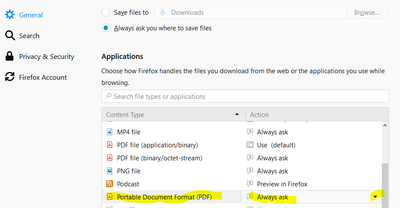
I couldn't find the answer easily so I'm posting the solution. I was not longer being given the choice to just open a pdf from the web - instead I was only given the option to save it. To enable the option to open it, go to the Firefox menu and choose Options -> general -> Scroll to Applications, Choose how firefox handles the files you download from the web. Scroll to PDF, then choose always ask.







 AdChoices