


Copy link to clipboard
Copied
Hello - I am seeing some assistance with formatting an email message my code creates. Code works great btw. I am looking to format the phone number correctly and possibly change the font?
Here is the code in question:
// To email address
var cToAddr = "user@email.org";
// CC email address
var cCCAddr = "";
// Set the subject and body text for the email message
var cSubLine = "New I Am HOPE Award Nomination";
var cBody = "Attached is a new I am HOPE Award Nomination for " + this.getField("Nominee").value + ". " + "Should you have any questions please contact me at " + this.getField("YourPhone").value + " or " + this.getField("YourEmail").value + ".\n\n" + "Thank you" + ",\n\n" + this.getField("YourName").value
// Send the entire PDF as a file attachment on an email
this.mailDoc({bUI: true, cTo: cToAddr, cCc: cCCAddr, cSubject: cSubLine, cMsg: cBody});
Here is the result of the code:
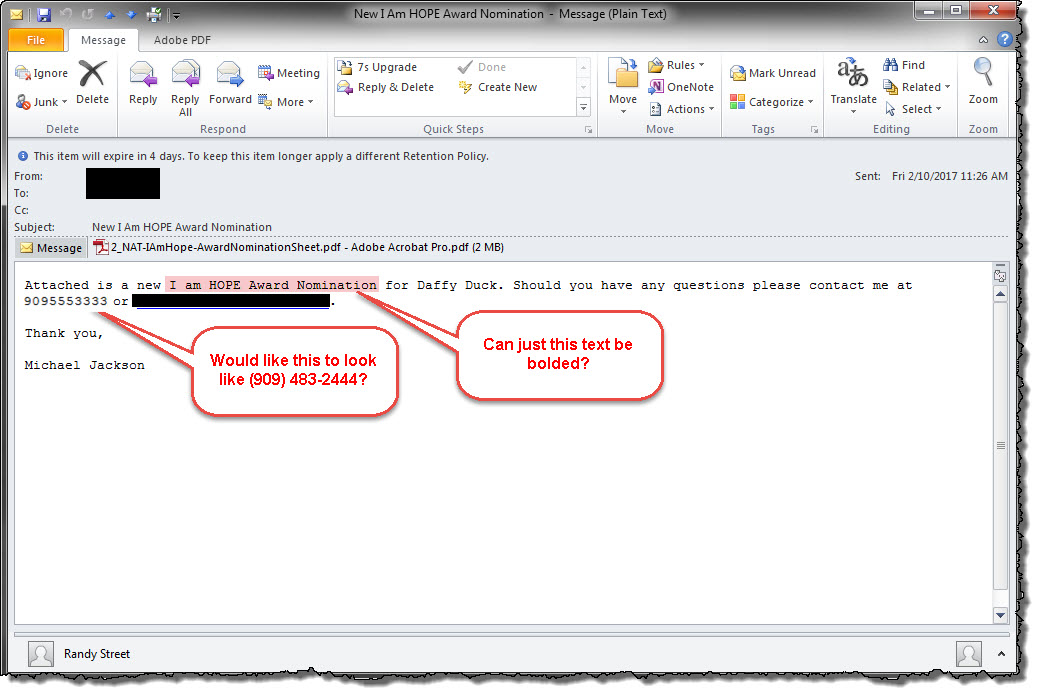
Anyone know how I could get the phone number to reflect normal like (999) 555-3333? And is there a way for format the text font? Would like the font to be Arial?
Any suggestion or assistance is greatly appreciated.
Thank you 


 1 Correct answer


You cannot add bold/italics/underlined or any other formatting options to the email message. It's all just normal text.
As far as the pone number goes, this is something you can do in Javascript. This is normally not Acrobat specific, all you need to do is to split up the phone number into different groups and then reformat them. There is however a function built into Acrobat that can do that for you:
var phoneNumber = util.printx("(999) 999-9999", this.getField("YourPhone").valueAsString);
If you
...
 3
Replies
3
3
Replies
3


Copy link to clipboard
Copied
- Phone number format: You would need to do it using a script that parses the string and adds the extra characters to it.
- Text font: Not possible. The message can only be in plain text.
Copy link to clipboard
Copied
You cannot add bold/italics/underlined or any other formatting options to the email message. It's all just normal text.
As far as the pone number goes, this is something you can do in Javascript. This is normally not Acrobat specific, all you need to do is to split up the phone number into different groups and then reformat them. There is however a function built into Acrobat that can do that for you:
var phoneNumber = util.printx("(999) 999-9999", this.getField("YourPhone").valueAsString);
If you want to learn more about the util.printx() method, it's described in the API documentation: Acrobat DC SDK Documentation
Copy link to clipboard
Copied
Excellent! Thank you so much for your assistance! Below is the end result
New Code (w/phone number formatting):
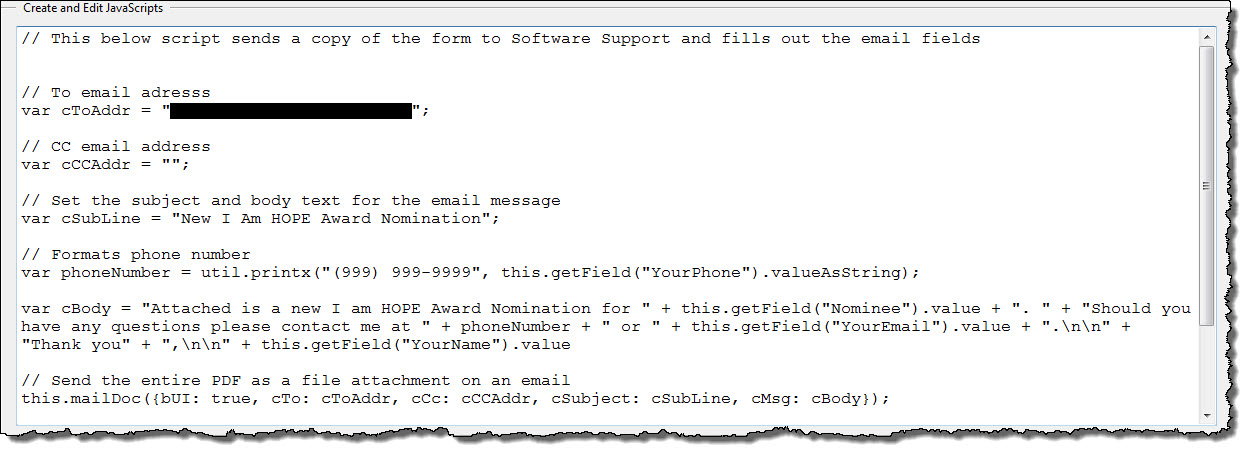
and the result...
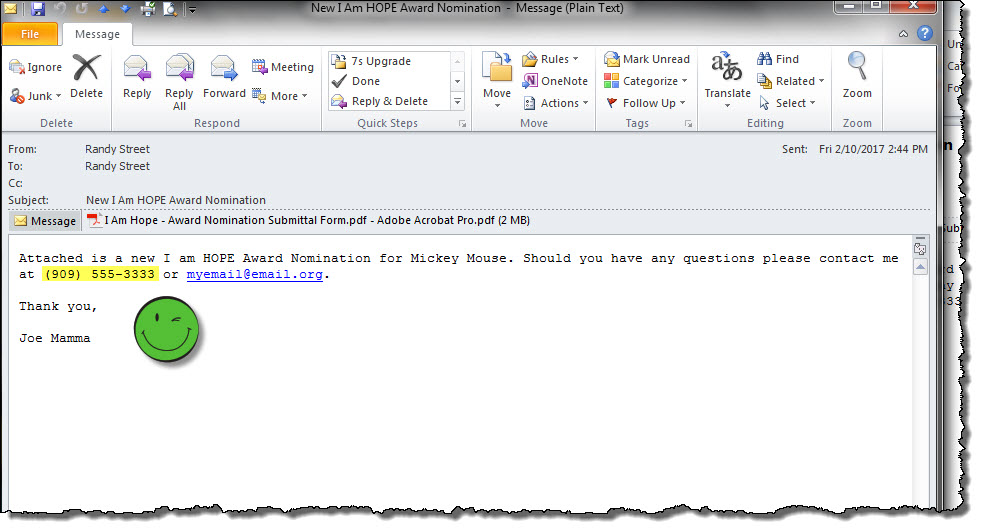
Thank you again for your assistance. Greatly appreciated!

Get ready! An upgraded Adobe Community experience is coming in January.
Learn more
 AdChoices