
Participant
January 12, 2025

The crop shape is not working

  • January 12, 2025
  • 1 reply
  • 222 views

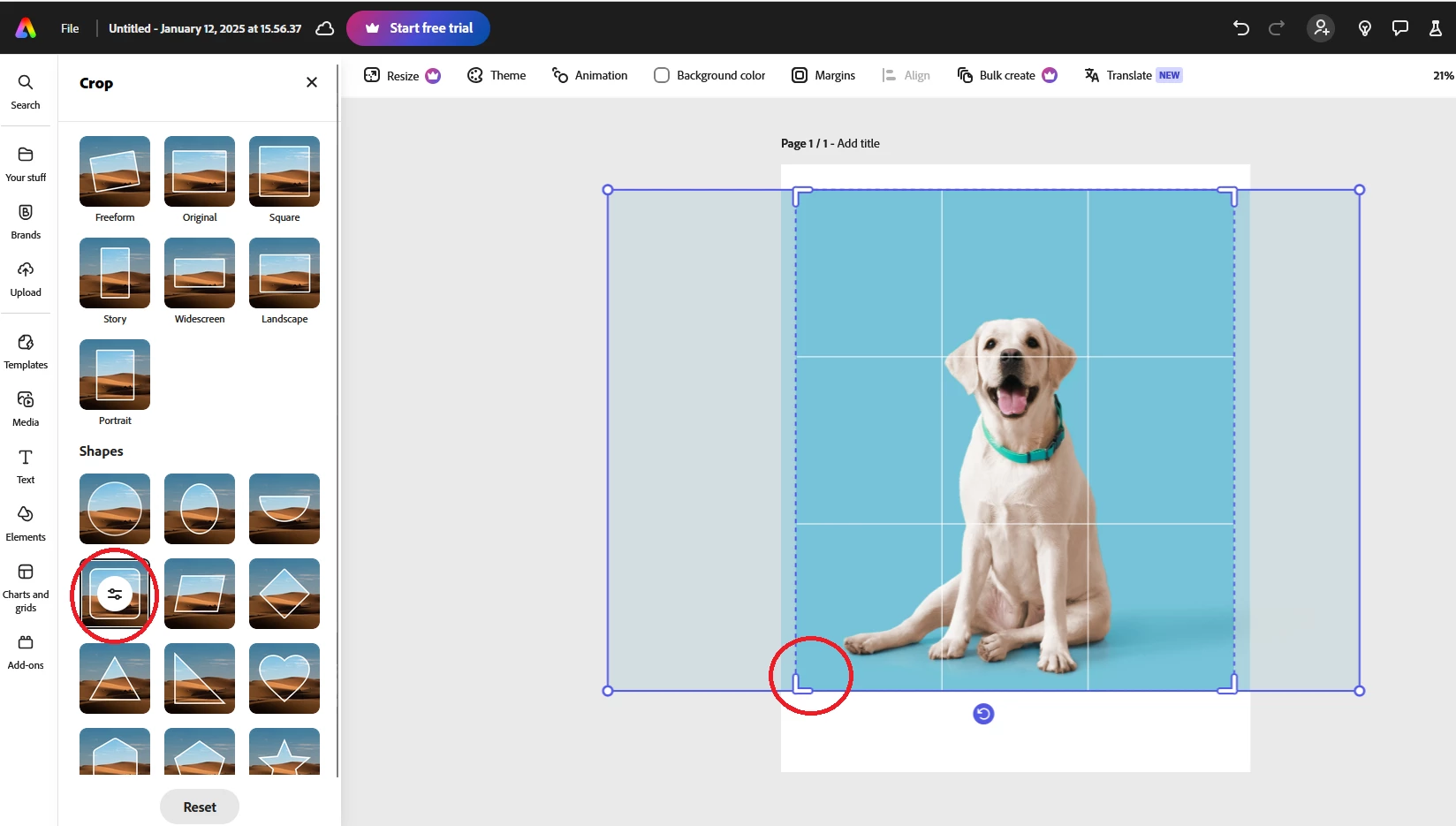
When I try to shape an image with rounded corners, it does not make any changes. The corners remain rectangular. The other shapes are working properly.  I have tried it on Firefox and Chrome, but it doesn’t work in either.
1 reply

meganb45738641
Participant
January 12, 2025

Same! Is there going to be a fix?

chaimaa.7
Community Manager
Community Manager
January 16, 2025

Hello everyone, @meganb45738641 , @Bova38443595p2f5.


Here are some detailed troubleshooting steps to resolve the issue with rounded corners not applying in Adobe Express:

Double-Check the Shape Selection

  • Ensure you have selected the rounded corners shape from the Shapes section.
  • After selecting the shape, check if the preview updates. If not, proceed to the next steps.

Reset the Shape Tool

  • Click on the Reset button at the bottom of the shape menu to remove any previously applied settings.
  • Reapply the rounded corner shape after resetting.

Update Adobe Express

  • Ensure Adobe Express is updated to the latest version in your browser or app. Updates often fix bugs or glitches.

Clear Browser Cache

  • In Chrome or Firefox:
    1. Open browser settings.
    2. Clear cached images and files.
    3. Reload Adobe Express and try again.

Try a Different Browser

  • Even though you’ve tried Chrome and Firefox, test with other browsers like Microsoft Edge or Safari to rule out browser compatibility issues.

Disable Browser Extensions

  • Some extensions (like ad-blockers) can interfere with web applications. Disable extensions temporarily and reload Adobe Express.


Let me know how it goes!


Thanks ^Chaimaa