Copy link to clipboard
Copied



 1 Correct answer


Hello @jasong55700160,
Thank you for your message. I am sorry you are having this problem.
Please note that Adobe has terms of use which include guidelines for acceptable content. Those are detailed in this document: Adobe Generative AI User Guidelines.
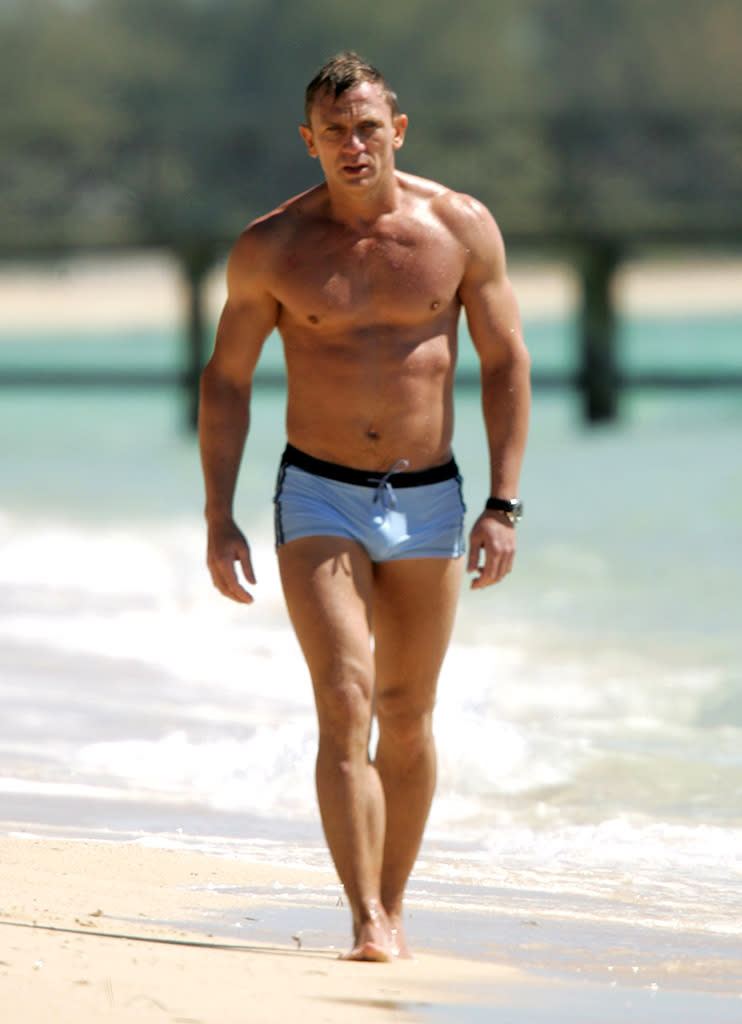
In this case, I think there are multiple factors in this image, including the amount of skin showing, which caused the model to generate an error.
Thanks,
droopy

 7
Replies
7
7
Replies
7

Copy link to clipboard
Copied
Hello @jasong55700160,
Thank you for your message. I am sorry you are having this problem.
Please note that Adobe has terms of use which include guidelines for acceptable content. Those are detailed in this document: Adobe Generative AI User Guidelines.
In this case, I think there are multiple factors in this image, including the amount of skin showing, which caused the model to generate an error.
Thanks,
droopy
Copy link to clipboard
Copied
Hello Thanks for your reply. Do you work for adobe? I was toldf to drop this question here for the approproate tea,m to respiond to.
Either way, can you clarify which guideline or indeed guidelines have been broken? I entered a picture of Daniel craig who is showing the same amount of flesh into the reference and it worked ok. So it can't be the amount of flesh. Ive attached the image for reference.
It's the multiple factors I wish to know about, as that seems like a vague thing and the guidelines are not vague at all.
So can you be more precise?
Thanks very much
Copy link to clipboard
Copied
Hello @jasong55700160,
I do not work for Adobe, but use the product everyday.
Adobe employees generally do not comment in why specific images are rejected. They will point back to the generative AI guidelines and advise you to follow them.
I can only be as precise as my experience guides me. The restrictions are based on math, as all underlying AI models are. So, it is not as easy as saying "skin showing x%, reject".
In your original photo, there are more things that are potential triggers for rejection than just the skin. Those are the face covering, the clothing, and the exposed skin. I cannot tell you which one or combination of them caused the error, but those are the likely factors. Unfortunately, none of us can give you as specific of an answer as you seek.
My best,
droopy
Copy link to clipboard
Copied
Unfortunately Adobe help suggests that I will be answered by a member of the appropriate team... I attach the screen shot of that conversation saying that exactly. I even ask for confirmationand I am told again that the team will respond.
This is very frustrating as the image does not break any guidelines.
Thoughts?
Copy link to clipboard
Copied
Unfortunately, that is not accurate. This is a community support forum. While employees will respond and help in some threads, it mostly users helping users. In this case, what I said Adobe employees would say on this issue is the correct answer (meaning, they will point you at the guidelines and not identify the specific issue(s) that triggered the error).
droopy

Copy link to clipboard
Copied
Cette image est refusée pour servir de modèle dans Firefly, ah, ces étatsuniens si prudes.... A méditer pour revoir ceertain de vos critères de sélection, si c'était de la pornographie je le comprend, mais là il s'agit d'étnographie ?


Copy link to clipboard
Copied
Hi Yves-CH!
Thanks for writing in.
I'm merging your thread here since it’s part of a similar discussion. Please see the correct answer above.
Let us know if this helps.
^KR


Find more inspiration, events, and resources on the new Adobe Community
Explore Now
 AdChoices