
Participant
November 5, 2020
Question

XD cannot create share link because storage is full

  • November 5, 2020
  • 2 replies
  • 1389 views

No matter which project I am working on, I cannot share my project using any type of the link. Each time I tried to create link, the window pops up saying my storage is full. However I never published any projects in my cloud storage as I checked.


 I am working on Windows 10 platform with the newest XD version 34.2.12
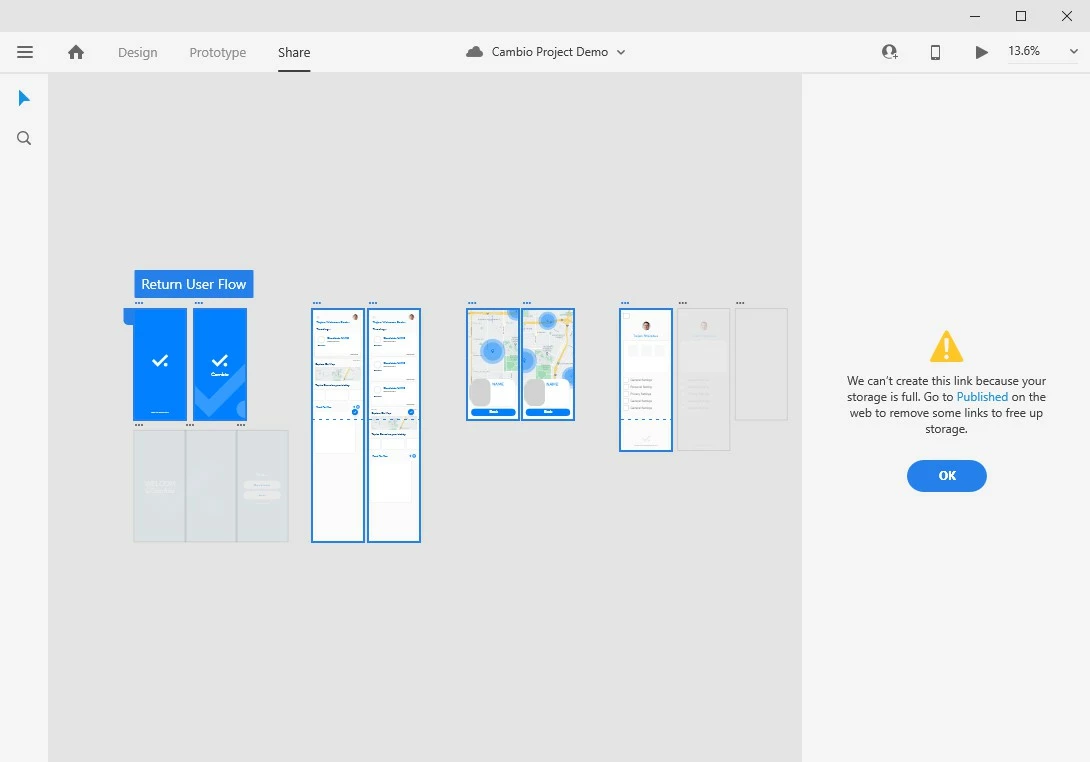


This topic has been closed for replies.

2 replies

Fandesign
Participant
February 21, 2023

I have some problem, but adobe can't solve it.


Rishabh_Tiwari
Legend
November 5, 2020

Hi there,


Sorry to hear about the trouble. Could you please try the suggestion shared in this similar discussion:https://community.adobe.com/t5/adobe-xd/unable-to-collaborate-cloud-xd-files-because-storage-is-full-but-it-s-not/m-p/11091622?page=1#M28348


Let us know if this helps or if you need any further assistance.


Regards

Rishabh

Jiyu QianAuthor
Participant
November 10, 2020

I tried signing out and re-sign-in, but that doesn't seem to solve the issue. I tried on a different PC with newest version of Windows 10 pro, it still doesn't work. The link creation process always stuck at 57% and failed due to full space of drive. Are there any substitue way to create link sharing?

Participant
February 27, 2022

I am so sorry for the delay in response, Jiyu. Could you please confirm if you are still facing the issue on the latest version of XD which is 35.1?


I'm facing the same problem. Latest version of XD, Windows 11.