
Disabling the automatic AA on text
Hello, AE community.
Im currently working on some pixel perfect work and ive hit an issue that ive been trying to figure out for days, and i was wondering if anyone else has solved it.
When you create a text layer in AE, there seems to be some automatic anti-aliasing that applied to it that I need to disable. Lemme explain with a screenshot;
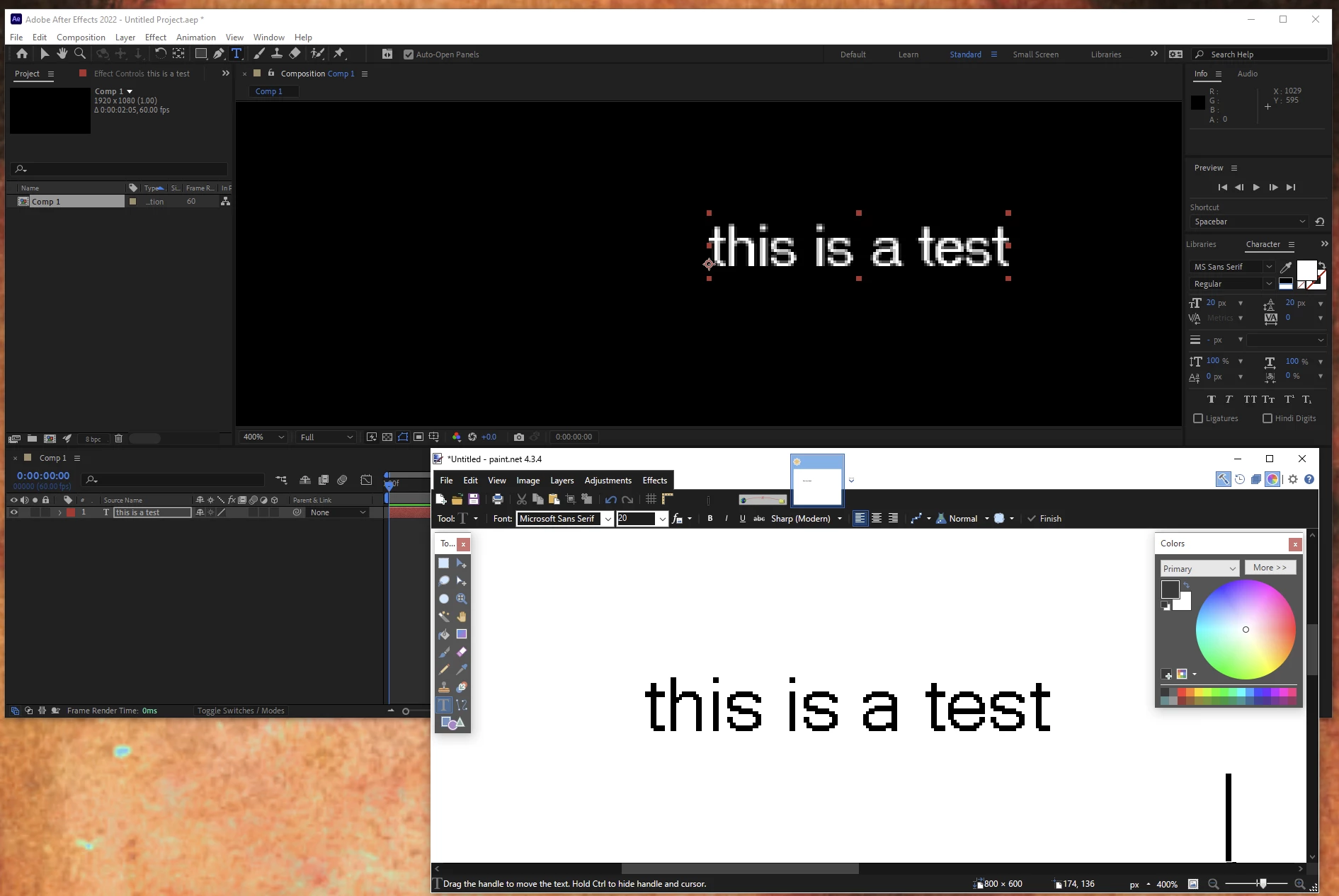
In this screenshot, you see MS Sans Serif of size 20 in 2 different programs, AE and paint.net. You can see that the AE text is blurry and not pixel perfect, while the paint program is not.
Changing the quality setting of the text layer makes the issue argubly worse, as it applies the effect after the text smoothing is applied, resulting in inconsistant pixelation that looks terrible;
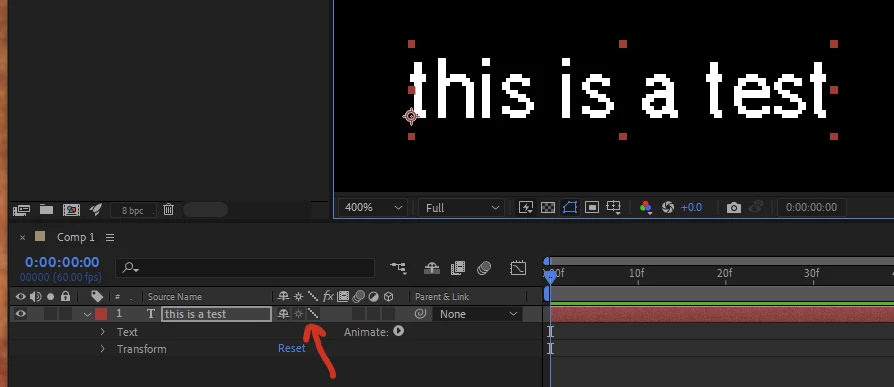
Has anyone found a way to turn this off? Im assuming its a small checkbox in a menu I havent found yet. It seems ludicrous that a program with such a high prestiege (and cost) would not have this option to turn it off.
 AdChoices