BrandonJDick
Participant
August 10, 2017
Answered

Aftereffects crashes at startup?

  • August 10, 2017
  • 4 replies
  • 6978 views

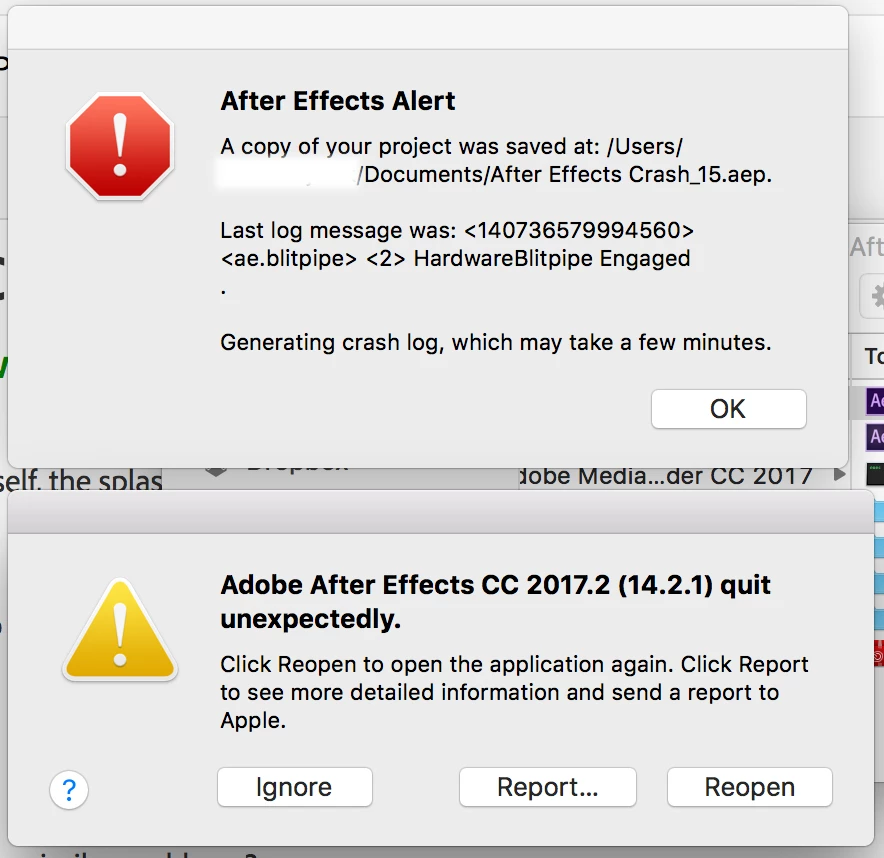
Hi, my aftereffects crashes during startup with this message (see attached image). I have tried to uninstall and reinstall aftereffects to no avail. I was using the program with no problems a few weeks ago, but now I can no longer open old projects or start new ones.

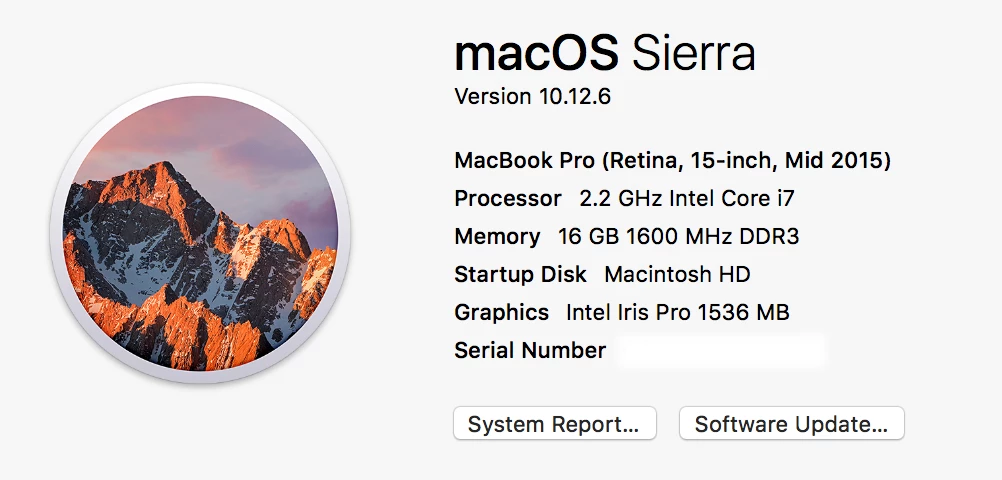
I have a Mac and I included a screenshot of the computer details (see attached image).
This topic has been closed for replies.
Correct answer BrandonJDick

I fixed the problem!

"...(on a Mac) hold down the Command + Option + Shift keys as you start After Effects, this will allow you to delete the corrupt preference file. On a PC its Control + Alt + Shift."

After this there was a plain dialog box - "Do you want to delete corrupt Preferences File?".  I clicked Yes.  AE started up smoothly.

Solution courtesy of Brian Charles, http://forums.creativecow.net/thread/2/970527

4 replies

Todd_Morgan
Legend
September 17, 2017

Does anyone here use Animation Composer?? I do, and notice that whenever this AE crash at startup happens it usually works after updating Animation Composer, so wondering if somehow that plug in may be causing these issues?

MLE_atikon
Participating Frequently
October 19, 2017
BrandonJDick
BrandonJDickAuthorCorrect answer
Participant
September 13, 2017

I fixed the problem!

"...(on a Mac) hold down the Command + Option + Shift keys as you start After Effects, this will allow you to delete the corrupt preference file. On a PC its Control + Alt + Shift."

After this there was a plain dialog box - "Do you want to delete corrupt Preferences File?".  I clicked Yes.  AE started up smoothly.

Solution courtesy of Brian Charles, http://forums.creativecow.net/thread/2/970527

Kevin J. Monahan Jr.
Legend
September 13, 2017

Hi BrandonJDick,

Please try these steps and report back if you were successful with a fix: Premiere Pro CC, CC 2014, or 2014.1 freezing on startup or crashing while working (Mac OS X 10.9, and later)

Thanks,

Kevin

Kevin Monahan - Sr. Community and Engagement Strategist – Adobe Pro Video and Audio
BrandonJDick
Participant
September 13, 2017

This did not work for me either

rudahevz
Participant
August 10, 2017

I have same issue, start today when I open the After Effects. I was using the program with no problems yesterday.

Szalam
Community Expert
Community Expert
August 11, 2017

Have you tried trashing your preferences? See this page: Reset After Effects Preferences

rudahevz
Participant
August 11, 2017

Yes I tried, but didn't work