Adobe Community

- Home
- Animate
- Discussions
- After I've rendered my animation, the project laye...
- After I've rendered my animation, the project laye...
After I've rendered my animation, the project layers are messed up

Copy link to clipboard
Copied
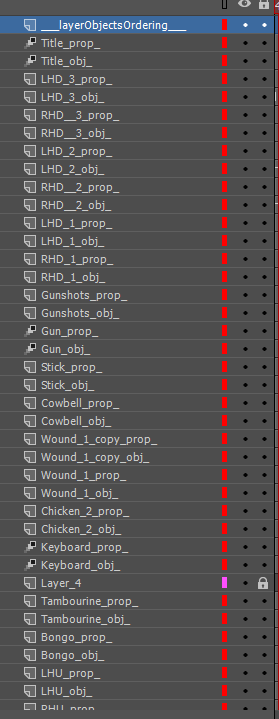
it's got "_prop_" and "_obj_" at the end of every layer. Also I can't edit the symbols in those layers either. How can I get it back to normal?


 5
Replies
5
5
Replies
5


Copy link to clipboard
Copied
We need more information in order to help you.


Copy link to clipboard
Copied
Like Nick said, we need more information on what you are trying to do, how you are doing it, and what happens in that process?
Thanks,
Preran

Copy link to clipboard
Copied
This just happened to me as well. Several of my projects went wrong.
Everything was fine the all of a sudden a I had double the amount of layers. It seemed like they appeared out of nowhere.
The only thing I can guess is that I'm stuck in some kind special mode, but I'm lost. Maybe I hit ke by accident.
After these layers apeared I cannot access the or see it all. But when I render it all that I had done still plays.
So it there but its not.
The process is super simple,
import fish > make a graphic
take graphic and make movie clip.
Move movie clip onto stage and make aniamtion.
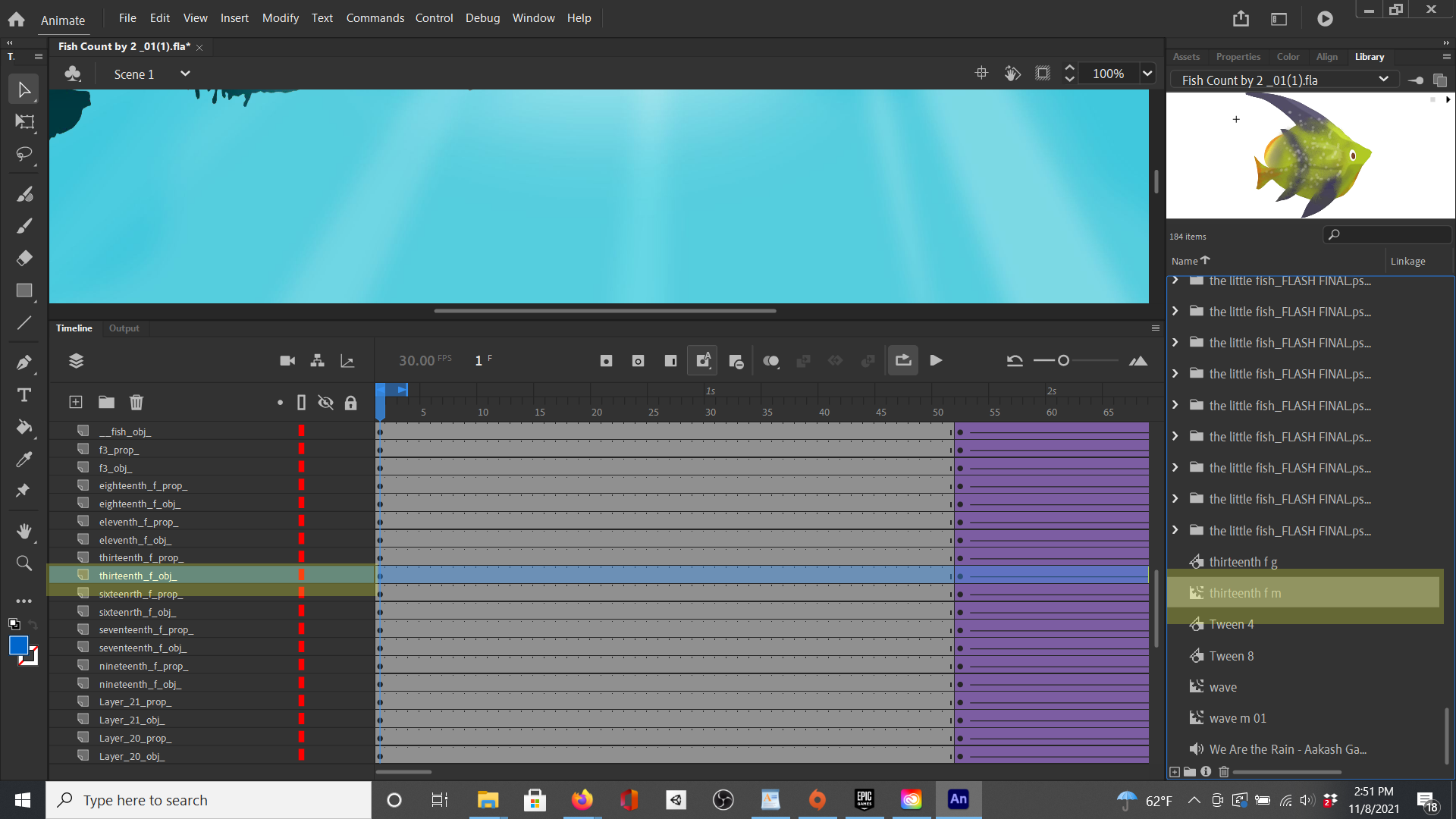
I'm attaching screen shot that shows 2 layers labeled:
thirteenth f_prop_
thirteenth f_obj_
It also shows the library the the thirteenth f m movie clip which is what I put on the stage and gave some motion tweens to in the timeline. There was no warning this simple process was working for weeks then I updated CC and this happens. I was just working on another fresh project, saving along the way and its happened again. I'm at a total loss, what on earth has happened, Help!

Copy link to clipboard
Copied
@Cryptidzoo what were trying to do ? were you trying to do test movie (Ctrl + Enter) or switching between the docs/different timelines ? Also whether you were working in timeline panel before it happened ? e.g duplicating/merging the layer, moving the layers up/down and the tools that you were using ?
Also did you try reverting the file from file menu, if yes, did it revert the file to last saved state or not ?
Copy link to clipboard
Copied
I can't be sure, I think I was playing with moving an object on the stage to fine tune the placement. Wasn't doing anything in the timeline as far as I was aware of. The layers just double and the names all change with these weird _prop_ and _obj_ names.
I didn't know there was revert feature. but I think I saved and saved as so often trying to get it back I can't revert it.
But really the main question is still what is this doubling and renaming of layers (_prop_ and _obj_ )?
And is it possible to get my project back?


 AdChoices