
Participant
September 19, 2020
Answered

How do I import multitrack recordings?

  • September 19, 2020
  • 2 replies
  • 3773 views

Hey!


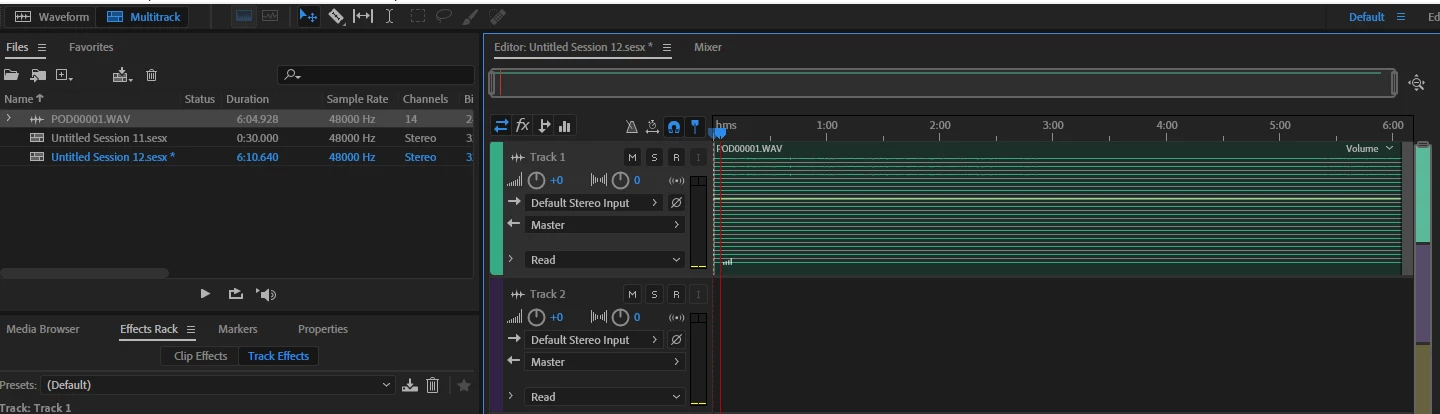
I have just got a rodecaster and started recording multitrack recordings. When I drag the audio file into Audacity it seperate the audio into separate tracks but in Audition it is put in a strange mono waveform (see picture). Is there a way of importing multitrack files into Audition?


Thanks!
 

This topic has been closed for replies.
Correct answer SteveG_AudioMasters_

Er, that's not a strange mono recording - that's a multitrack file! And in that form, in Multitrack view you can do pretty much nothing useful with it.


There are two approaches to how you deal with this - you can either open the file in Waveform view and split the tracks out manually, or you could try doing what Adobe recommends, which is to follow the steps outlined here. If this doesn't work out, then I can detail what you have to do to extract them into separate files, but you should really try the 'official' method first - which can be summed up by saying 'hold the Alt key down whilst dragging the clips onto the track layout'.


2 replies

Jordan Nash
Inspiring
September 19, 2020

There's a menu preference that defines how Audition treats multitrack files. The default is to put them all in a single track. Hold down Alt and drag the files to the timeline to activate the alternate behavior. Interestingly, Premiere Pro separates the file into multiple tracks by default. 


I had to learn about this recently, as the Behringer X-Live card also records to multitrack WAV files. 

SteveG_AudioMasters_
Community Expert
SteveG_AudioMasters_Community ExpertCorrect answer
Community Expert
September 19, 2020

Er, that's not a strange mono recording - that's a multitrack file! And in that form, in Multitrack view you can do pretty much nothing useful with it.


There are two approaches to how you deal with this - you can either open the file in Waveform view and split the tracks out manually, or you could try doing what Adobe recommends, which is to follow the steps outlined here. If this doesn't work out, then I can detail what you have to do to extract them into separate files, but you should really try the 'official' method first - which can be summed up by saying 'hold the Alt key down whilst dragging the clips onto the track layout'.


Participant
September 19, 2020

Thank you so much! I've been googling for a week without finding anything useful! I will try this as soon as I get a chance and hope that this is the solution I've been looking for.

Jordan Nash
Inspiring
September 19, 2020

Hold down Alt when you drag it from the media browser to the timeline.