Participating Frequently
January 10, 2017
Answered

volume very high

  • January 10, 2017
  • 1 reply
  • 2200 views

hi.

i imported a file to adobe audition.

so, my windows sound dispositive was disconnected. windows media player, youtube, all was mute.

I saw that my file would play in adobe audition. but is very high. the windows sound volume don't affect that.

where i adjust the volume of files played in adobe audition?

This topic has been closed for replies.
Correct answer ryclark

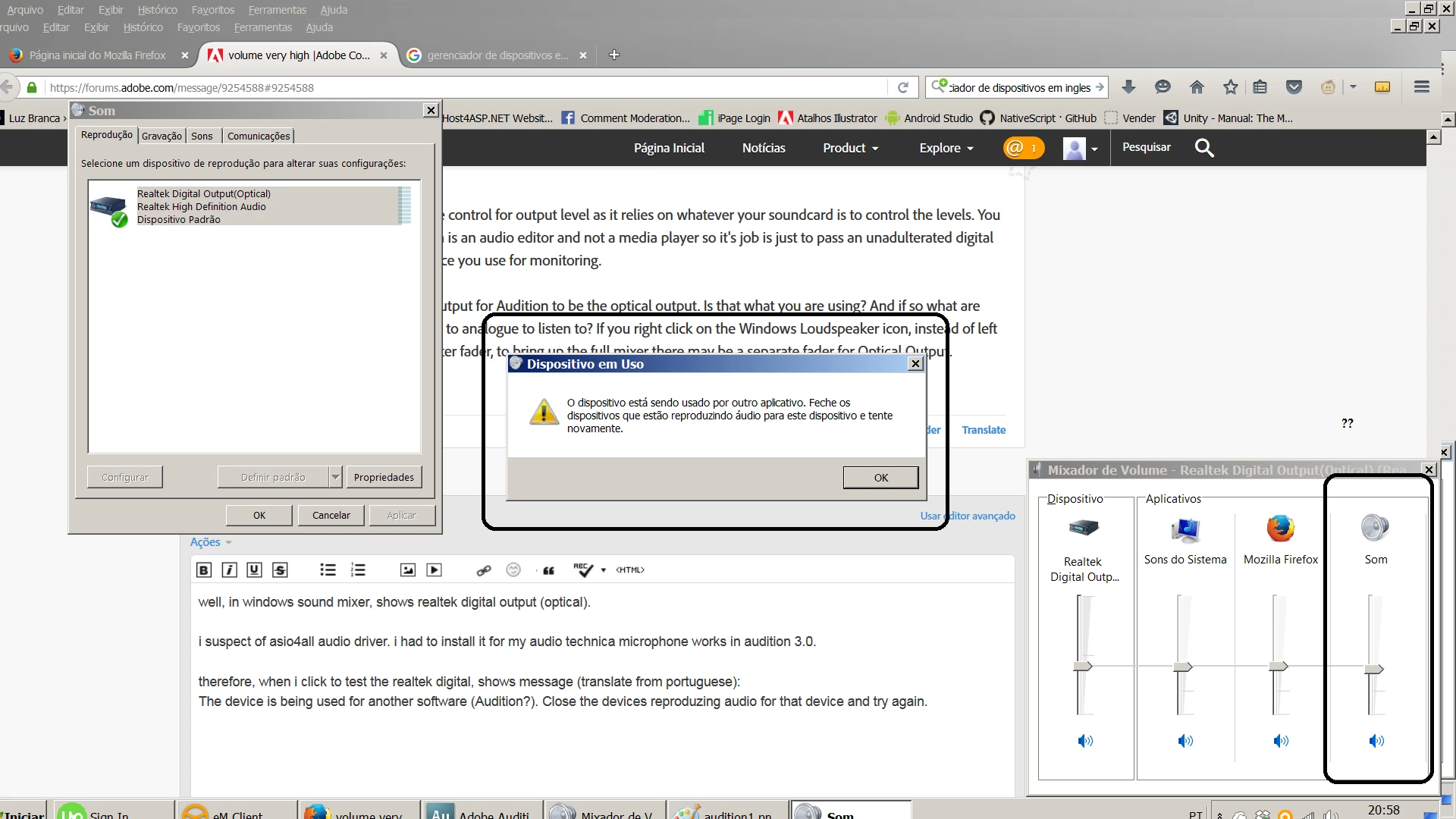
well, in windows sound mixer, shows realtek digital output (optical). the separade fader is missing with audition

i suspect of asio4all audio driver. i had to install it for my audio technica microphone works in audition 3.0.

therefore, when i click to test the realtek digital, shows message (translate from portuguese):

The device is being used for another software (Audition?). Close the devices reproduzing audio for that device and try again. and the fader reappear


What happens if you revert to Audition 3.0 Windows Sound driver rather than ASIO4All? What are you feeding the Optical output of your computer into to listen to the audio? Ideally all Windows volumes should be left at Full and the actual level controlled on your external monitoring device. Reducing the levels in the Windows Sound mixer inevitably reduces the quality of the audio by reducing the bit depth of the output audio.

1 reply

ryclark
Participating Frequently
January 10, 2017

Is it just that the volume is very high on your speakers/headphones when you play the file? In which case it is only one of the controls in the Windows sound mixer that controls that if you are using the onboard soundcard. Or that you actually want to adjust the level of the waveform in the Audition display to make a quieter audio file?

Participating Frequently
January 10, 2017

hi, ryclark. when I play the file in windows media player the volume is ok. I can lower or raise in windows volume. when I start the audition the windows media player freeze and the sounds is mute. yes. the volume is very high on my speakers when I play the file in the audition. enormous.

I want a volume control in audition or another place to lower the volume. not adjust the level of waveforms (decibels) only control the volume. the windows volume control (mixer) is disabled when I start audition.

please, look at prints

ryclark
Participating Frequently
January 11, 2017

Audition does not have separate control for output level as it relies on whatever your soundcard is to control the levels. You have to remember that Audition is an audio editor and not a media player so it's job is just to pass an unadulterated digital signal through to whatever device you use for monitoring.

Your image shows the default output for Audition to be the optical output. Is that what you are using? And if so what are you using to convert your signal to analogue to listen to? If you right click on the Windows Loudspeaker icon, instead of left click which only shows the master fader, to bring up the full mixer there may be a separate fader for Optical Output.