Inspiring
November 8, 2018
Answered

Mouth Warps Head as if pinned

  • November 8, 2018
  • 1 reply
  • 1506 views

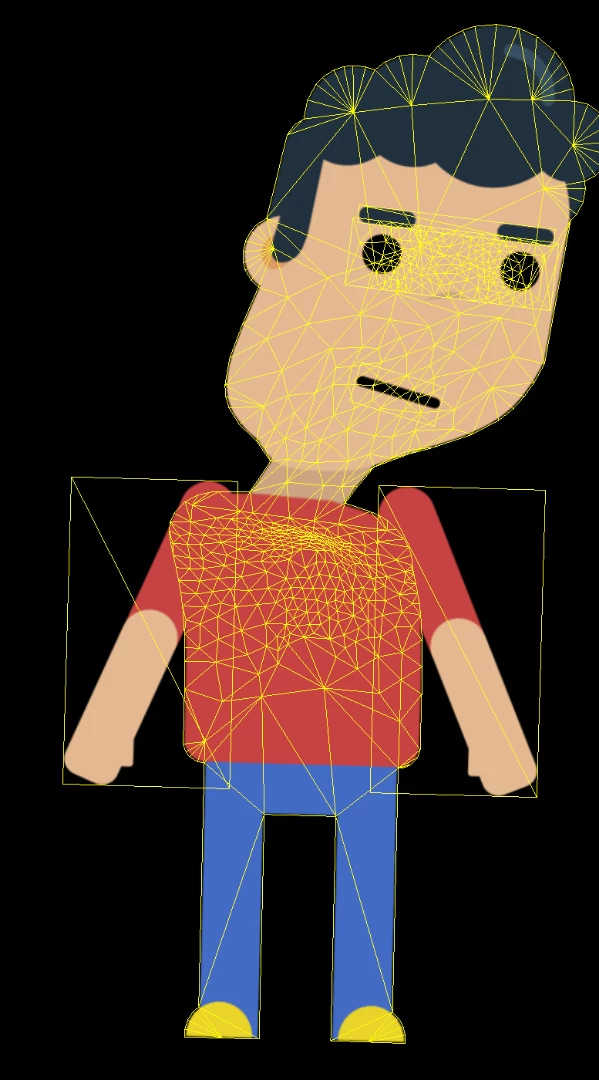
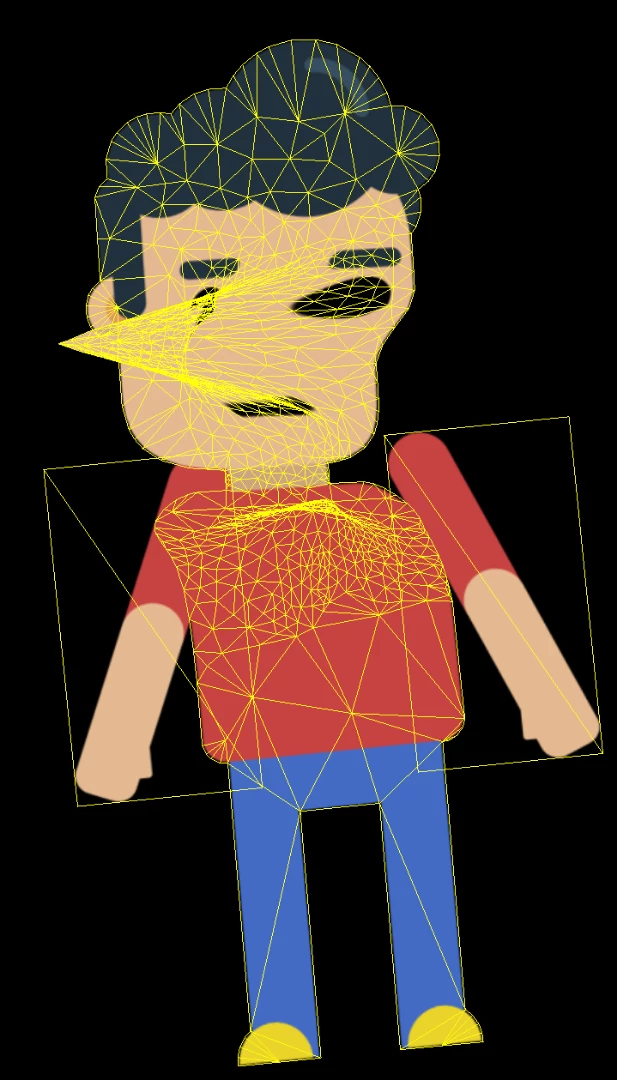
I've created this simple background character using a template from a more complex character, so the set up is almost identical, but when I move this characters head by clicking on it, the mouth doesn't want to move as if it's pinned and it warps the head. I've tried deleting every layer of the mouth, but it still warps. The only that has worked is deleting the mouth layer itself.

My almost identical character doesn't have this issue and I have spent hours trying to figure it out. I've searched the forums for answers, but couldn't find anything. Thank you to whoever checks this out. Here is the adobe ai file: Dropbox - Character- Eric.ai
This topic has been closed for replies.
Correct answer alank99101739

I assume you put a dragger on the head, which is how you moved the head with the mouse?

I believe what is happening is CH frequently only allows one thing to control a part of the puppet. When there is a behavior controlling some part of the puppet, nothing else affects it. So for Mouth, it is the Face behavior The eyes and eyebrows have the same problem.

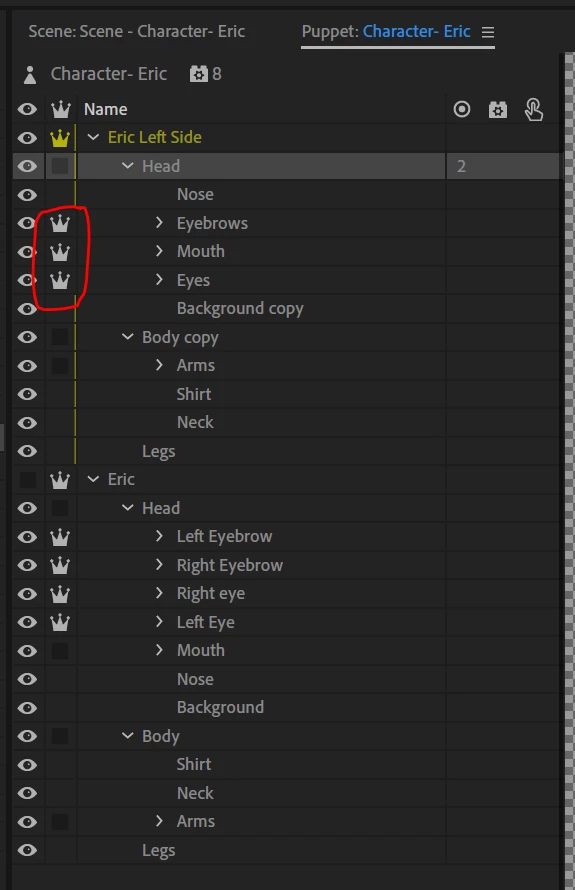
To solve the problem, you make those groups independent (each eye, eyebrows, and mouth). You click on the crown, or use a "+" at the start of the layer name. Then the Face / Eye Gaze / Lip Sync etc behavior has full control over that layer, but the layer still moves relative to the parent that it is attached to. That way it does work.

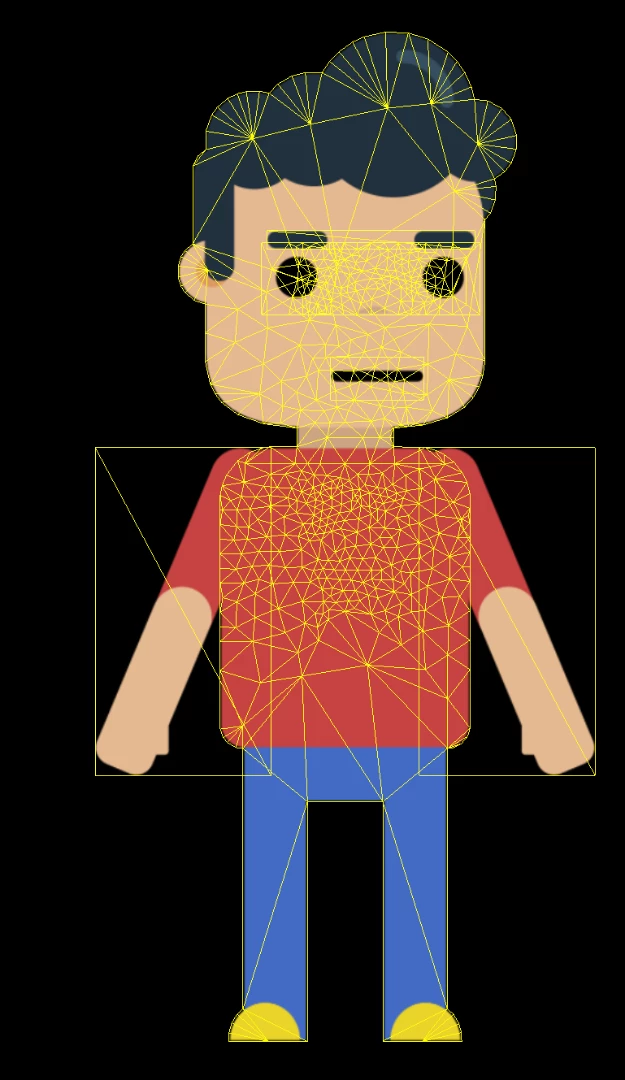
Normal (with mesh on)

Dragging without adding the crowns - is this the distortion you see? If you look at the mesh, its the mouth and eyes that are fixed.

Dragging the head with independence on - better (but mouth still goes on angles)

I just clicked the 3 clowns as follows:

1 reply

alank99101739
Legend
November 8, 2018

Hi. What can help more is exporting a puppet file via File menu. That includes rigging and the artwork.

Someone else might be able to look sooner - I could not do so till tonight.

What a useful debugging tool can be is to click on the yellow mesh icon at bottom left a corner of scene window, then looking to see what part of mesh is not moving.

Also check out tags on origin vs handles. It is often temperamental.

alank99101739
alank99101739Correct answer
Legend
November 9, 2018

I assume you put a dragger on the head, which is how you moved the head with the mouse?

I believe what is happening is CH frequently only allows one thing to control a part of the puppet. When there is a behavior controlling some part of the puppet, nothing else affects it. So for Mouth, it is the Face behavior The eyes and eyebrows have the same problem.

To solve the problem, you make those groups independent (each eye, eyebrows, and mouth). You click on the crown, or use a "+" at the start of the layer name. Then the Face / Eye Gaze / Lip Sync etc behavior has full control over that layer, but the layer still moves relative to the parent that it is attached to. That way it does work.

Normal (with mesh on)

Dragging without adding the crowns - is this the distortion you see? If you look at the mesh, its the mouth and eyes that are fixed.

Dragging the head with independence on - better (but mouth still goes on angles)

I just clicked the 3 clowns as follows:

Inspiring
November 9, 2018

Hello

Thank you for the help. I'll be sure to upload the puppet file next time.

Selecting the crown icon fixed the problem for me and I understand why, but I don't understand why my other puppet is working fine without the crown icon activated on anything except the head and their setup is identical. Also the mouth was the only thing that was warping, the eyes and eyebrows didn't require the crown to be active.

Either way everything is working now so thank you very much.