Yooper Studio
Participating Frequently
October 8, 2023
Question

Setting up puppet in Photoshop

  • October 8, 2023
  • 1 reply
  • 492 views

Hi, I'm new to Character Animator. I'm trying to use it to create short clips for a music video I'm working on.

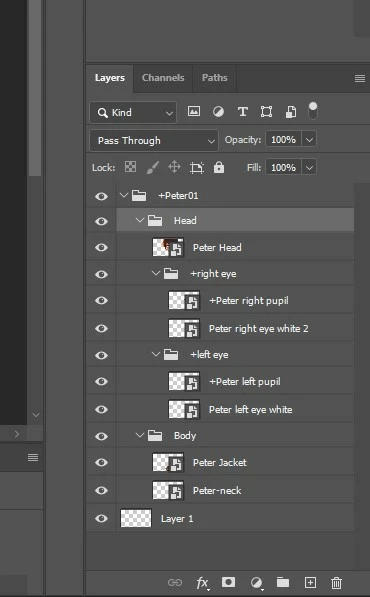
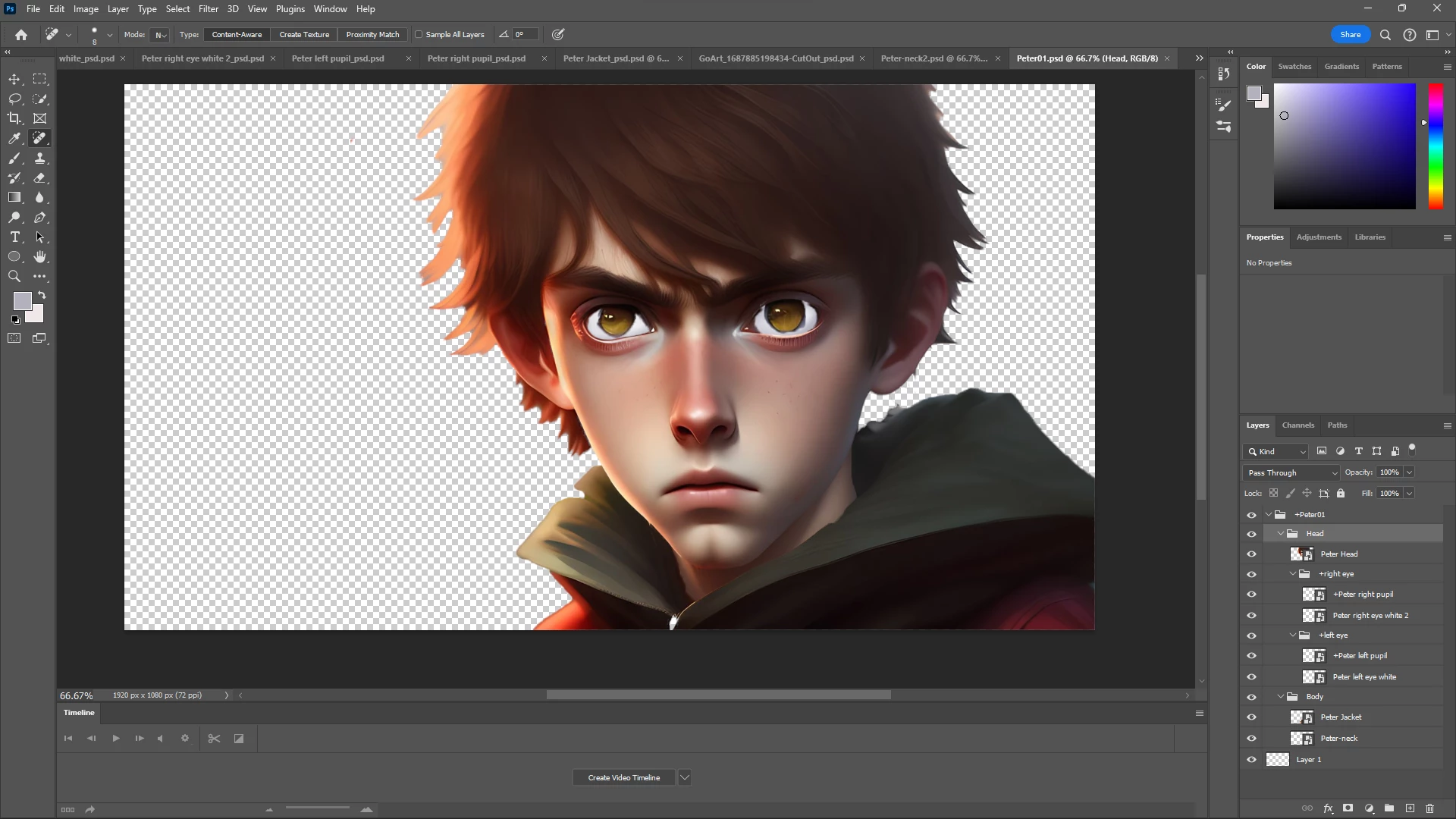
I've set up a character in photoshop, and am hoping to get some advice about it before I export it to Character Animator. I only need a little head movement and the eyes to move for this particular clip.


Is this set up correctly? And what issues will I encounter when I start to set up rigging.

Thank you for your time.


This topic has been closed for replies.

1 reply

TheOriginalGC
Community Expert
October 9, 2023

Layer 1 appears to be empty. If it is, delete it since Character Animator will still attempt to process it. Normally, the head background layer is behind the eyes, but I'm assuming you're using the head like a mask for the eyes. If it were me, I'd import the file into CH and see what happens. You might need to tag the eye parts, but CH might figure it out. Only one way to find out.

Yooper Studio
Participating Frequently
October 9, 2023

Thank you TheOriginalGC! Indeed, it will be a mask type of set up. I really only need a little head movement and eye movement for this clip. I'll delete that layer and see what happens when I load it.