


- Home
- Character Animator
- Discussions
- My created puppet is not rendering
- My created puppet is not rendering

Copy link to clipboard
Copied
I am very new to using Character Animator.
I have followed the initial tutorial to create my own puppet in Illustrator.
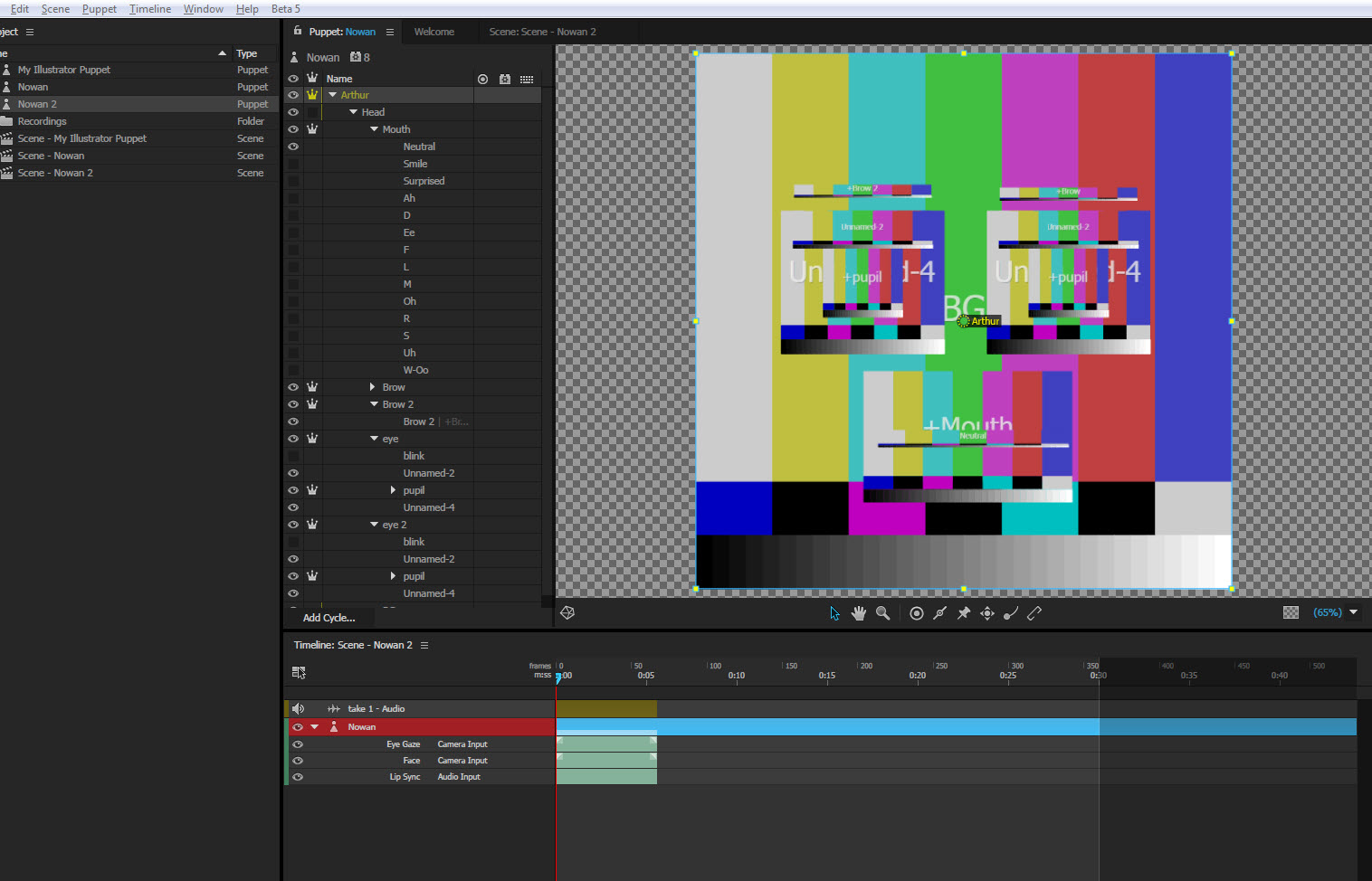
It worked fine at the beginning but now, all I get is the following graphic in Character Animator.
I don`t know how to refresh and render my graphic to what I've created. Anyone has had this problem?
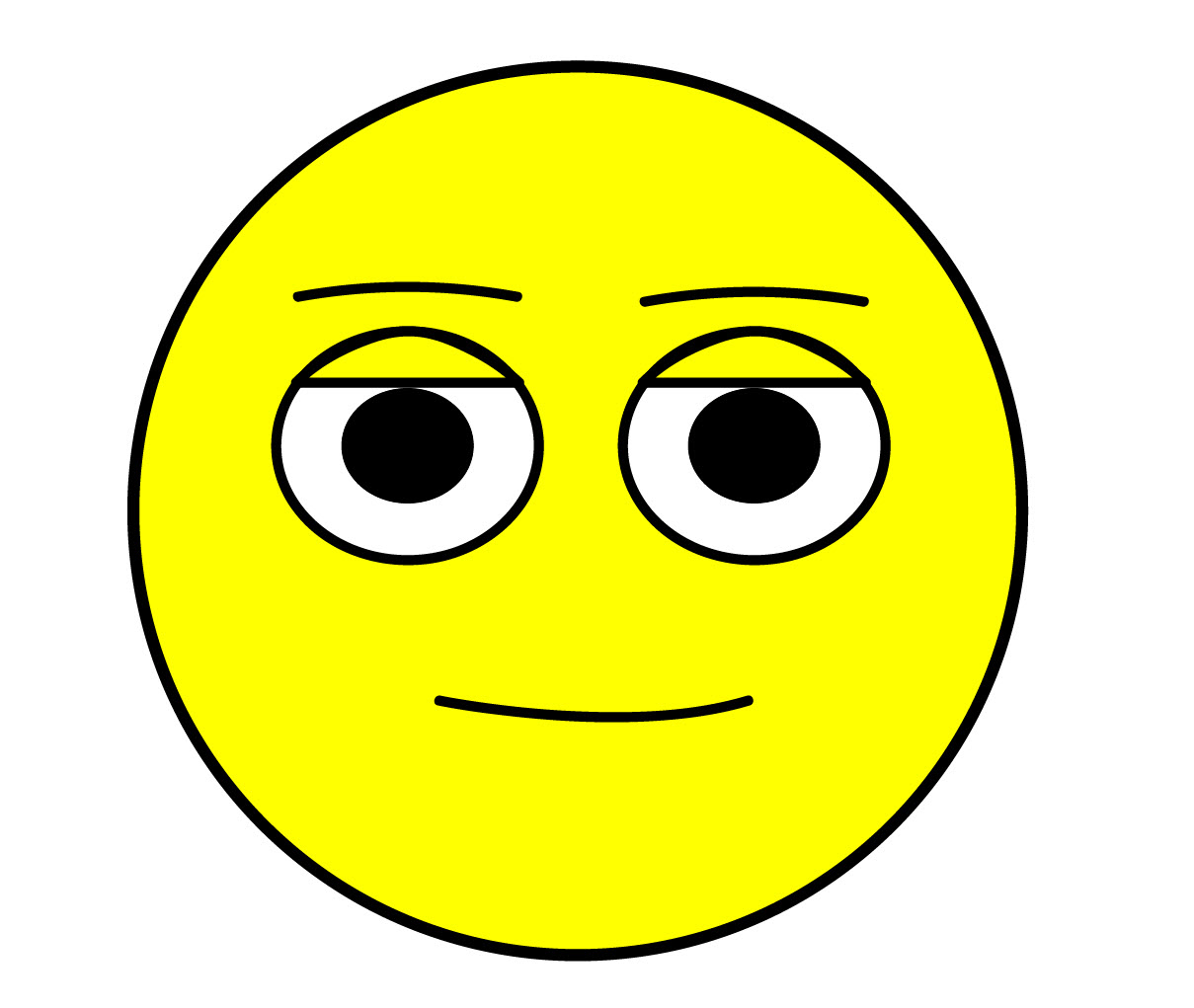
My created image in Illustrator should be as follow:


 1 Correct answer

When color bars appear, it means the expected path to the source artwork is no longer valid. Maybe the file was moved? If you select the "Nowan" puppet in the Project panel, then look in the Puppet section of the Properties panel, is the file path shown appearing in yellow (indicating it's missing)? If so, if you click that file link, then relink to the intended location of the Illustrator artwork file, does the artwork show up again the Puppet panel?

 2
Replies
2
2
Replies
2

Copy link to clipboard
Copied
When color bars appear, it means the expected path to the source artwork is no longer valid. Maybe the file was moved? If you select the "Nowan" puppet in the Project panel, then look in the Puppet section of the Properties panel, is the file path shown appearing in yellow (indicating it's missing)? If so, if you click that file link, then relink to the intended location of the Illustrator artwork file, does the artwork show up again the Puppet panel?
Copy link to clipboard
Copied
That was very simple. Thanks a lot jeff. I won`t forget this one.
It`s working fine again.


Get ready! An upgraded Adobe Community experience is coming in January.
Learn more
 AdChoices