Exit
  • Global community
    • Language:
      • Deutsch
      • English
      • Español
      • Français
      • Português
  • 日本語コミュニティ
  • 한국 커뮤니티
0

Can't reinstall Creative Cloud on my Macbook Pro after migration corrupted it

New Here ,
Oct 20, 2025 Oct 20, 2025

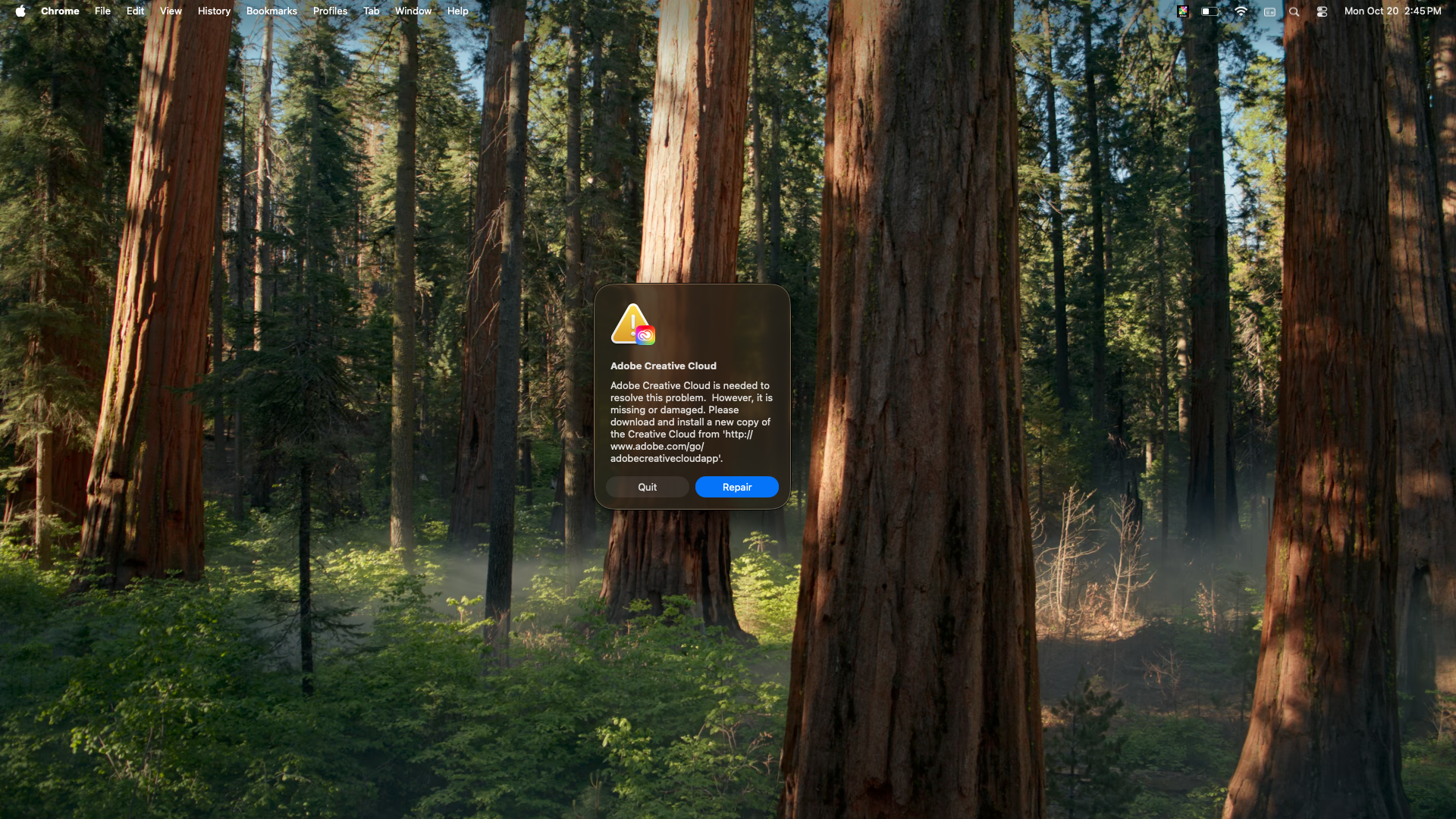
Upgraded my Macbook Pro. I used the migration tool. While the Adobe Apps are there with all the associated information, upon boot up, there is is an error with CC. I can neither uninstall, reinstall, or repair it. The apps (such as Photoshop) will not uninstall either due to this issue. I cannot get any gurus on the phone as the tech support numbers have been disconnected. I am at a loss what to do. I can't include version number as I can't run it. Running Tahoe 26.0.1, but the problem started in Sequoia ( I updated the OS thinking that might help). All I have to do is start the laptop top get the error. 

Bug Unresolved
TOPICS
App installs and updates
163
Translate
Report
Community guidelines
Be kind and respectful, give credit to the original source of content, and search for duplicates before posting. Learn more
community guidelines

correct answers 1 Correct answer

Adobe Employee , Oct 20, 2025 Oct 20, 2025

Hi @kem070396 , Adobe absolutely still supports Creative Cloud. You might've run into the error because the AWS outage is also affecting our support systems, so we're not able to provide live support today because of the outage. While you wait for support to come back online, here are some options for you.


Not sure if you've tried this already but here's a help article with some steps to try: https://helpx.adobe.com/creative-cloud/kb/creative-cloud-missing-damaged.html


You can try the uninst

...
Translate
8 Comments
Community Expert ,
Oct 20, 2025 Oct 20, 2025

restore your mac to before the migration.  then properly install adobe apps.

Translate
Report
New Here ,
Oct 20, 2025 Oct 20, 2025

It was brand new out of the box; you mean factory reset? There was a lot of info that migrated over that would take a while to start all over. Wouldn't it be easier to uninstall or fix CC?

Translate
Report
Community Expert ,
Oct 20, 2025 Oct 20, 2025

it's more reliable to


restore your new computer 

uninstall adobe from your old computer 

then migrate your old computer to your new one 

then install adobe 

Translate
Report
New Here ,
Oct 20, 2025 Oct 20, 2025

Well, since I just heard on the phone AI that Adobe doesn't support CC anymore before hanging up on me, it looks like I will have to try to do that.

kglad, I appreciate the input. Someone remind me why I pay Adobe for a subscription if I can't get tech support? I am not happy

Translate
Report
Community Expert ,
Oct 20, 2025 Oct 20, 2025

adobe supports cc.

Translate
Report
New Here ,
Oct 20, 2025 Oct 20, 2025

How? Before you answered (again, thank you) the phone  automated system said no and hung up on me.

 Btw, I turned CC off on start up and the start up error went away. LrC works fine so does PS. So there's that.

Translate
Report
Community Expert ,
Oct 20, 2025 Oct 20, 2025

i'm not aware of any phone support so i don't know who you called.  but adobe supports its current (and one major previous) versions.

Translate
Report
Adobe Employee ,
Oct 20, 2025 Oct 20, 2025
LATEST

Hi @kem070396 , Adobe absolutely still supports Creative Cloud. You might've run into the error because the AWS outage is also affecting our support systems, so we're not able to provide live support today because of the outage. While you wait for support to come back online, here are some options for you.


Not sure if you've tried this already but here's a help article with some steps to try: https://helpx.adobe.com/creative-cloud/kb/creative-cloud-missing-damaged.html


You can try the uninstallers as well: https://helpx.adobe.com/creative-cloud/apps/manage-apps/creative-cloud-desktop-app/uninstall-creativ...

Translate
Report