Exit
  • Global community
    • Language:
      • Deutsch
      • English
      • Español
      • Français
      • Português
  • 日本語コミュニティ
  • 한국 커뮤니티
0

Cant revert to older version of a file stored in Creative Cloud

Explorer ,
Mar 16, 2016 Mar 16, 2016

Hi,

Anyone else having issues reverting to older versions of files stored in Creative Cloud? I have used the feature several times before, but today it doesn't work.

I right click my file in finder on my Mac and selects "View in browser". Then i get a list of earlier revisions, but normally you are able to click these. However, i can't select them now. They refuse to get active. Is anyone else having this issue?

As you can see in my screenshot, i want to revert to one of the older revisions that is about 200~mb. The revisions seems to be there, but can't be selected.
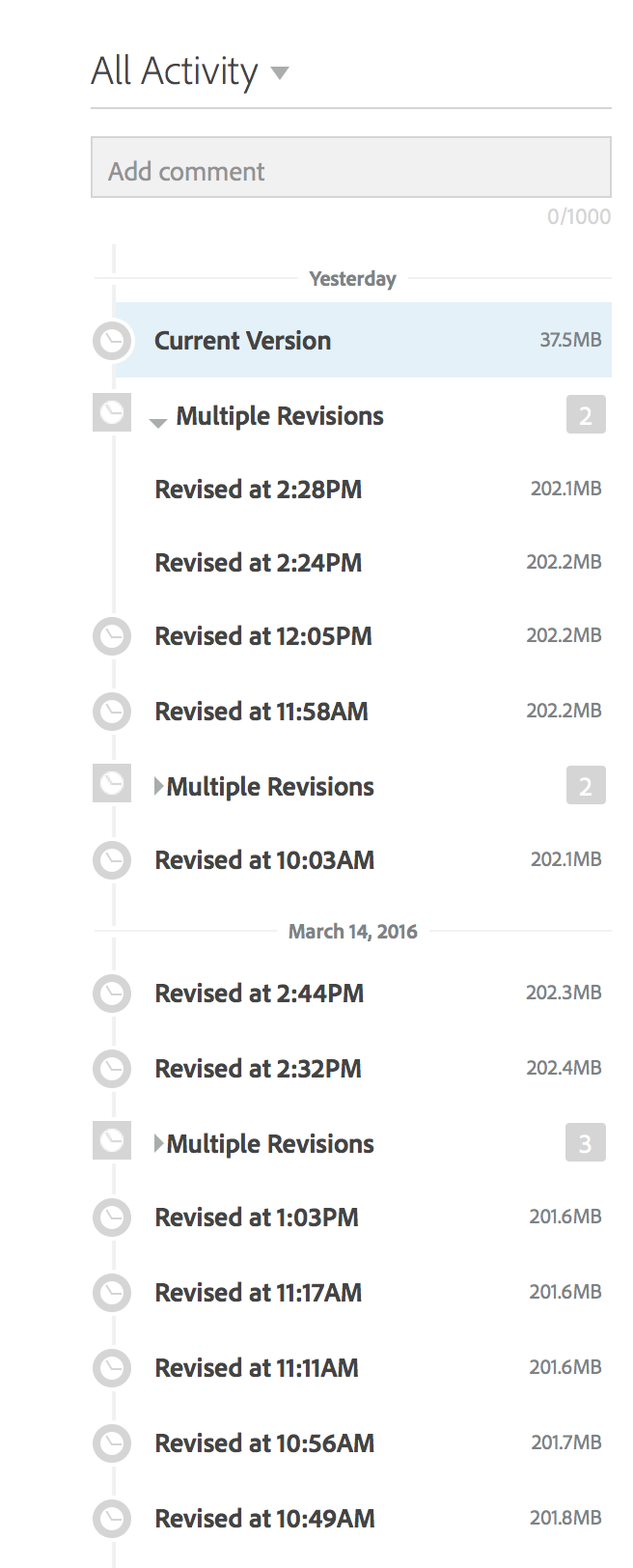
creativecloud.png

TOPICS
File sync
509
Translate
Report
Community guidelines
Be kind and respectful, give credit to the original source of content, and search for duplicates before posting. Learn more
community guidelines
Adobe Employee ,
Mar 16, 2016 Mar 16, 2016
Translate
Report
Community guidelines
Be kind and respectful, give credit to the original source of content, and search for duplicates before posting. Learn more
community guidelines
Explorer ,
Mar 16, 2016 Mar 16, 2016
LATEST

Thank you, sorry for posting in the wrong section

Translate
Report
Community guidelines
Be kind and respectful, give credit to the original source of content, and search for duplicates before posting. Learn more
community guidelines

