Exit
  • Global community
    • Language:
      • Deutsch
      • English
      • Español
      • Français
      • Português
  • 日本語コミュニティ
  • 한국 커뮤니티
0

PS CC 2019 error/reinstall message

New Here ,
Jan 16, 2020 Jan 16, 2020

Hi there,


I just tried to run PS CC (2019) and it wouldn't run, saying I should re-install. I noticed there was a update and then saw I have PS 2020, but it won't run..instant crash. When I look at CC, it tells me to do two updates (20.0.5 & 21.0.1) but both fail to load.


Help!

TOPICS
File sync , Libraries
425
Translate
Report
Community guidelines
Be kind and respectful, give credit to the original source of content, and search for duplicates before posting. Learn more
community guidelines
Community Expert ,
Jan 17, 2020 Jan 17, 2020
LATEST

When the CC client show you thast you have updatres for version 20 and 21 it seems that you have installed both version on you computer. This matches also with the message that you should do an reinstall of PS 2019.


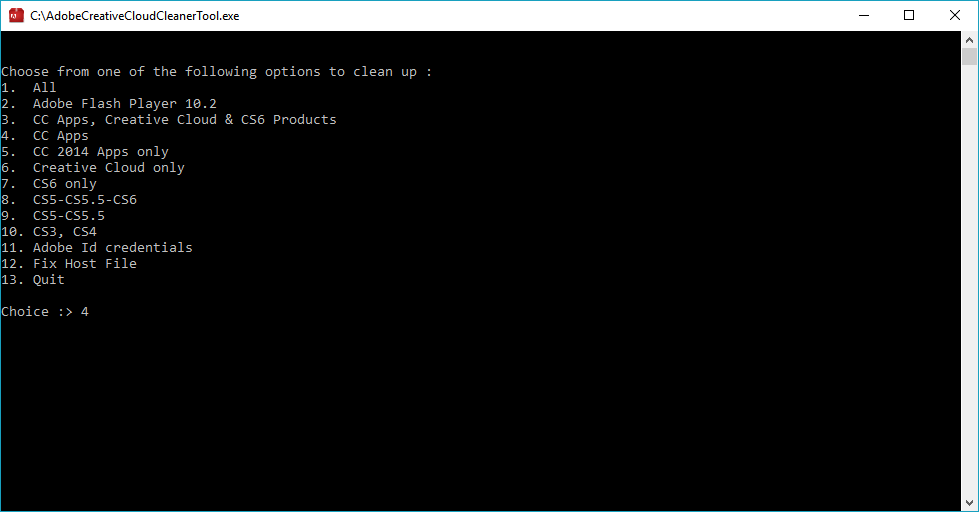
Try to deinstall both versions and then install the appropriate version again. If this doesn't help I would recommend a clean reinstallation by following the steps below: 


if you're unable to install the cc desktop app at this stage, use an administrator account (solution 4 here, https://helpx.adobe.com/creative-cloud/kb/creative-cloud-missing-damaged.html 


use the desktop app to install your cc programs/trials  


My System: Intel i7-8700K - 64GB RAM - NVidia Geforce RTX 3060 - Windows 11 Pro 25H2 -- LR-Classic 15 - Photoshop 27 - Nik Collection 8 - PureRAW 5 - Topaz Photo
Translate
Report
Community guidelines
Be kind and respectful, give credit to the original source of content, and search for duplicates before posting. Learn more
community guidelines