Copy link to clipboard
Copied
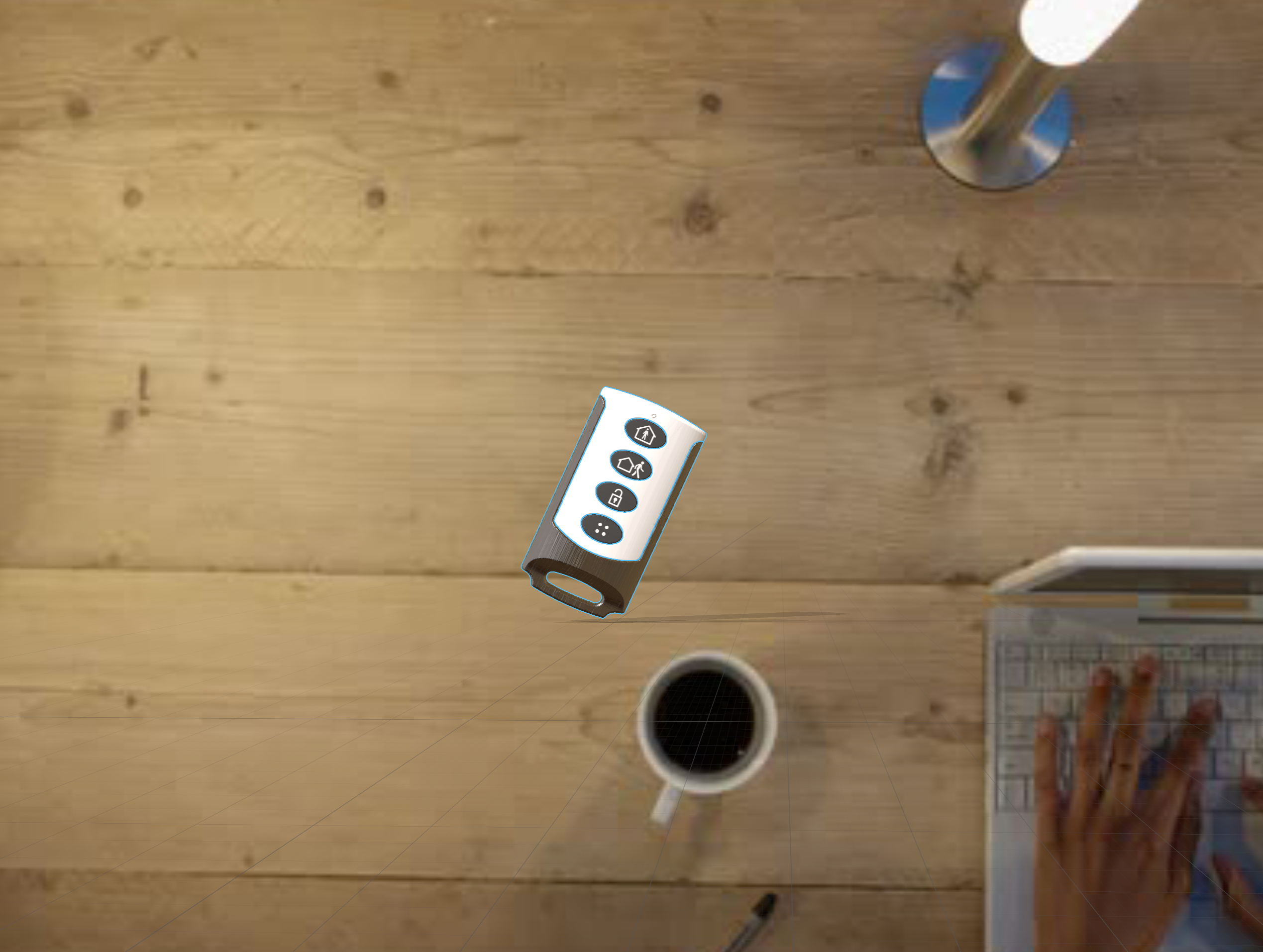
Hello, I am sure this simple and i missing something, but i have an image that you are looking down on (see attached). I have used the camera and lights to swing the enviroment and the image around but the shadows always look like the object is standing on the desk upright. I used the match the scence and everything i could think of. Any help would be greatly appreciated.


 1 Correct answer
I figured out the answer and all I had to do is rotate the plane vertical and then rotate the object match.

 2
Replies
2
2
Replies
2


Copy link to clipboard
Copied
There are several lights types. When you are matching image try to use different type of light that are in the dropdown menu of Match image panel. After matching select each of light separately and play with properties (height, angel).
Correct answer by
eyefull
AUTHOR
Copy link to clipboard
Copied
I figured out the answer and all I had to do is rotate the plane vertical and then rotate the object match.

Get ready! An upgraded Adobe Community experience is coming in January.
Learn more
 AdChoices