you drag them onto the canvas. here is a good tutorial https://helpx.adobe.com/au/dimension/how-to/illustrator-to-dimension.html?playlist=/services/playlis...
sorry about the crappy link but this forum has issues with Adobe tutorials
you can download the assets from the tutorial and use them yourself
you can add other default assets from the panel, download new free assets from Adobe stock... they are hard to find because the people that set it up didn't test it but object with the free icon listed in their bottom right can be downloaded by anyone with an Adobe ID... once downloaded anyone can use them
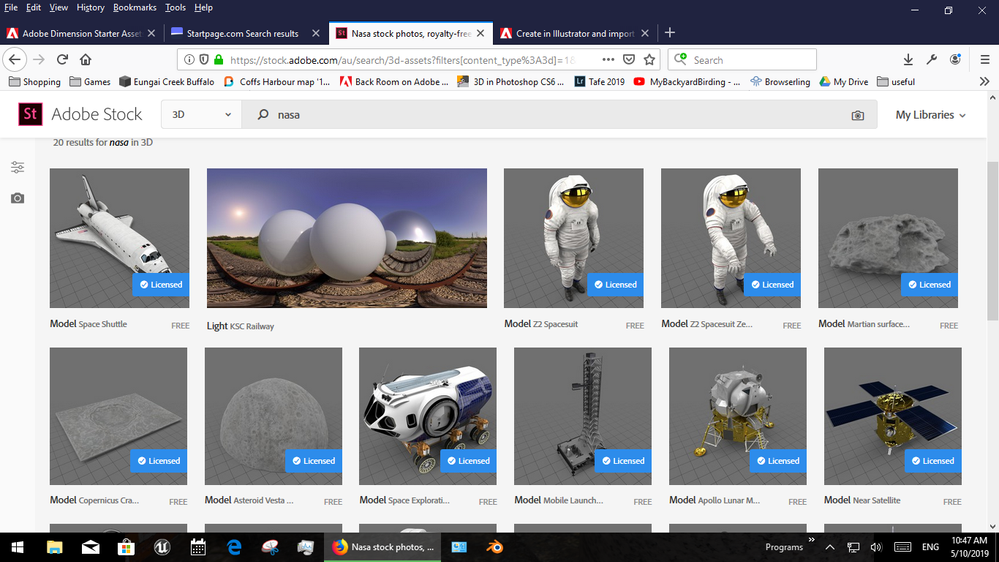
last time I looked there was over 700 free models and that number has prob grown by now... you can also just make your own models of course but the stock ones are made by people who know what they are doing




 1
Reply
1
Reply


 AdChoices