
Participant
October 2, 2018
Question

Logout from CC account within apps?

  • October 2, 2018
  • 1 reply
  • 477 views

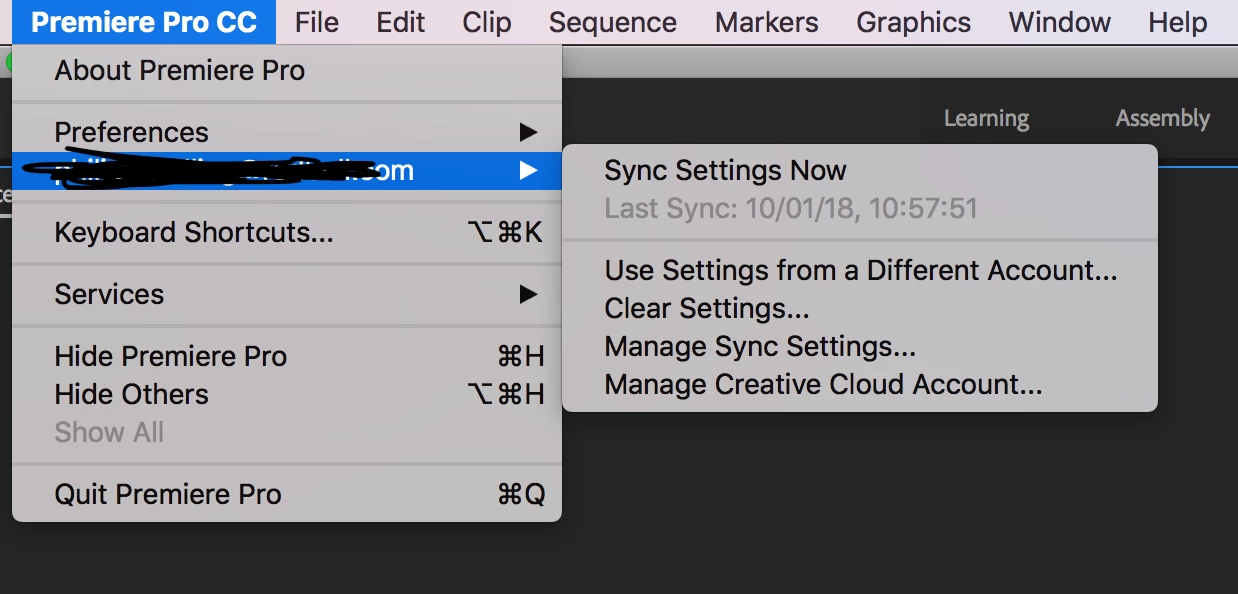
I'm currently doing some testing for my company to adopt the CC Enterprise Accounts. However I've encountered a pretty massive flaw. If a user logs off from the CC Application the user is NOT logged out from the applications! Furthermore there isn't even an OPTION to logout from the apps at all! The only thing you can do is "Use Settings From a Different Account".

Is this really by design? This is massively insecure and frankly stupid in my opinion. Let's say one editor signs in to an edit station. He/she needs to first sign in to the CC application, then sign in within each application. When he/she needs to hand over the edit station to another user, he/she can only logout from the CC app, and then simply trust that the next user logs him/her out from all the apps and doesn't overwrite or tinker with his/her settings and files? That's crazy!

Or am I missing something here?
This topic has been closed for replies.

1 reply

Abambo
Community Expert
Community Expert
October 2, 2018

When you log in on a workstation, you are in your environment created by the OS. You can't overwrite settings of a different user as the settings are stored in the private area.

What license type are you testing? Enterprise or Teams?

ABAMBO | Hard- and Software Engineer | Photographer
Participant
October 2, 2018

I understand that. The problem is that our workstations have their own login (for ex. Workstation_01), the user does not have personalised OS logins, only CC logins.

I'm pretty sure we are testing Enterprise. That's what the login-screen says anyways.

arij2010
Inspiring
October 2, 2018

Hi,

Synced settings and activation are 2 different things .If you want to see if the application is still logged you need to look on the help menu .If you sign out from CC desktop you'll also be sign out from the applications and on help menu you'll be asked to sign in .

The Adobe ID associated with the product's license is used to identify the user. If you haven't already created and uploaded settings for this application, the local settings are uploaded to the cloud by default.

Normally if you sign in with another Adobe ID ,you'll see this Adobe ID on help menu but will also change the one for synced settings .

Are you on the last Premiere pro version ?