Copy link to clipboard
Copied
Adobe Digital Negative Converter download page
https://helpx.adobe.com/jp/photoshop/using/adobe-dng-converter.html
However, when I click on "Windows: Adobe DNG Converter
Loading
https://console.adobe.io/servicesandapis
I can't get to the DLL page from this page.
This has been happening for several months now.
I have tried several browsers (Waterfox, Firefox, Google Chrome, Microsoft Edge).
Please take a look here: https://helpx.adobe.com/photoshop/using/adobe-dng-converter.html
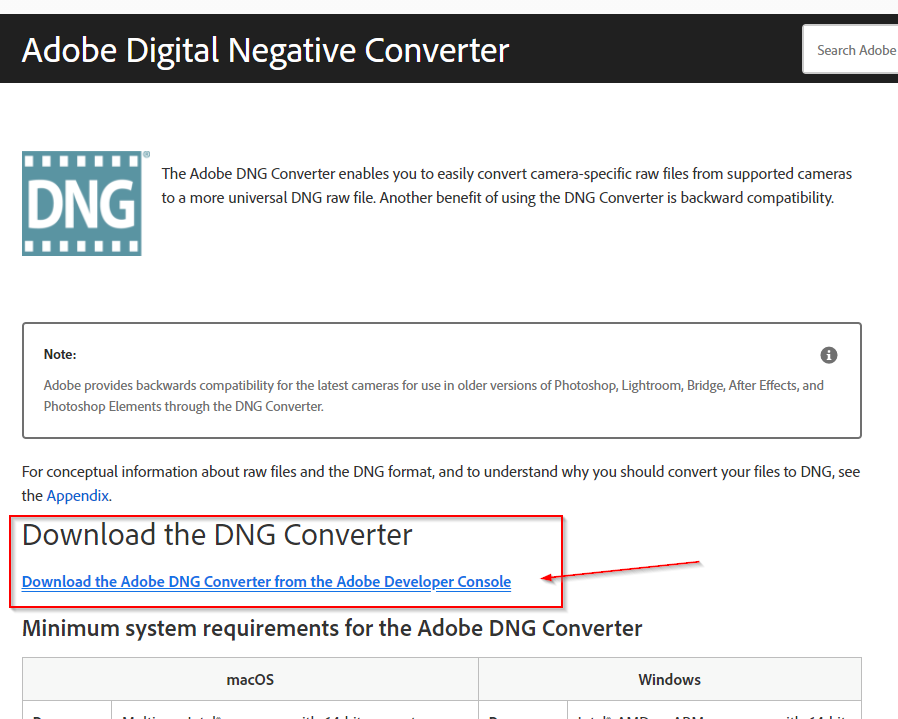
Click on "Download....."
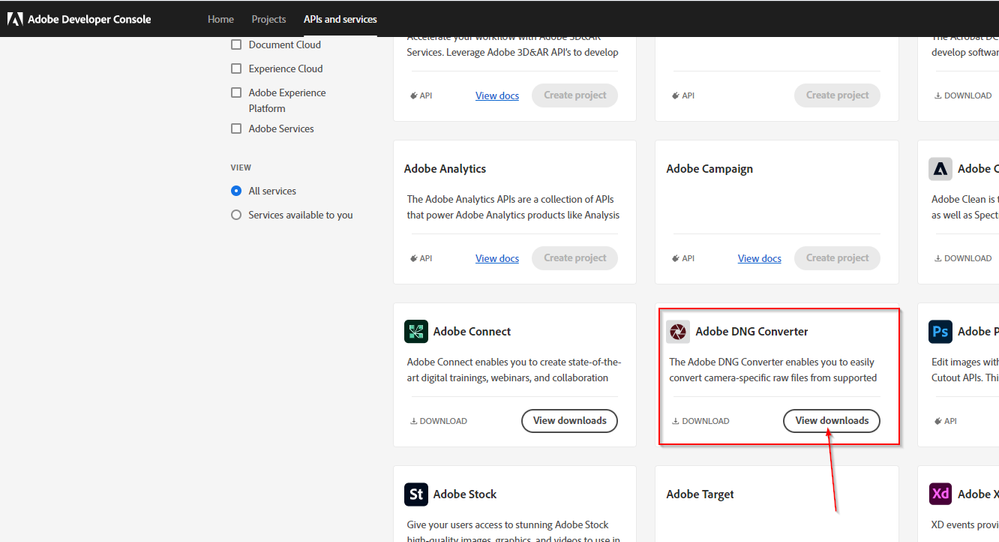
Scroll down a little bit and click on "View downloads".
Choose the appropriate download for your os.
Copy link to clipboard
Copied
Please take a look here: https://helpx.adobe.com/photoshop/using/adobe-dng-converter.html
Click on "Download....."
Scroll down a little bit and click on "View downloads".
Choose the appropriate download for your os.
Copy link to clipboard
Copied
Thanks!
I opened the URL you gave me in Google Chrome.
After being asked to sign in to Adobe
https://console.adobe.io/servicesandapis#
I was able to go to the above page.
From there I chose to download the Adobe DNG Converter and was able to successfully download version 13.2.
Thank you very much for your help.
Find more inspiration, events, and resources on the new Adobe Community
Explore Now
