


- Home
- Exchange
- Discussions
- Re: Adobe Configurator installer failed to initial...
- Re: Adobe Configurator installer failed to initial...
Adobe Configurator installer failed to initialize

Copy link to clipboard
Copied
Downloaded Configurator 4 from labs, tried to install, but get a message that "iinstaller failed to initialize".
Mac Os Sierra 10.12.3. MacBook Pro.
Photoshop CC ver. 2017.0.1 (x64)
I have Adobe Flash Player, Java Runtime Environment and Adobe Application Manager , using it fine with related applications, so that shouldnot be an issue. There is no log-file in library/logs/adobe/installers which included text "adobe configurator".
And i can't install Adobe Support Advisor, because Extension Manager does not work .
Any ideas?



 8
Replies
8
8
Replies
8


Copy link to clipboard
Copied
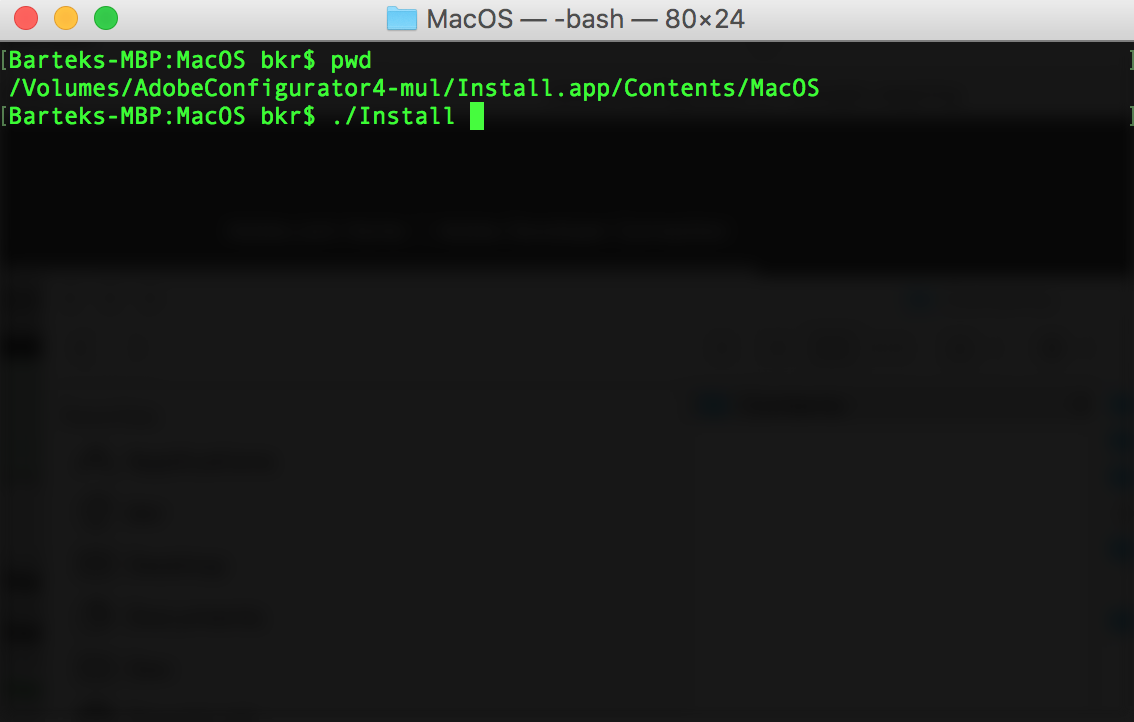
Run that installer from command line.
Copy link to clipboard
Copied
i have just tryed to run installer from command line. The result is the same:
"iinstaller failed to initialize"
Copy link to clipboard
Copied
Have you tried that way? By going to Install.app/Contents/MacOS?
Copy link to clipboard
Copied
Thank you . You Helped me. Problem is solved.
I tried this way :
1. find the installer :
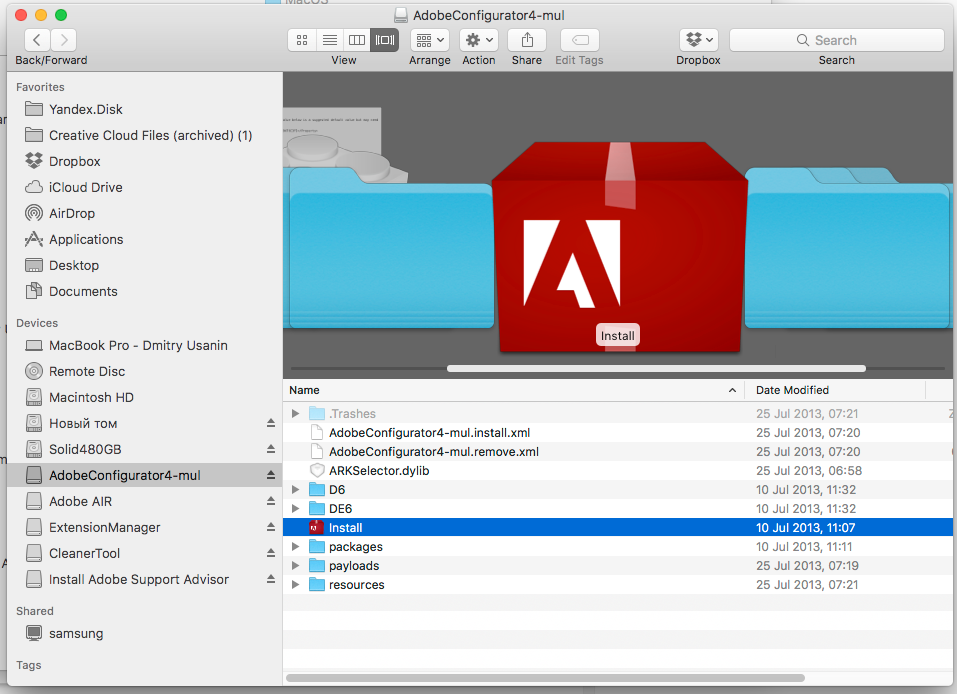
2. Click right button of mouse and choose "Show Package Contents" :
 copy.jpg)
 copy.jpg)
3. Open Directory "/Contents"
4. Open Directory "/MacOS"
 copy.jpg)
5. Take the "Install" and drag it by mouse into the Terminal:
 copy.jpg)
 copy.jpg)
6. Press "Enter" and "Installer" successfully started to run!
 copy.jpg)
Thank you so much.

Copy link to clipboard
Copied
Thank you! It works!

Copy link to clipboard
Copied
Just wanted to say that I found this to be super helpful. I've been trying to install extension manager and was getting the same error. The images you attached saved the day.

Copy link to clipboard
Copied
Works perfectly. Thanks and kind regards!


Copy link to clipboard
Copied
Unfortunately, Photoshop CC 2017 dosen't support flash based extensions made by Configurator 4.
After Photoshop CC2014, Adobe stop to support flash based extensions. If you want to make extensions for PS CC2017, You can read as reference HTML based extensions articles in below.


Get ready! An upgraded Adobe Community experience is coming in January.
Learn more
 AdChoices