


- Home
- Flash Player (read-only)
- Discussions
- Fonts in graphs displayed as question marks
- Fonts in graphs displayed as question marks

Copy link to clipboard
Copied
If I view a graph in Safari (latest version) all of the text appears as question marks. The same page in Firefox displays fine. The problem only appears when a section of the page is displayed using flash player.
For example the adobe page Adobe - Flash Player displays like this;
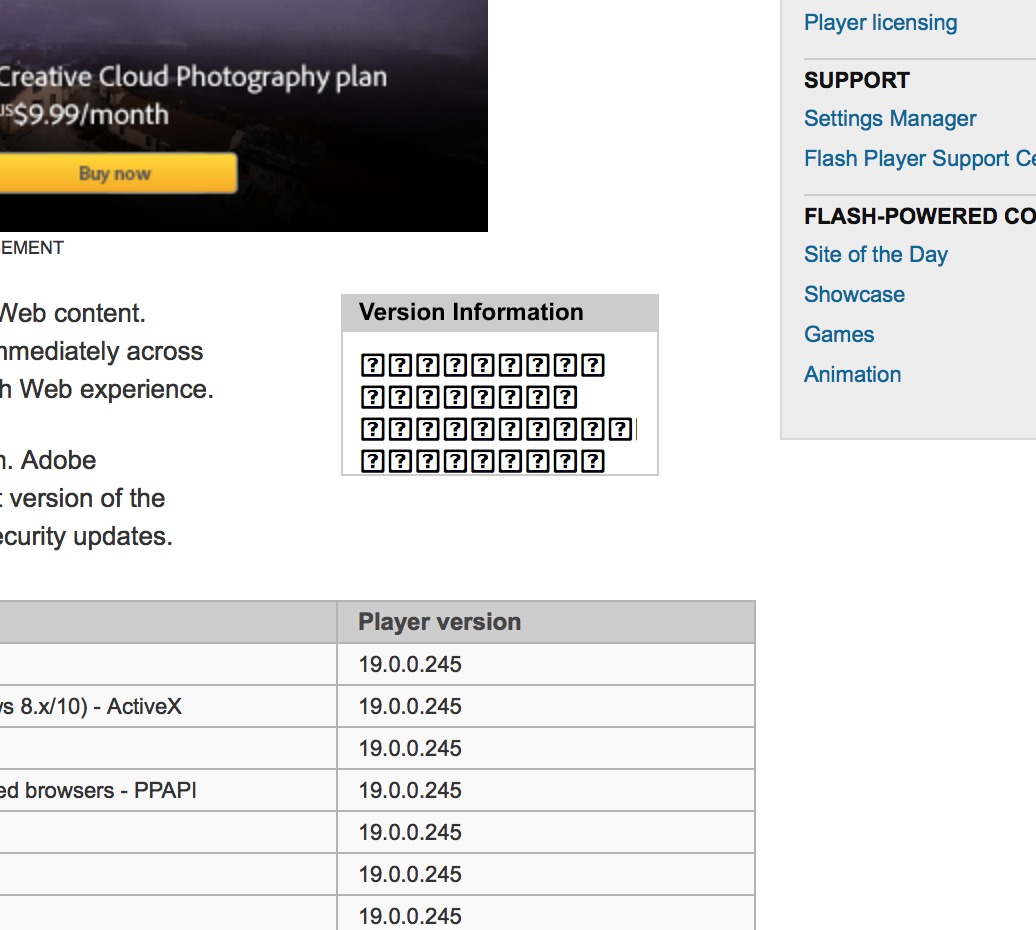
I'm using a new iMac running OS 10.11.2. I also have the latest flash player and have restarted the machine after updates.
If anyone can help I'd really appreciate it.
Thanks


 1 Correct answer


Third-party browsers generally have their own font subsystems. Safari is tightly integrated with the OS. When you use a third-party utility to modify the behavior of how fonts work at the OS level, you end up with a side-effect in Safari.
You could try the Safari message boards and/or your font manager's support site, but either switching browsers or removing the font manager are probably more straightforward options. We're simply making requests to the browser and are dependent on what Safa
...
 27
Replies
27
27
Replies
27

Copy link to clipboard
Copied
Looks like a font-related issue, probably specific to MacOS 10.11.2 beta or to another locale?
I'll ask someone to take a look. Is your computer in a language/locale other than English/US (en_US)?
Copy link to clipboard
Copied
Weird that the font works OK in Firefox. Language set up is British. I'm thinking a Flash/Safari compatability problem
Thanks
Copy link to clipboard
Copied
Thanks, that's helpful. We're looking into it. FWIW, Firefox and Safari use the same Flash plug-in. Something probably changed underneath us in Safari. It's not uncommon. 

Copy link to clipboard
Copied
We have tried to reproduce the issue with the information provided.
OS Version : 10.11.2 Beta (15C47a)
System preference : Preferred language English(UK)
FP: 19.0.0.245
The version information on the page is displayed properly.
Please confirm are there any specific settings done on your MAC/Safari.
Thanks.
Copy link to clipboard
Copied
Hi, Thanks for the help. The system I'm running is System Version: OS X 10.11.2 (15C30). I try to keep my computer pretty standard and always use software 'as is' to avoid problems. Since upgrading to ElCapitan I have had nothing but problems, and can't work out why. I'm run virus checkers with nothing found, Font Doctor, again, no problems (I run Suitcase Fusion 6). As of yesterday things got worse. I can't use photoshop as it crashes after about 5 mins of retouching (a one hour job took 5 hours last night/this morning). Something is wrong but I just can't work out what.
Thanks
Copy link to clipboard
Copied
Quick question. In the sample image posted in my initial post of the Adobe page. What font should the question marks panel use? When I booted up my Mac this morning one of the problem pages I have (a google finance page with a graph on it), partially worked. Nothing changed from yesterday except rebooting about 30 times while retouching a photo.
Thanks
Copy link to clipboard
Copied
We have no way to figure it out. It sounds like at least in our testers' case, the default system was able to render these correctly.
I found a couple suggestions that might be useful:
Safari is messing with the fonts. Help? (versio... | Apple Support Communities -- This one is about rebuilding the font cache. Might be particularly useful if you upgraded from an older version(s)
Some characters are replaced by question marks! | Apple Support Communities -- This one is about changing the default text encoding in Safari. Maybe you were tinkering with it, or they don't actually have their webserver configured correctly. You might experiment with forcing various encodings.

Copy link to clipboard
Copied
I am having the same issue now for a while now. When comparing to other browsers there seem to be a variety of fonts used in the media windows but most of them are coming out as ?-in boxes.
All my software is up to date and I’m using suitcase fusion.
Below is from Accuweather. Top is Chrome, bottom is Safari.


Copy link to clipboard
Copied
This is almost always related to a third-party font manager installed on Mac.
Copy link to clipboard
Copied
A problem only Safari seems to have.
Copy link to clipboard
Copied
Third-party browsers generally have their own font subsystems. Safari is tightly integrated with the OS. When you use a third-party utility to modify the behavior of how fonts work at the OS level, you end up with a side-effect in Safari.
You could try the Safari message boards and/or your font manager's support site, but either switching browsers or removing the font manager are probably more straightforward options. We're simply making requests to the browser and are dependent on what Safari provides, so we have no control over the outcome in this scenario.

Copy link to clipboard
Copied
Having the same issue running running OS 10.11.2.
- Question marks replacing characters in flash content
- Frequent Safari crashes
- I also use a font manager (FontExplorer X Pro)

Copy link to clipboard
Copied
I haven't managed to find out the problem, I just use Firefox now and have no problems with it. I can only think it's an Apple Safari problem somewhere.
None of the fixes mentioned by jeromiec83223024 had any effect.
Copy link to clipboard
Copied
Thanks for the reply. I did try the font rebuild suggestion but I'm just about to the browser change point...
Copy link to clipboard
Copied
The common denominator seems to be Safari and a third-party font manager. Firefox tends to prefer it's own implementations vs. the system's (for instance, it will look at it's own proxy settings vs. the system-wide settings, etc). I'm guessing that they're doing their own font handling, which is why they're unaffected by whatever is going on with Safari.

Copy link to clipboard
Copied
I've had the same problem over the last few months. Question marks in boxes replacing text (one boxed question mark per letter, it looks like) on any number of websites as I'm browsing in Safari.
A computer restart this morning fixed it, but it came back this afternoon, and I'm not sure what I did in the interim, so I can't say for sure what caused it. However, I decided to quit Safari and quit my open applications one by one, reopening Safari and going back to the last website where I had the problem in between each application quit. I closed the following applications in order (again, closing and reopening Safari and returning to the website between each application quit) without it fixing the problem: Suitcase Fusion 6, Apple Mail, Messages, Notes, and Photoshop 6. And then I closed InDesign 6, and when I reopened Safari and went back to the website, the problem had been fixed!
Here's what I'm running:
Macbook Pro (Retina, 15-inch, Mid 2014)
OS X El Capitan 10.11.13
Safari 9.0.3 (11601.4.4)
Suitcase Fusion 6 17.3.0 (636624)
Mail 9.2 (3112)
Messages 9.1 (5085)
Photoshop CS6 13.1.2 x64
InDesign CS6 8.1
My Adobe Suite products are through a Creative Cloud subscription, including both the CC and CS6 versions. I just prefer to run the CS6 versions, and none of the CC versions were open at the time the problem occurred.
I also had Adobe Acrobat Pro DC 2015.010.20056 and Microsoft Word for Mac 2011 14.6.0 (151221) open when the problem happened, and had not yet quit them when the problem went away. It seemed like quitting InDesign was what did the trick.
Hopefully this info can put someone on the right track to figuring out the problem.
Copy link to clipboard
Copied
One more bit of info. I'm running Adobe Flash 20.0.0.286
Copy link to clipboard
Copied
Yep, it fits the pattern established in this thread of MacOS and a third-party font manager (Suitcase Pro). Flash is just asking attempting to use the default system fonts. Whatever is going wrong is happening underneath us, either in the OS or Browser.
You could remove Suitcase Pro and the problem would probably go away, but that's probably suboptimal for your general workflows. I'd recommend talking to the Suitcase folks to see if they can offer you any suggestions. If you get some useful feedback, I'd love to know about it.

Copy link to clipboard
Copied
I have solved the problem....
1) Find all your VERDANA fonts and remove them...
2) If you are using font management software: deactivate all VERDANAs
... and magic: no more font display problems in Flash
(Ps.: I hate flash player)
Copy link to clipboard
Copied
Thank You! Thank You! Thank You! Thank You!
That's the solution. I've spent all this time trying to find the missing font. Never for a moment did I think I could have one font too many!
Thanks!

Copy link to clipboard
Copied
thseyelab's solution also worked for me: used my font manager (Font Explorer Pro) to deactivate all instances of Verdana and – voilà – the Flash objects starts rendering the fonts correctly again.
although this might not solve the issue for all users i think it's fair to point out that the Adobe Staff answer is basically unhelpful and neither answers or solves the issue at hand. if you are looking to actually resolve your problem, eliminating Verdana from the mix might be a good place to start.
Copy link to clipboard
Copied
That's very useful. I'll add it to our advice.
Thanks!

Copy link to clipboard
Copied
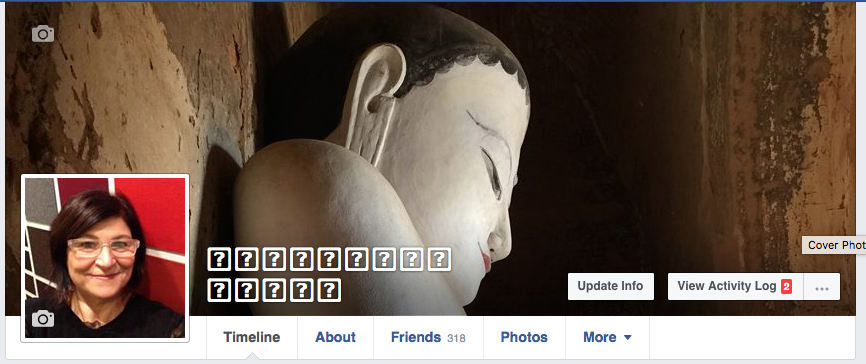
I'm going crazy today. I started my computer this morning only to find:
- Safari is showing exclamation points and question marks
- Chrome is fine
- Mac Mail is not editing properly, if I copy and paste and then try to edit I loose the sentence or area being edited, as well as the backspace not working and curser not going into the correct space between letters.
- This happens if Suitcase is launched or not launched.
I tried the suggestion of removing Verdana. The only version I find is listed as part of Microsoft fonts. I can't get it to deactivate in Suitcase.
Any other suggestions?
System and Programs
iMac (27-inch, Mid 2011)
MacOS Sierra 10.12.1
Suitcase Fusion 18.2.0
Mail 10.1
Safari 10.0.1
Copy link to clipboard
Copied
The bottom line is that it doesn't have anything to do with Flash Player. Uninstalling the third-party font manager will probably get the job done. Short of that, you might contact them directly for support.

-
- 1
- 2
Get ready! An upgraded Adobe Community experience is coming in January.
Learn more
 AdChoices