


- Home
- Flash Player (read-only)
- Discussions
- Re: latest version of Adobe Flah player msi file?
- Re: latest version of Adobe Flah player msi file?
latest version of Adobe Flah player msi file?

Copy link to clipboard
Copied
I need Adobe Flash Player msi file to install via sccm silently. Where can i download the latest version of it?


 7
Replies
7
7
Replies
7


Copy link to clipboard
Copied
The MSI installer is available via a distribution license. To apply for a license go to Adobe Flash Player Distribution | Adobe . Note that public email addresses (e.g. yahoo, gmail, hotmail, etc) are not allowed.
Copy link to clipboard
Copied
I am registered as a distribution agent. I log in to site and there is no link to download the .msi files. Where do I go next>
Copy link to clipboard
Copied
Hi DLStoehner
What page are you logging into? It is my understanding that the Flash Player distribution page contents will only load if a user has a current/valid distribution license:
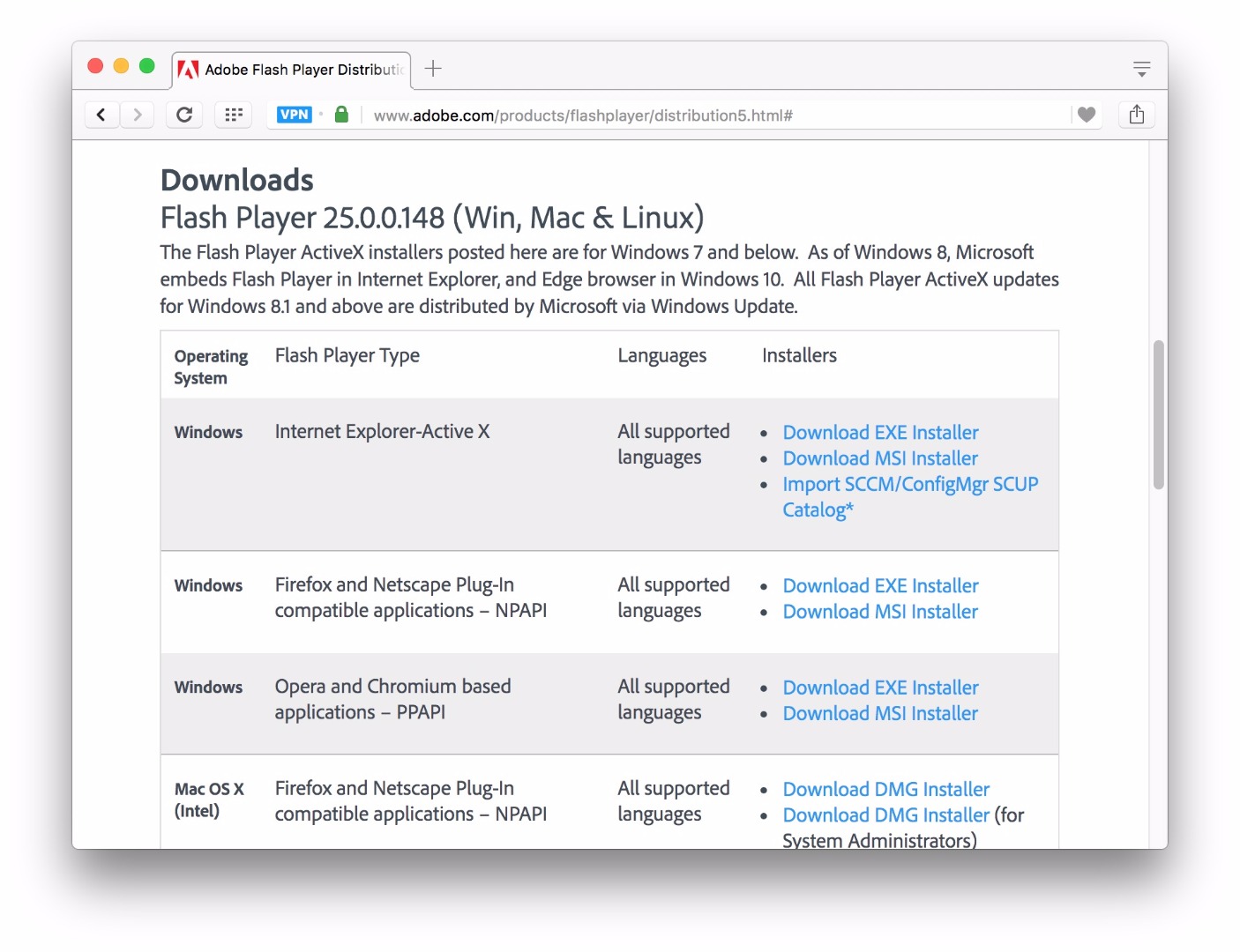
Otherwise, the user is prompted to apply for a license:

If the page is loading for you (1st screenshot), but without the download links there's a different issue going on. Can you please post a screenshot?
--
Maria
Copy link to clipboard
Copied
It allows me to log in. But then it wants to tell me that Flash Player is already installed on my Windows 10 machine - which I already know. What I need is to download the .msi file for distribution to the computers on my domain that are not yet Windows 10.
Thanks for pointing me in the right direction.
David Stoehner
Deming Public School District
Network Hardware Technician
500 West Florida Street
Deming, NM 88030
david.stoehner@demingps.org<mailto:david.stoehner@demingps.org>
(575) 543-1047
Copy link to clipboard
Copied
The distribution page doesn't do any sort of OS, browser, Flash Player detection. It sounds like you're going to the Adobe Flash Player Install for all versions page, which does to perform OS/browser detection to offer the appropriate compatible plugin.
Copy link to clipboard
Copied
I've contacted Adobe because I was completely unable to install Flash with the 900kb installer-downloaders which always flood me with strange errors (and delete themselves from the run location! so you can't launch the installer-downloader after failure, have to re-download it)
<moderator: link to unrelated site removed>
Copy link to clipboard
Copied
The topic you've posted to is for MSI installers, not the online installers. Please start a new discussion topic and include the following information:
- Operating system version
- Web browser and version
- Flash Player version
- Explain your problem in step-by-step detail if possible
- provide a screenshot of the 'strange' errors you are getting
and do omit links to unrelated websites.

Get ready! An upgraded Adobe Community experience is coming in January.
Learn more
 AdChoices