


- Home
- Flash Player (read-only)
- Discussions
- Re: Flash Games not Working on Mac (OS X)
- Re: Flash Games not Working on Mac (OS X)
Flash Games not Working on Mac (OS X)

Copy link to clipboard
Copied
Good afternoon all,
I have just taken the plunge into the land of Mac after being laptop-less for 5yrs and before only ever used/owned Windows machines.
Overall I am very happy with my shiny new Macbook Pro Retina 13" but I do love playing silly flash powered games online. This is where the problems started. I downloaded and installed version 12 of flash player for mac and it seemed to work fine on most flash content just not games... 'Cyclomaniacs Epic' on miniclip.com for example told me that I needed to upgrade my flash player?!
So my questions are has anyone experienced this and anyone know how I could fix this?
Before someone says; I know Apple doesn't support flash but that shouldn't stop me from going on sites once I have installed the correct player and run through all the recommended troubleshooting from the Adobe website and associated forums.
Thanks in advance!
Konrad


 6
Replies
6
6
Replies
6


Copy link to clipboard
Copied
Apple iOS doesn't support Flash, but your brand spankin' new MacBook has OS X... NOT iOS. (That's for iPhones, iPads and iPodTouch ONLY) So, your MacBook DOES support Flash, just like my Mini and two iMacs do.
Playing games not only requires Flash, but also the latest Shockwave (for itneractivity). Flash alone is ok for videos.
Copy link to clipboard
Copied
Thank you very much for the reply Mike,
Unfortunately having just downloaded shockwave as well... still no luck, getting error messages such as the one below;
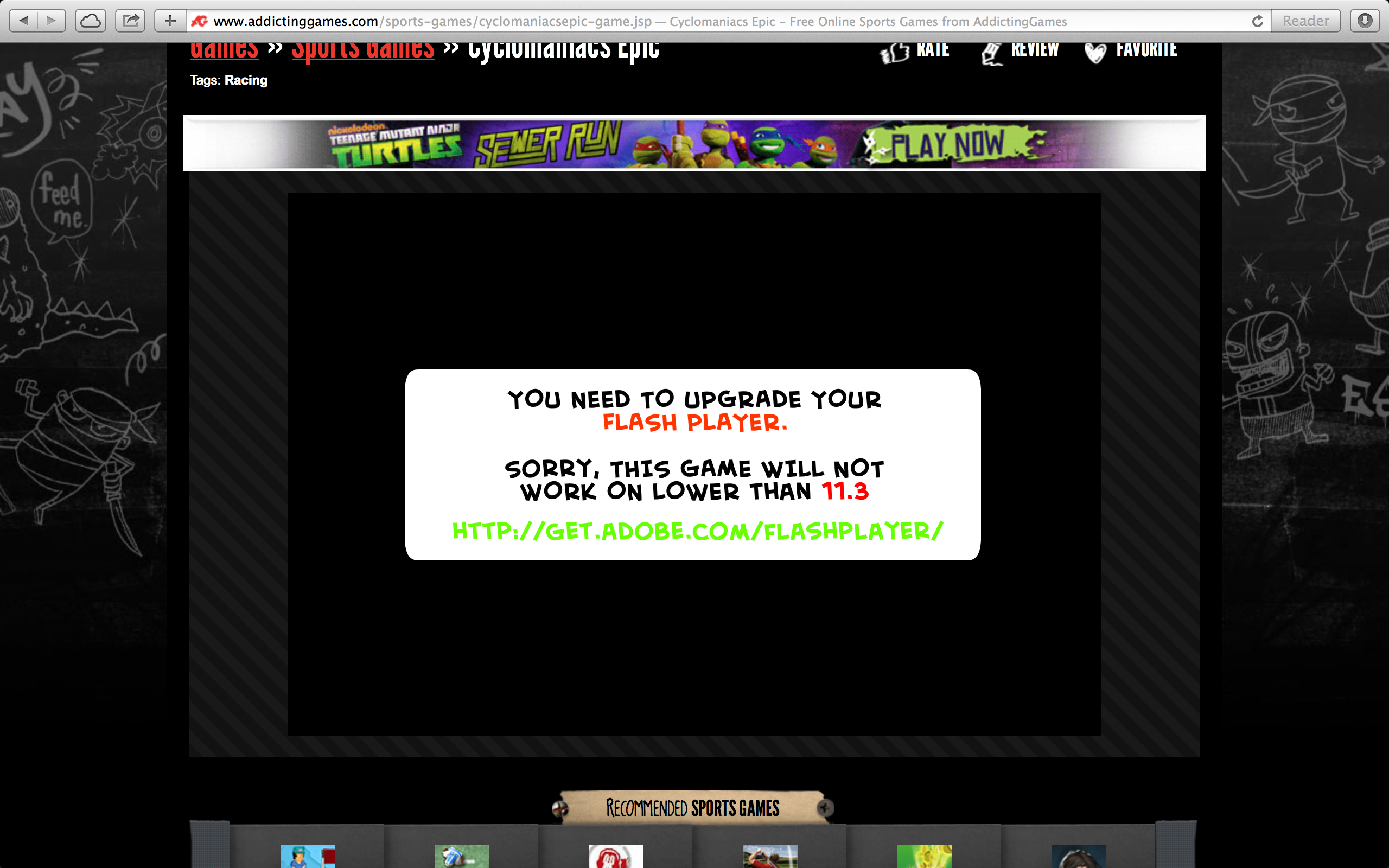
I have definitely upgraded to the latest version both flash player and shockwave but it is still not working. I don't actually mind not being able to view/play flash on my my iphone/ipad but I know I should be able to on the macbook. Any more ideas?
Thanks in advance
Copy link to clipboard
Copied
Safari>Preferences>Security
Is "Allow Plugins" checked?
Copy link to clipboard
Copied
It is, unforunately.
Copy link to clipboard
Copied
What Flash Player version do you have installed?
The latest is 12.0.0.54. Flash Player 12 (Mac OS X)
You may need to do a "clean install": How to perform a "clean install" of Flash Player in Mac OS X
Copy link to clipboard
Copied
Clean install done, but sorry to report still no luck but when I go on to the flash website it says I have the most up to date shockwave and flash player; but oddly it says it's version 12.0.0.38?
If you've run out of ideas/you're bored of trying. I can take it in to the apple store at the weekend and see what they have to say..... probably not a lot!
Thanks for your help and patiance so far.

Get ready! An upgraded Adobe Community experience is coming in January.
Learn more
 AdChoices