- Home
- FrameMaker
- Discussions
- Re: Upgraded FrameMaker to 16.0.3 and it crashing ...
- Re: Upgraded FrameMaker to 16.0.3 and it crashing ...
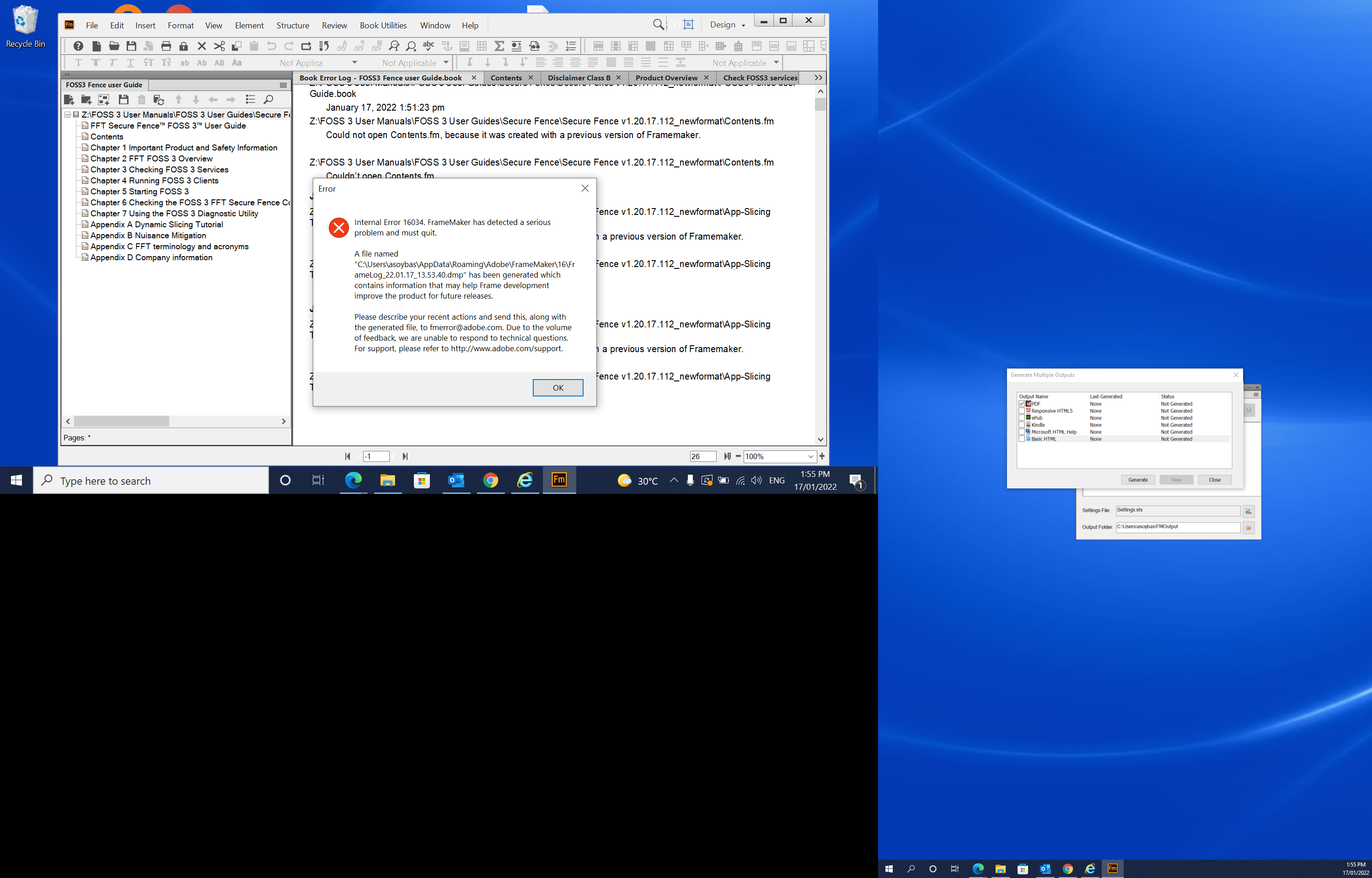
Upgraded FrameMaker to 16.0.3 and it crashing after Save As PDF

Copy link to clipboard
Copied


 4
Replies
4
4
Replies
4


Copy link to clipboard
Copied
It isn't expected ,
Mail to support the ".dmp " file preset at "%appdata%\Adobe\FrameMaker\16" on fmerror-reports@adobe.com or tcssup@adobe.com .
Someone will assist you and solve your issue asap.
-Pulkit Nagpal
-FM/FMPS Engg.
Copy link to clipboard
Copied
Thank Pulkit. I have sent the .dmp now.
PS: I have resolved the issue by open each module and saving as pdf one by one.


Copy link to clipboard
Copied
Hi,
I am just curious. What does "one by one" mean?
Did you manage to save the single files of your book as PDF?
In your screenshot I see that there are some files which had not been saved with FM 16 yet. Therefore the error message about files from a previous FM version. Can you open and save them in FM 16 and then try again?
When you save as PDF, is the option "Use Acrobat Distiller for PDF Creation" in the Publish settings for PDF deactivated (default) or not?
Best regards
Winfried

Copy link to clipboard
Copied
Have you tried printing to the Acrobat PDF printer instance? Save as PDF?


Find more inspiration, events, and resources on the new Adobe Community
Explore Now
 AdChoices