Participant
September 15, 2017
Answered

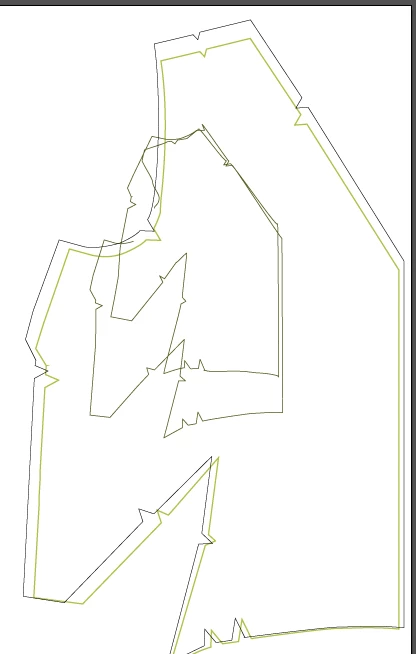
Blending Tool makes distorted uneven shapes

  • September 15, 2017
  • 2 replies
  • 1677 views

This is the first time I am using the blend tool and when ever I try and use it I get something like this. Does anyone know how to fix it?

This topic has been closed for replies.
Correct answer Ton Frederiks

mohr13  wrote

This is the first time I am using the blend tool and when ever I try and use it I get something like this. Does anyone know how to fix it?

If it is the first time you use the Blend tool, did you check the help file?

How to blend objects in Illustrator

2 replies

Ton Frederiks
Community Expert
Ton FrederiksCommunity ExpertCorrect answer
Community Expert
September 15, 2017

mohr13  wrote

This is the first time I am using the blend tool and when ever I try and use it I get something like this. Does anyone know how to fix it?

If it is the first time you use the Blend tool, did you check the help file?

How to blend objects in Illustrator

michelew83603738
Community Expert
Community Expert
September 15, 2017

What are you trying to do - create a continuous blend of color or a blend of shapes? You may need to go to Object>Blend and adjust the settings (or double click on the blend tool).

mohr13Author
Participant
September 15, 2017

What setting should I adjust it too?

michelew83603738
Community Expert
Community Expert
September 15, 2017

It depends on what you are trying to do. If you want to blend shapes - then you set to shapes and the number of shapes you want. If you want a smooth blend of color, then set it to that. And if so, remember that if there is a stroke, that is what you will see on the blend if the shapes are close together, so you may want to remove the stroke attribute.