 Adobe Community

- Home
- Illustrator
- Discussions
- Cannot divide shape if it was filled with text pre...
- Cannot divide shape if it was filled with text pre...
Copy link to clipboard
Copied

I cannot divide the shape with the line with Pathfinder "divide", gettin this message.
I reconverted the shape into a graphic by giving it a fill color (before it was filled with text).
And Object > Expand appearance is greyed out for the shape.
How do I divide it?


 1 Correct answer


Make sure you select just the path. You can do this by using the group selection tool and clicking on an anchor point.
You might want to study the documentation thoroughly.

Explore related tutorials & articles
 8
Replies
8
8
Replies
8

Copy link to clipboard
Copied
Please show us the Appearance panel for the selected object. Also: which Pathfinder do you use: the panel or the effects?
Copy link to clipboard
Copied

Copy link to clipboard
Copied
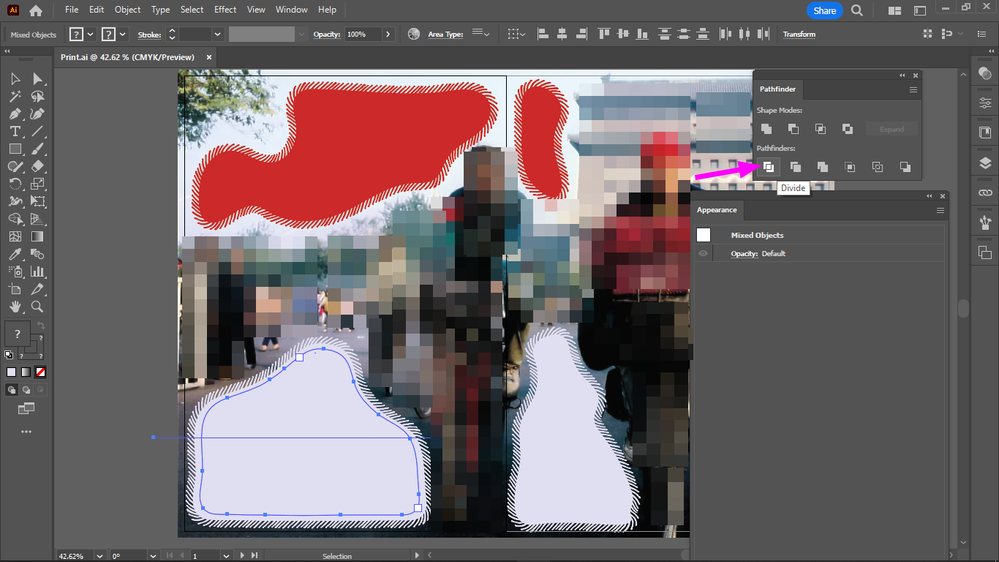
Your screenshot shows that the grey filled object is still a type object. That's why you get the warning message.
To convert it to a plain path, you'd have to select its path with the Direct Selection or Group Selection tool, copy and paste it and use that new path for Pathfinder Divide.
Copy link to clipboard
Copied
Thanks, meanwhile figured it was easier just to recreate the path, cause it's an offset of the path below it.

Copy link to clipboard
Copied
That is because your selection is still a path. As you can see selected with selection tool

Select it with the hollow tool as a path, copy to clipboard. Select and delete the original text path, then paste in front.

Use tha appearance palette to confirm while you are working.
Copy link to clipboard
Copied
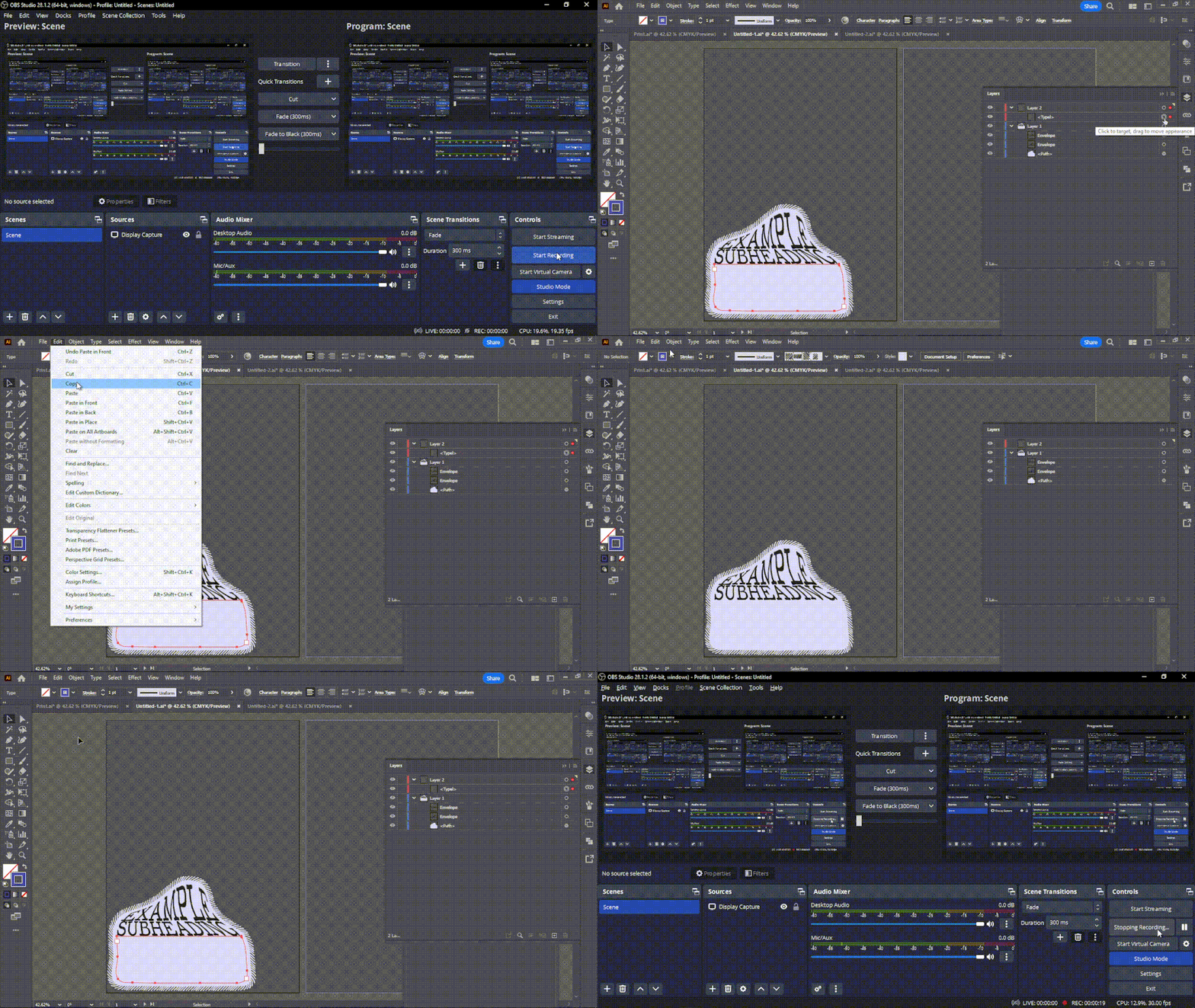
That doesn't work, after I paste it to front, it's still type:
Copy link to clipboard
Copied
Make sure you select just the path. You can do this by using the group selection tool and clicking on an anchor point.
You might want to study the documentation thoroughly.
Copy link to clipboard
Copied
I selected it at the layers, it's visible there what is selected.
Is there anything selected that shouldn't be?
But it works now, yes it didn't work because I didn't select it with the group selection tool.


 AdChoices