Exit
  • Global community
    • Language:
      • Deutsch
      • English
      • Español
      • Français
      • Português
  • 日本語コミュニティ
  • 한국 커뮤니티
0

How to change the color of an object

Community Beginner ,
Aug 31, 2022 Aug 31, 2022

Hi guys, 


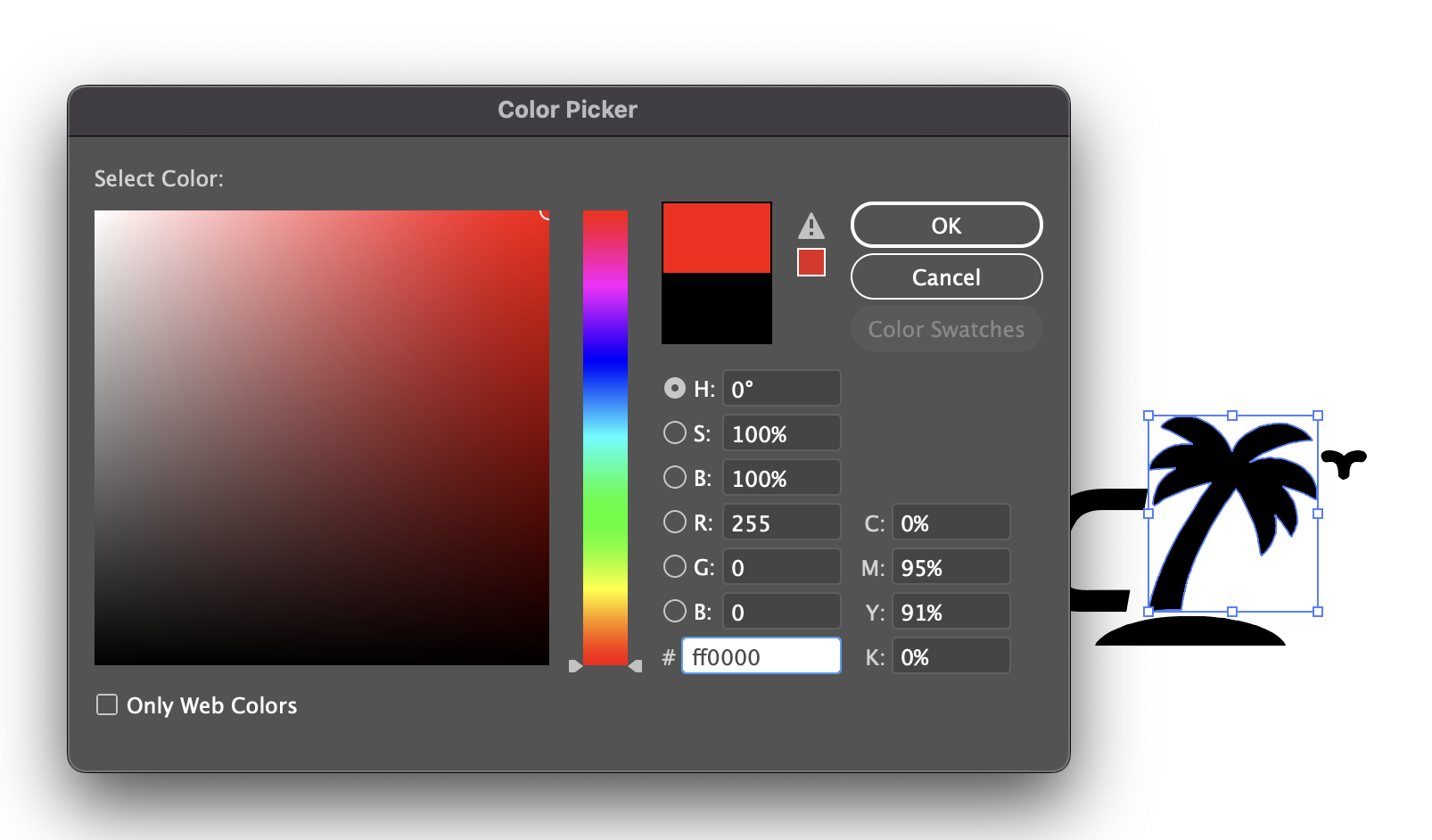
I'm new to Illustrator and it is slowly destorying my will to live. I am trying to change the color of an object. I traced it so that it is now a vector. I then selected it, chose the color picker, picked bright red and selected OK. It came out as a dark grey.


I also selected it and chose "recolor" from the properties panel. Then the only color options i was given were all muted and dark and miserable. I can't find any decent colors anywhere. 

Can anyone help out a serious newbie in distress?


Really sorry for the inanely simple questions. Thanks in advance.


Phil

TOPICS
Draw and design , Tools
178
Translate
Report
Community guidelines
Be kind and respectful, give credit to the original source of content, and search for duplicates before posting. Learn more
community guidelines
Adobe
Community Expert ,
Aug 31, 2022 Aug 31, 2022

The default tracing preset is black & white, which assigns a greyscale colour to your objects. Open the colour panel (Window > Colour), open the panel menu and choose RGB.

Translate
Report
Community guidelines
Be kind and respectful, give credit to the original source of content, and search for duplicates before posting. Learn more
community guidelines
Community Expert ,
Aug 31, 2022 Aug 31, 2022

Is your current document in CMYK mode?

Can you create a new document based on an Art & Illustration preset and copy your current artwork into it?

Translate
Report
Community guidelines
Be kind and respectful, give credit to the original source of content, and search for duplicates before posting. Learn more
community guidelines
Community Expert ,
Aug 31, 2022 Aug 31, 2022
LATEST

Use the color panel to change an object's color. Window > Color

Or if you have a swatch or want to create one, use the swatches panel.


Don't get distracted by the color picker.

Recolor artwork also is not meant for this task

https://helpx.adobe.com/illustrator/using/selecting-colors.html

Translate
Report
Community guidelines
Be kind and respectful, give credit to the original source of content, and search for duplicates before posting. Learn more
community guidelines