updatesvc
Participating Frequently
June 24, 2021
Answered

How to distribute grouped objects
  • June 24, 2021
  • 2 replies
  • 1236 views

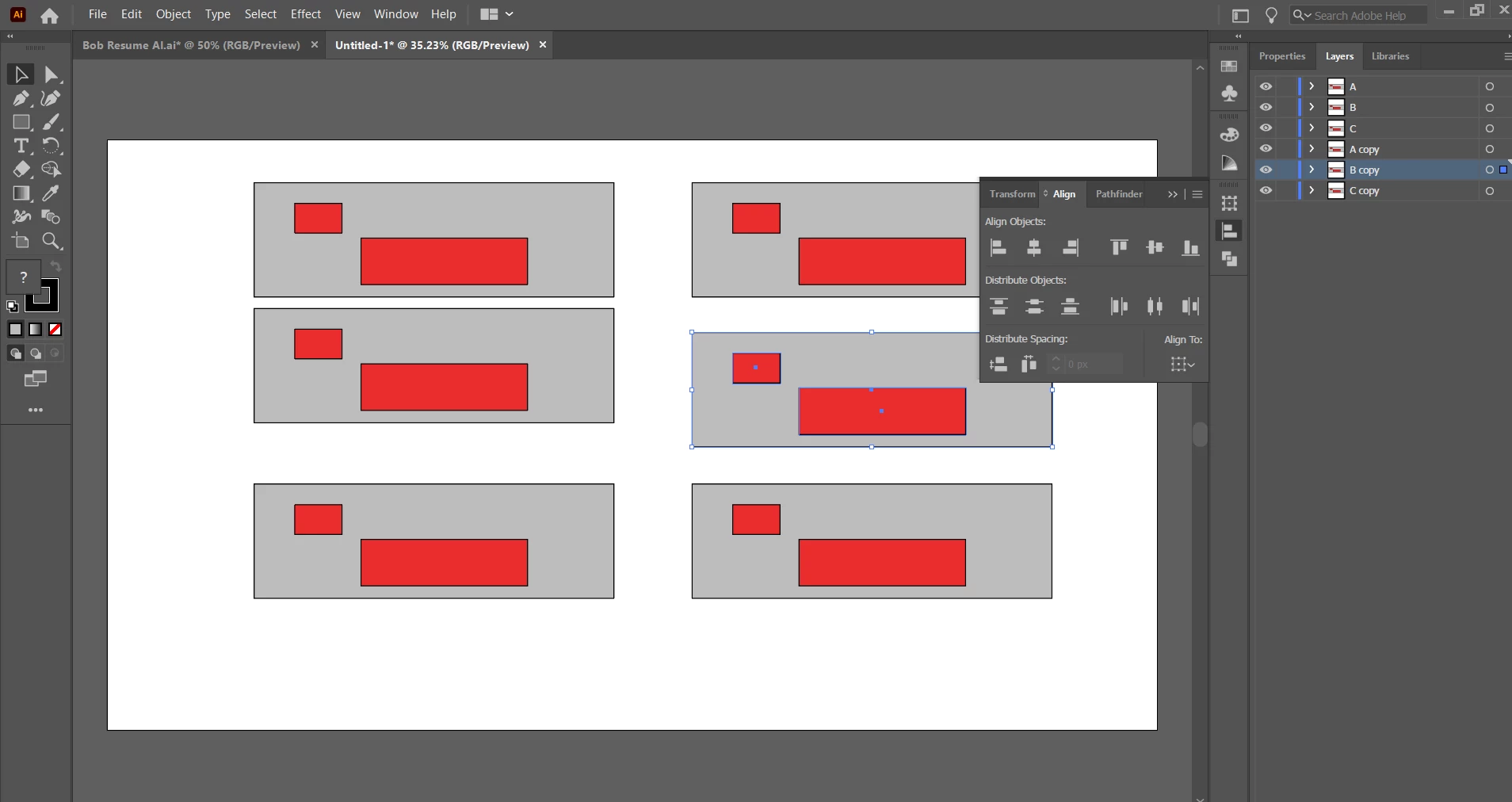
How would you distribute the grouped objects on the left to look like the arrangement on the right. Is this possible or it only works on individual objects

This topic has been closed for replies.
Correct answer Ton Frederiks

I uploaded the file here

Is there a specific way to select the groups or a specific way to create groups.


These are not groups.

Select the objects an choose Object > Group


2 replies

Kurt Gold
Community Expert
Community Expert
June 24, 2021

Can you share this Illustrator file?


updatesvc
updatesvcAuthor
Participating Frequently
June 24, 2021

Sure

Got an error uploading the AI file here

but here it is in google drive link 

Ton Frederiks
Community Expert
Community Expert
June 24, 2021

Click the lower left icon to distribute spacing.

updatesvc
updatesvcAuthor
Participating Frequently
June 24, 2021

it results to the above, It tries to distribute all the objects
forgot to add that the red rectangles and gray ones are all individual objects, grouped together

In the original image, there are 6 groupings ( 3 left, 3 right).

updatesvc
updatesvcAuthor
Participating Frequently
June 24, 2021

Yes, I suspect they are not grouped.Works fine with groups for me.


I uploaded the file here

Is there a specific way to select the groups or a specific way to create groups.