
Question
Illustrator - javascript to change all layers to same colour
Hello community,
I have searched everywhere for a script that changes all layers in Illustrator 2024 to the same colour.
The script I found is below but for some reason it doesn't work (no errors appear - just does nothing).
var doc = app.activeDocument;
var layers = doc.layers;
var LightBlueCol = new RGBColor();
LightBlueCol.red = 79;
LightBlueCol.green = 128;
LightBlueCol.blue = 255;
for(vari=0;i<layers.length;i++){
var aLay = layers;
aLay.color = LightBlueCol;
// layers[i].name = LightBlueCol + (layers.length - i).toString();
}
In the example below, I want to change all the Test layers to Light Blue (names of layers don't matter).
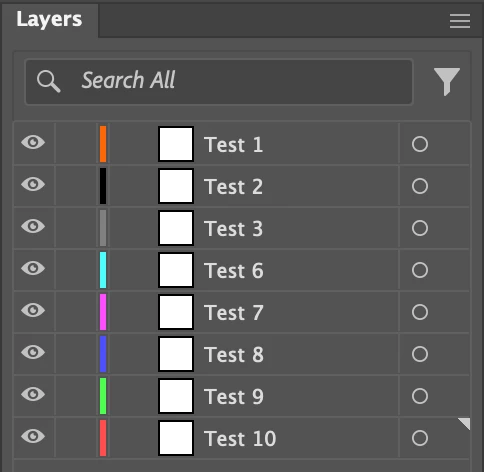
Can anyone point me in the right direction please. I am not a coder and am new to this but for the life of me I can't see what the problem is.
Any help would be appreciated.


 AdChoices