Exit
  • Global community
    • Language:
      • Deutsch
      • English
      • Español
      • Français
      • Português
  • 日本語コミュニティ
  • 한국 커뮤니티
0

Make Thin

Mentor ,
Dec 23, 2022 Dec 23, 2022

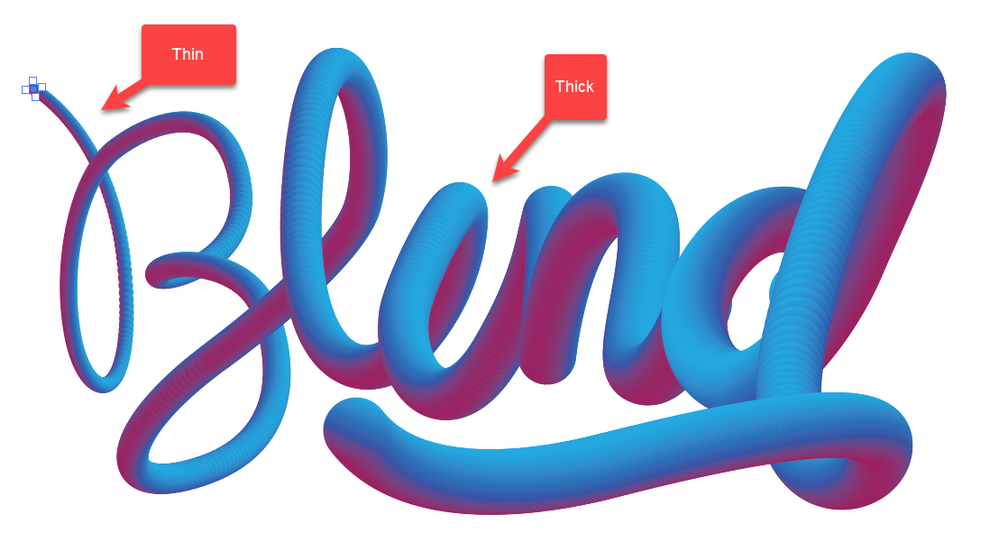
There are two separate texts group together. I want to make it thin text. As it is two texts, make one text thin is not effect to other text. How to do it both together?


1.png


TOPICS
Draw and design
334
Translate
Report
Community guidelines
Be kind and respectful, give credit to the original source of content, and search for duplicates before posting. Learn more
community guidelines
Adobe
Community Expert ,
Dec 23, 2022 Dec 23, 2022

If you proportionally scale the circle that you have selected, then the result should be a thinner blend along the path. Is that what you mean?

Translate
Report
Community guidelines
Be kind and respectful, give credit to the original source of content, and search for duplicates before posting. Learn more
community guidelines
Mentor ,
Dec 23, 2022 Dec 23, 2022

I follow this tutorial not exactly.

Blend Tool


11.png


Translate
Report
Community guidelines
Be kind and respectful, give credit to the original source of content, and search for duplicates before posting. Learn more
community guidelines
Community Expert ,
Dec 23, 2022 Dec 23, 2022
LATEST

As @Myra Ferguson has already said: In your screenshot, a circle is selected. Reduce the size of this selected circle (by transforming or by scaling or by dragging smaller with the mouse + Shift).

Translate
Report
Community guidelines
Be kind and respectful, give credit to the original source of content, and search for duplicates before posting. Learn more
community guidelines