


- Home
- Illustrator
- Discussions
- New Illustrator 23.0 not showing preview
- New Illustrator 23.0 not showing preview

Copy link to clipboard
Copied
Hello,
I'm hoping someone can help me. I'm getting error message in illustrator that says "can't finish previewing" then my work turns black and white with very thin outlines. I restarted my computer a few times, but I cannot keep doing this throughout the day as I am at work.


 1 Correct answer


We have a fix and is available in the pre-release build. Please visit https://adobe.ly/1o2SDsg and get the latest build for version 23.0.1
While the build is prerelease this build is still of production quality. Please feel free to use / recommend it for your day to day activity.
Warm Regards,
Ashutosh Chaturvedi | Sr. Quality Engineering Manager – Illustrator


Explore related tutorials & articles
 45
Replies
45
45
Replies
45

Copy link to clipboard
Copied
@Ashutosh I will be checking back on this issue. Thanks!

Copy link to clipboard
Copied
I have the same problem - "can't finish previewing"... and shuts down
Working in a team of 9 people and since yesterday: illustrator shuts down, not respecting color management (bug - but now solved), photoshop cc2019 doesn't open smart objects in illustrator...
Thousands of unecessary features each version but what is most important for professionals doesn't work or work worse...

Copy link to clipboard
Copied
I am having the same issue. With multiple files, multiple times a day. macOS Mojave 10.14.

Copy link to clipboard
Copied
I'm having the same issue. CC2019.
Fairly simple file.
Model Name: MacBook Pro
Model Identifier: MacBookPro14,2
Processor Name: Intel Core i5
Processor Speed: 3.1 GHz
Number of Processors: 1
Total Number of Cores: 2
L2 Cache (per Core): 256 KB
L3 Cache: 4 MB
Memory: 8 GB
Boot ROM Version: MBP142.0178.B00
SMC Version (system): 2.44f1
Serial Number (system): C02VC95QHV2L
Hardware UUID: 1652D277-6308-5692-90DD-55A337374457
Disabled GPU preview: same story.
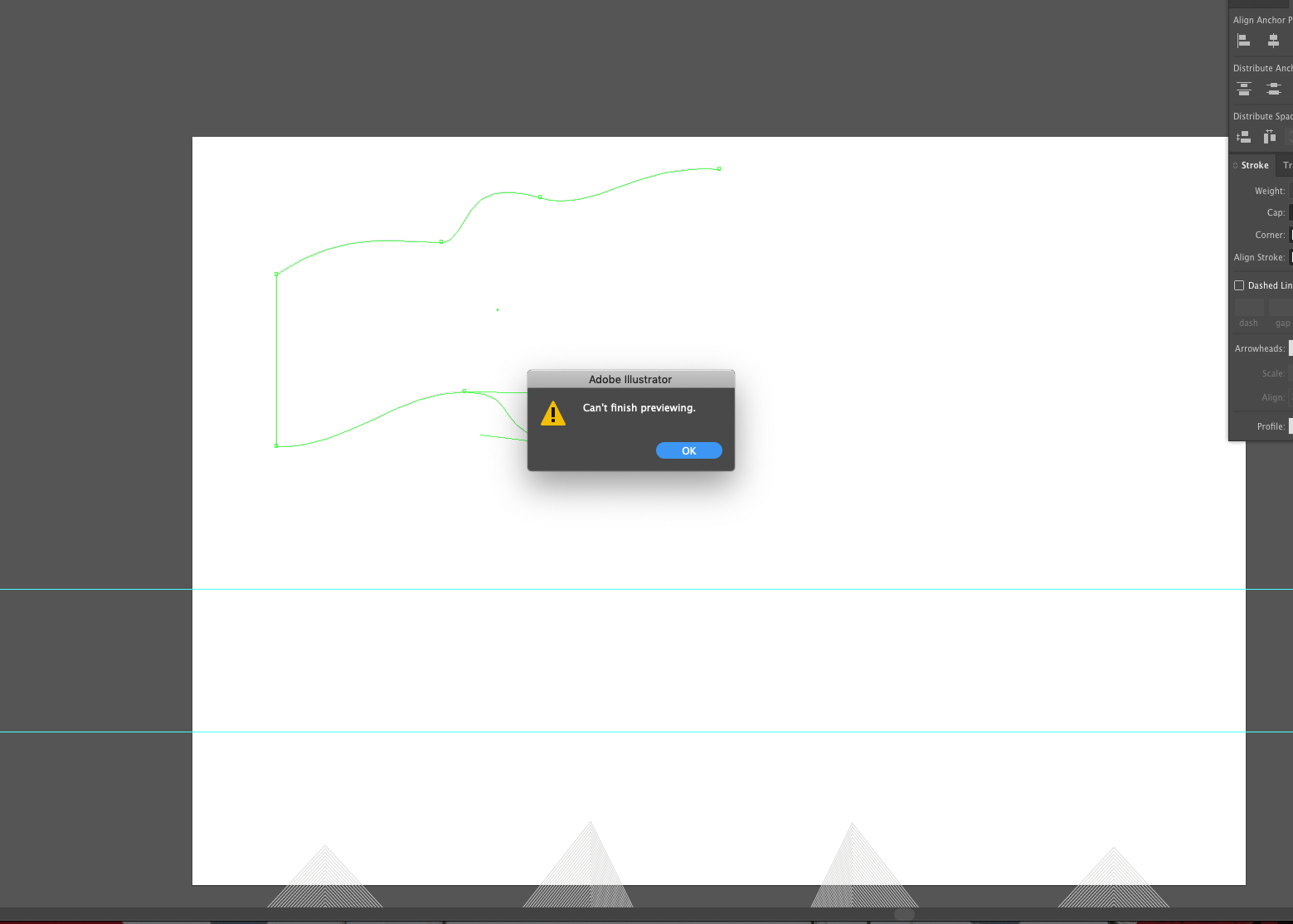
I'm working with pattern brushes if that can help (seems like other users are too).

Copy link to clipboard
Copied
I'm having the same issue.
I installed Mojave 10.14 (iOS 10.14 Mac)
and immediately after the Adobe update with Illustrator CC 23.0
A DISASTER!
Despite the 64 GB RAM of the new iMacPro, Illustrator every few minutes passes ALONE in "Contour" mode and no allows to return to "Preview" mode with message "Unable to complete preview"
At that point I must immediately save and exit the program (quit) and re-enter to prevent it from crashing and losing data.
Message: Not enough RAM ... 64Gb are installed on new iMac Pro
So it's very difficult to work

Copy link to clipboard
Copied
Same problem here. Also installed Mojave (which was a mistake) but doubt it would of made any odds. Why release an update if it's clearly not been tested properly.
Back to 2018 we go...
Copy link to clipboard
Copied
I went back to the 2018 version also. It's working fine now. Going to stick with the 2018 version until I hear the glitches have been worked out. I appreciate everyone's comments and I hope the new version will be worked out for all of us.

Copy link to clipboard
Copied
Same issue occurring 5 minutes into using the new version. Running MacOS High Sierra v10.13.6 . Going back to previous version, although I have to ask:
How in the world can such a huge, obvious issue be happening to SO many users and yet the version still gets released?
Sigh...

Copy link to clipboard
Copied
I'm have same issue. "Can't finish preview" even when working on very small files! Illustrator switches to Outline preview mode. Sometimes crashes, sometimes does not. Happens ever 5 minutes or so!

Copy link to clipboard
Copied
Having the same problem here, multiple Mac Pros, ranging from 64GB of RAM and 128GB of RAM. Only started happening since update to CC19.
Work-Around:
Quitting and changing the preview to CPU instead of GPU (Command-E) and then back again, then hitting Preview (Command-Y) solves it momentarily.
Pretty serious issue. Makes software unusable even for super simple AIs...
Copy link to clipboard
Copied
We have a fix and is available in the pre-release build. Please visit https://adobe.ly/1o2SDsg and get the latest build for version 23.0.1
While the build is prerelease this build is still of production quality. Please feel free to use / recommend it for your day to day activity.
Warm Regards,
Ashutosh Chaturvedi | Sr. Quality Engineering Manager – Illustrator
Copy link to clipboard
Copied
Uploaded - works perfectly
thanks

Copy link to clipboard
Copied
It's a problem with the software. Uninstall the update & go back to the previous version.
Copy link to clipboard
Copied
The problem has already been solved! 
It is no longer necessary to make suggestions.
Expect only the official Adobe upgrade.
The 23.0.1 works!
I've been using it for over 12 hours and it's no blocked!
Copy link to clipboard
Copied
Thank you for your support. gioveadv
@ArtDept_AAWhiteCo Please give the 23.0.1 build a try

Copy link to clipboard
Copied
"Can't finish previewing" issue here too. Downloaded pre-release build (23.0.1) and installation ended up with 103 error. Reverting back on all our workstations to previous version (CC 2018 22.1) for now.
BR,
Kalle Ahvenus
www.mainosrengit.fi

Copy link to clipboard
Copied
Hi Kalle,
Sorry about the inconvenience caused. I would request you to please share a few more details like:
Operating system(Exact Version of Windows/MAC)
Screenshot of the Error?
Regards,
Srishti
Copy link to clipboard
Copied
Thanks Ashutosh.
Copy link to clipboard
Copied
Hi All,
We have the fix available in the latest release. Please update Illustrator using Adobe Creative Cloud application to the latest build for version Illustrator CC 23.0.1
Please refer to our knowledge base FAQ – https://illustrator.uservoice.com/knowledgebase/articles/1844590 if you face difficulty in while updating.
Regards,
Srishti

Copy link to clipboard
Copied
to return to normal, you should go to the option> View> GPU View

Copy link to clipboard
Copied
I have resolved this issue by closing the app and restarting with pressing Alt+command, pls do try this

-
- 1
- 2

Find more inspiration, events, and resources on the new Adobe Community
Explore Now
 AdChoices