Exit
  • Global community
    • Language:
      • Deutsch
      • English
      • Español
      • Français
      • Português
  • 日本語コミュニティ
  • 한국 커뮤니티
0

CC Library not keeping attributes with same image

Explorer ,
Sep 01, 2022 Sep 01, 2022

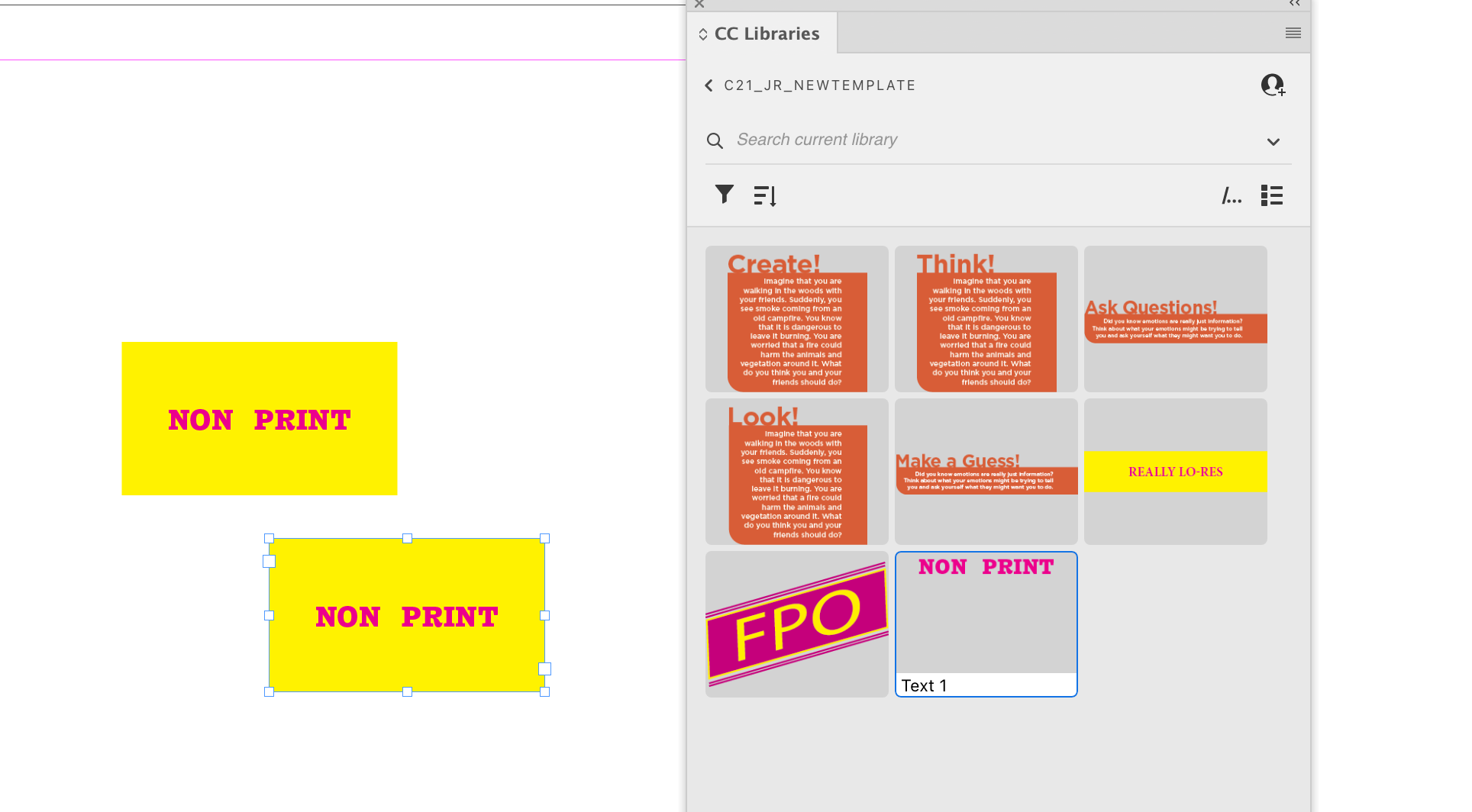
Please help! Not sure I can explain this clearly, but my CC Library in InDesign has stopped letting me drag and drop stylized text boxes that include attributes like "style sheets" "non-printing" "yellow background" "magenta text" etc.  If I select the 'Add All' in the options it just separates all the atrributes into separate sections (see screenshot). I have tried Quitting ID, creating a new library, etc.  I am running ID 17.2.1.  What am I doing wrong all of a sudden?!

TOPICS
Bug , How to , Performance , Type
271
Translate
Report
Community guidelines
Be kind and respectful, give credit to the original source of content, and search for duplicates before posting. Learn more
community guidelines
Community Expert ,
Sep 01, 2022 Sep 01, 2022
Translate
Report
Community guidelines
Be kind and respectful, give credit to the original source of content, and search for duplicates before posting. Learn more
community guidelines
Explorer ,
Sep 02, 2022 Sep 02, 2022
LATEST

Hi Mike, Thanks for your reply! I found those articles as well. Were you able to see my screen shot? I used to be able to drag and drop a text box into the library with several attributes applied to it. Now it wants to separate each attribute into its own block.  I'll attach another one here that shows how they used to look but now it loses all formatting.

Translate
Report
Community guidelines
Be kind and respectful, give credit to the original source of content, and search for duplicates before posting. Learn more
community guidelines