 Adobe Community

- Home
- InDesign
- Discussions
- Dotted lines around Master page elements are gone ...
- Dotted lines around Master page elements are gone ...

Copy link to clipboard
Copied
I must be missing something unless this feature actually changed along the way.
Last time I checked, whenever I created any element on a Master page, it's "outline" would show up as "Dotted Lines" and that meant that the element in question belonged to a Master page.
But that no longer seems to be the case?
I don't think it's coming from my video card or Windows 11.
Beats me!


 1 Correct answer
I can see the Dotted lines now!
My Dell UP4320Q is a monster 43" beast.
For my class, tonight, with MS-Teams, I have to reduce the resolution to 1920 x 1080, and, guess what, now, the Dotted lines show perfectly...

 7
Replies
7
7
Replies
7



Copy link to clipboard
Copied
Hi @Roger Breton:
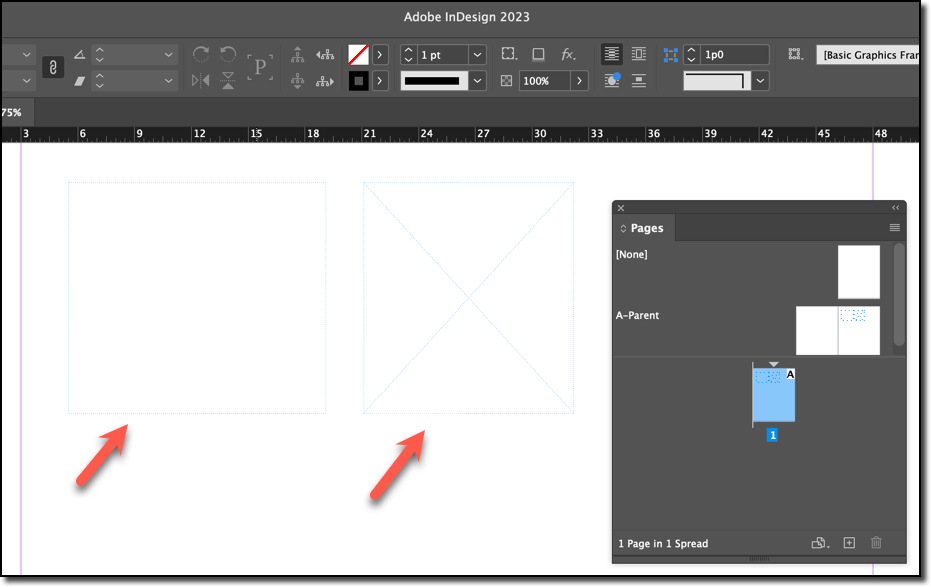
It is still working for me in 2023. Do you have View > Extras > Hide Frame Edges enabled?
~Barb
Copy link to clipboard
Copied
No. When I alternate between the two options, using Ctrl + H, I can see a faint line appearing on the edge of the texte frame but it's nothing like the "old very visible" dotted line I used to see.
Copy link to clipboard
Copied
I can see the Dotted lines now!
My Dell UP4320Q is a monster 43" beast.
For my class, tonight, with MS-Teams, I have to reduce the resolution to 1920 x 1080, and, guess what, now, the Dotted lines show perfectly...
Copy link to clipboard
Copied
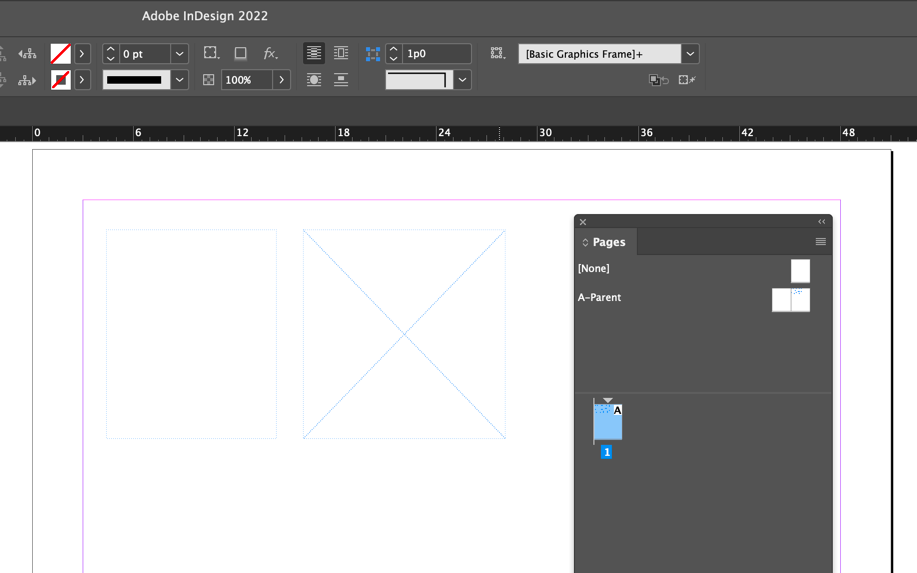
Here's an identical setup (text frame on left, graphic frame on right) taken in 2022. The X in the graphic frame is darker, but the edges look the same to me.
~Barb
Copy link to clipboard
Copied
Ok, great! (And I moved the "Correct Answer" to your final response, which directly answers the question.)
And you know that InDesign has UI Scaling? Edit > Prefs > User Interface Scaling > UI Scaling. You might want to experiment with the scaling options, should you decide to restore the higher resolution after your Teams class ends.
~Barb
Copy link to clipboard
Copied
I already have the UI "scaled", Barb.
I suspect it's my video card... Or Windows... Or both 😉
Another reason to "prefer" a Mac? ...
Copy link to clipboard
Copied
I'll be damned? I'm back in 4K resolution on my monitor, this morning, and the Master pages elements are back showing with "dotted lines" now?


 AdChoices