Known Participant
December 19, 2017
Answered

InDesign exporting old version of document

  • December 19, 2017
  • 2 replies
  • 3952 views

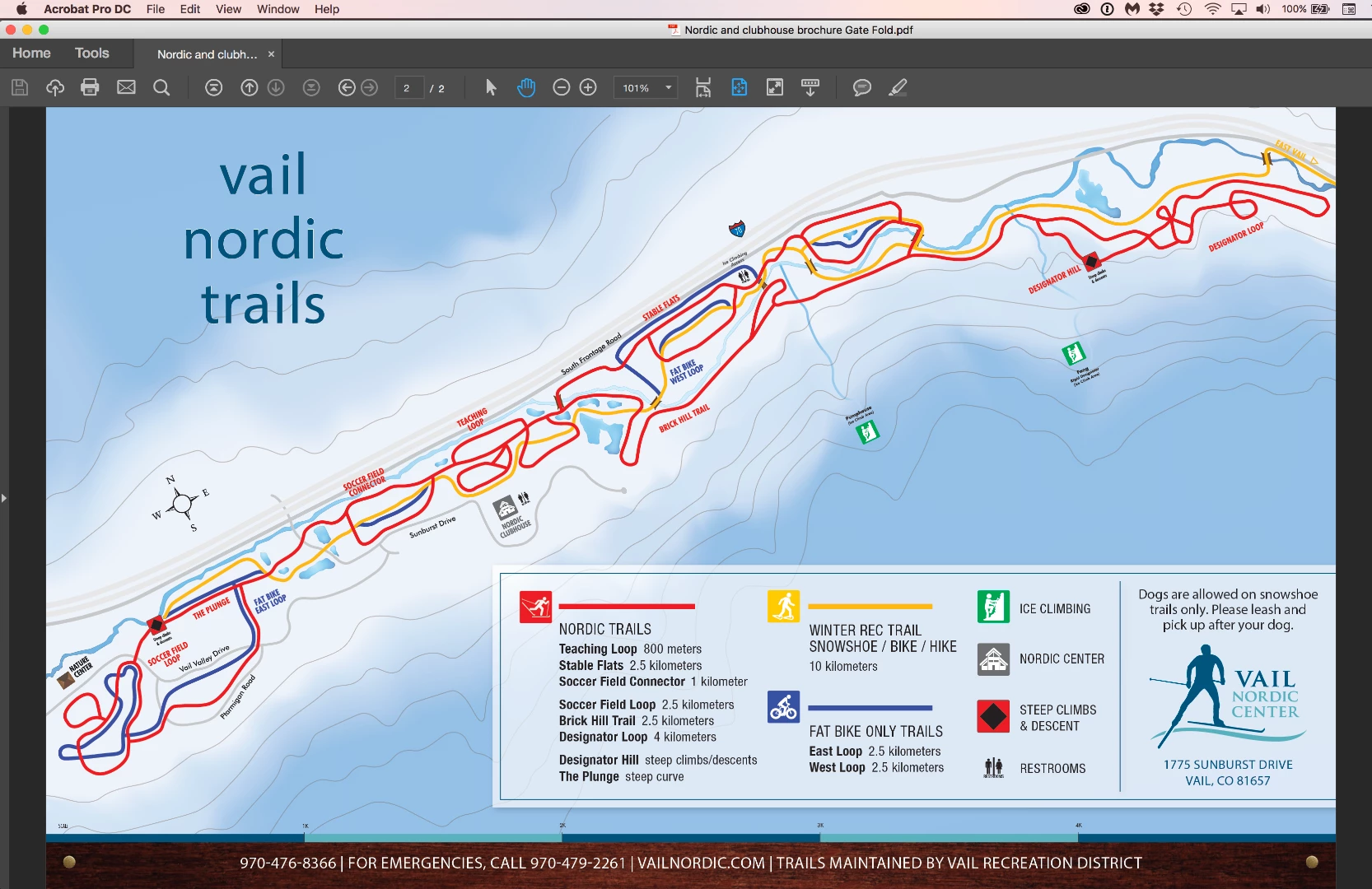
I am trying to export a brochure that I made a minor change to (updated a link from Illustrator). Whenever I try to export it, however, the PDF always has the last version without the change. I've tried quitting and restarting, clearing my preferences, and exporting the InDesign file as an IDML and then resaving. No matter what I do, when I try to export this brochure it keeps exporting as the old version. Any help is appreciated! I am using version 13.0.1 of InDesign.
    This topic has been closed for replies.
    Correct answer Barb Binder

    Good morning Jessie!

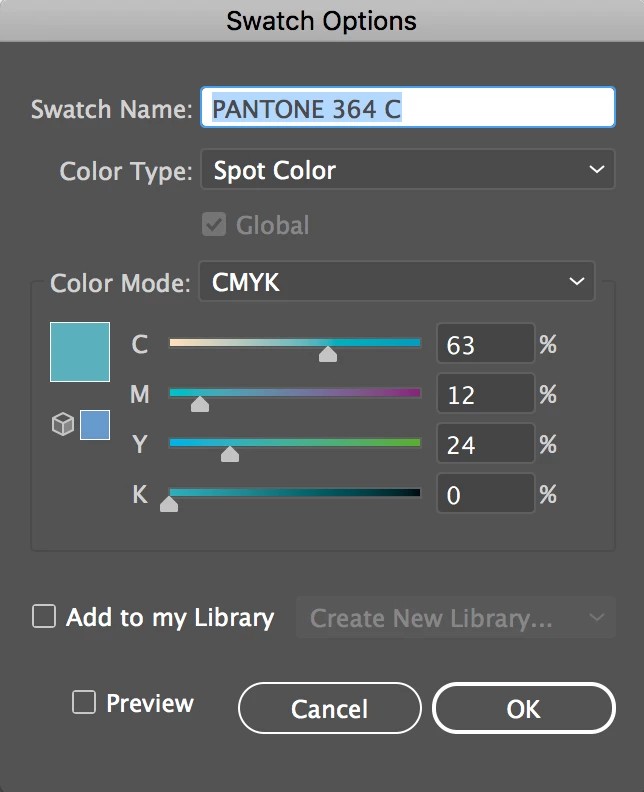
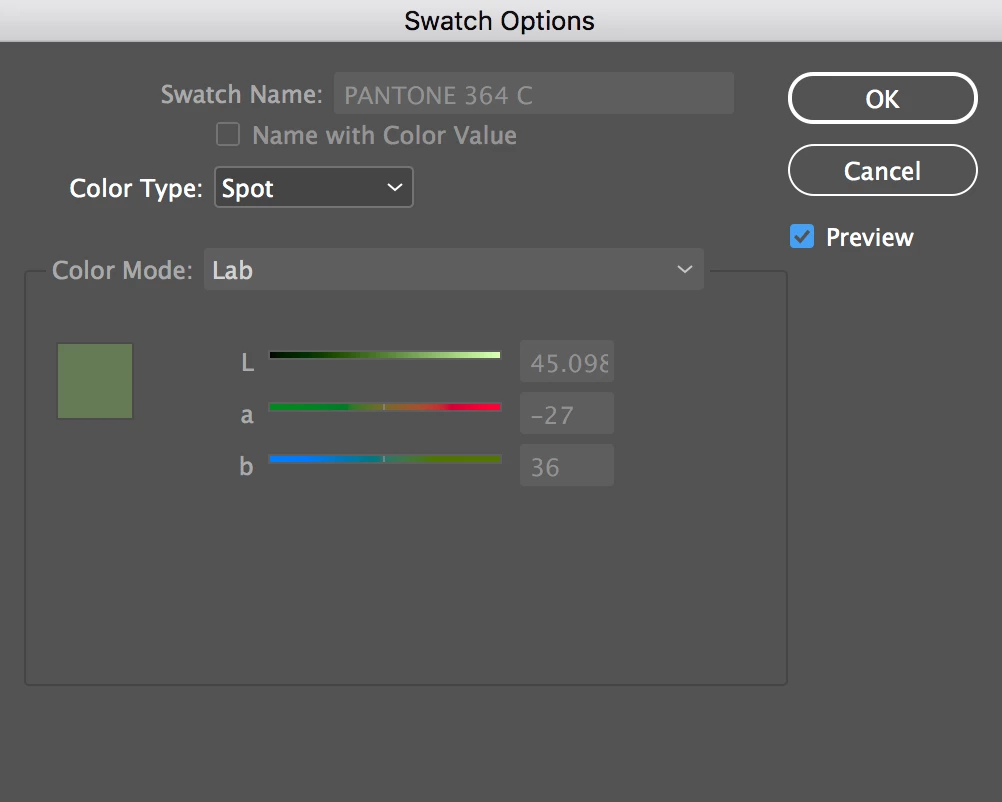
    Sorry, I was gone for the afternoon. When I look at the Ai file, the color-shifting blue is assigned:

    But in InDesign, it's:

    So, I deleted the scale from InDesign, which allowed me to delete the two swatches associated with it. Back in Ai, I added the swatches to the Library, and then switched to InDesign and added them from the CC Library back to the InDesign file. They both came in correctly defined. Then I placed the graphic, created the PDF and it worked as it should have from the beginning.

    I'm sure there was a reason why the color definition came in incorrectly, but I don't know what it was. And you could also just define the color in InDesign in advance, but I chose to use the Library because it's quick. Here's the link to my file if you want to see it: Dropbox - Nordic and clubhouse brochure Gate Fold Folder​, but I likely didn't put the scale back in exactly the right place.

    And we have an inch of snow!! I hope you getting lots more because we are taking tomorrow off to ski.

    ~Barb

    2 replies

    Barb Binder
    Community Expert
    Community Expert
    December 20, 2017

    But that't the only color shift, and it's going back to old colors that you used previously.

    I'm happy to take a look at the files. If you want to package them, put the package on dropbox and send a link. Putting the link in a reply is public, or you can right click my name and send it to me directly if you prefer.

    ~Barb

    P.S. I'm in Evergreen.

    ~Barb at Rocky Mountain Training
    Known Participant
    December 20, 2017

    Oh nice! That's a great place. Well as you know then, what we really need to help with the success of this brochure is some actual snow!

    Here is the link: Dropbox - Nordic and clubhouse brochure Gate Fold Folder

    Thanks so much for your help with this.

    Barb Binder
    Community Expert
    Barb BinderCommunity ExpertCorrect answer
    Community Expert
    December 21, 2017

    Good morning Jessie!

    Sorry, I was gone for the afternoon. When I look at the Ai file, the color-shifting blue is assigned:

    But in InDesign, it's:

    So, I deleted the scale from InDesign, which allowed me to delete the two swatches associated with it. Back in Ai, I added the swatches to the Library, and then switched to InDesign and added them from the CC Library back to the InDesign file. They both came in correctly defined. Then I placed the graphic, created the PDF and it worked as it should have from the beginning.

    I'm sure there was a reason why the color definition came in incorrectly, but I don't know what it was. And you could also just define the color in InDesign in advance, but I chose to use the Library because it's quick. Here's the link to my file if you want to see it: Dropbox - Nordic and clubhouse brochure Gate Fold Folder​, but I likely didn't put the scale back in exactly the right place.

    And we have an inch of snow!! I hope you getting lots more because we are taking tomorrow off to ski.

    ~Barb

    ~Barb at Rocky Mountain Training
    Barb Binder
    Community Expert
    Community Expert
    December 19, 2017

    Is the old one still open in Acrobat or Reader? If so, it stays on screen. Either close the PDF and re-export, or just close the PDF without saving it and reopen it.

    This assumes you are exporting the new version to the same folder as the old one. Sometimes I think I do, but I've put it elsewhere by accident. That's one reason I like to check View PDF after Exporting. Then as long as I closed the old one, the new one always pops up.

    ~Barb

    ~Barb at Rocky Mountain Training
    Known Participant
    December 19, 2017

    Yes, I've been closing the old PDFs every time I try to re-export, and I've tried saving the PDF in many different places under many different names. So that's not the issue. Thank you for your reply though!

    Barb Binder
    Community Expert
    Community Expert
    December 19, 2017

    Ok, that would have been too easy. So it sounds you have the revised InDesign (.indd) file open in InDesign CC 2018 (v 13.0.1), and that you know to export to a Adobe PDF (Print).

    The edit was to a link to an .ai file—can you be more specific? Did you jump to Illustrator, edit the file, save and return? Or did you relink to a different .ai file or location via the Links panel? Can you show your Links panel with the image frame selected?

    ~Barb

    ~Barb at Rocky Mountain Training