
dzgnr89
Inspiring
January 20, 2023
Question

Recent file thumbnails not showing up in homescreen

  • January 20, 2023
  • 3 replies
  • 2128 views

Whenever I open Indesign 2023, v18.1 the Home screen does not display the names and thumbnails of the recent files made.
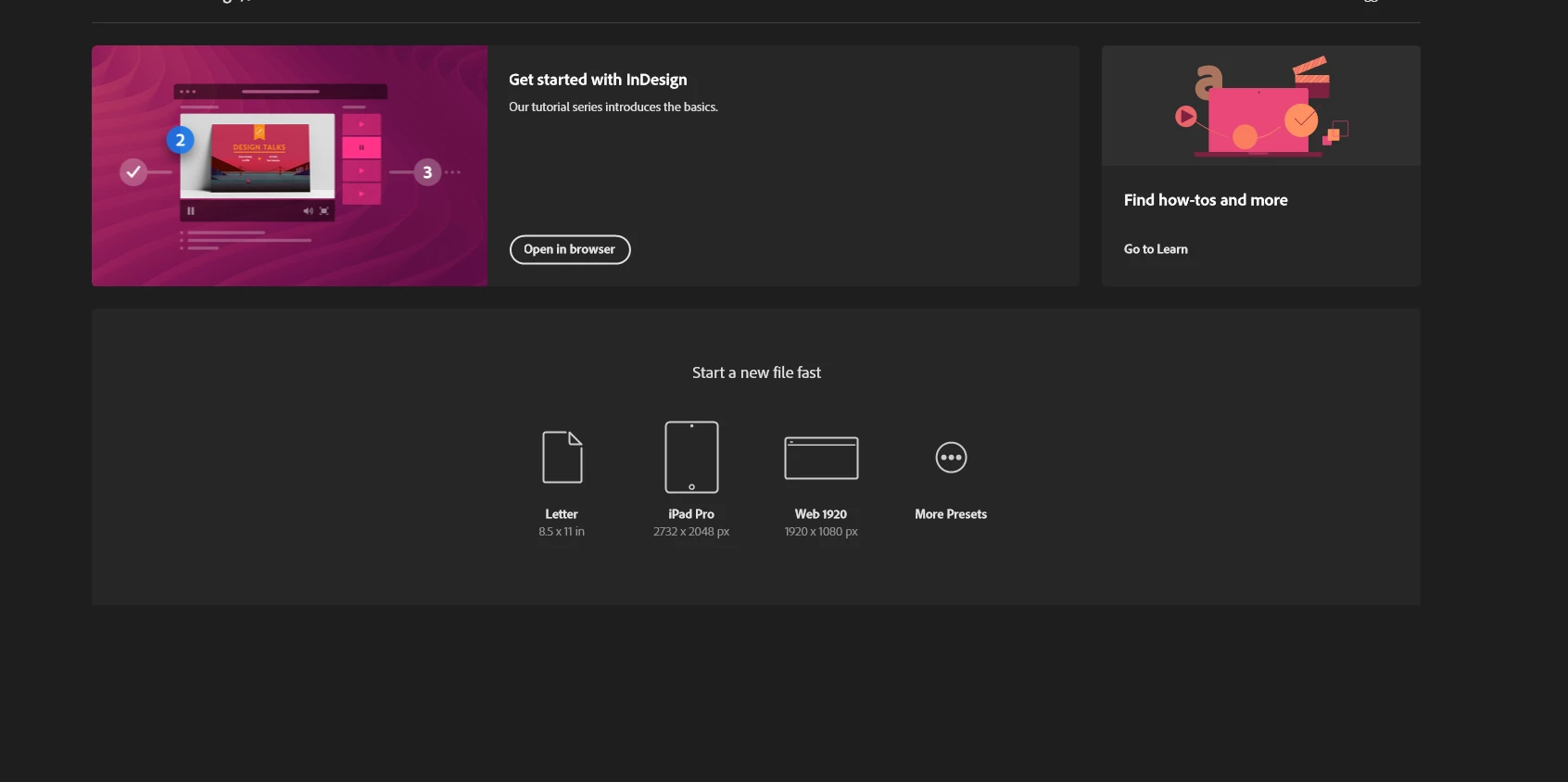


What should I do to solve this issue?


I tried uninstalling and re-installing but I still encounter this problem.

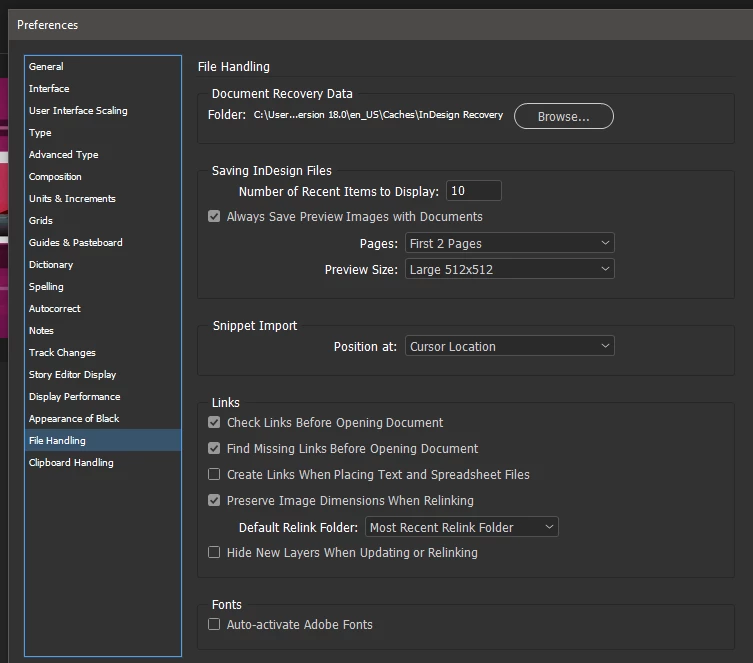
I have set my recent file preferences like this.
 

This topic has been closed for replies.

3 replies

Participant
July 11, 2024

I am having the same problem. InDesign suddenty decided to stop showing my recent items on the home screen. I've tried restarting. Can someone who actually works for Adobe please look into this issue and respond?

Participant
September 10, 2024

I had this problem and noticed that the check box in the save as window... 'Always Save Preview Images with Documents' was disabled. Enableing it should show the previews.


Abhishek Rao
Community Manager
Community Manager
September 10, 2024

Hi @chris_1528,


Thank you for sharing your solution! It’s great to see community members helping each other out. 


You’re absolutely right-enabling the "Always Save Preview Images with Documents" option in the Save As window can indeed resolve the issue of recent file thumbnails not showing up on the Home screen. This setting ensures that preview images are saved with the document, which helps InDesign display them properly.


I appreciate your contribution to solving this issue. If anyone else is experiencing similar problems, checking this setting might be the key.

Thanks again for your help!


Thank you, 
Abhishek Rao

dzgnr89
dzgnr89Author
Inspiring
February 8, 2023

Bump.....

Inspiring
January 28, 2024

Just happened to me in ps 2024 after the latest update.


Steve Werner
Community Expert
Community Expert
January 28, 2024

Photoshop issues will need to be posted in the appropriate forum. Each application has its own management and its own issues. Here's the one you want:


https://community.adobe.com/t5/photoshop-ecosystem/ct-p/ct-photoshop?page=1&sort=latest_replies&lang=all&tabid=all

Steve Werner
Community Expert
Community Expert
January 20, 2023

I would try restoring your InDesign preferences and caches. Here's how:


https://www.rockymountaintraining.com/adobe-indesign-rebuilding-preferences-cache/

Steve Werner
Community Expert
Community Expert
January 20, 2023

Incidentally, reinstalling does not change these preferences and caches so you need to use this procedure to create a "clean" version of InDesign.