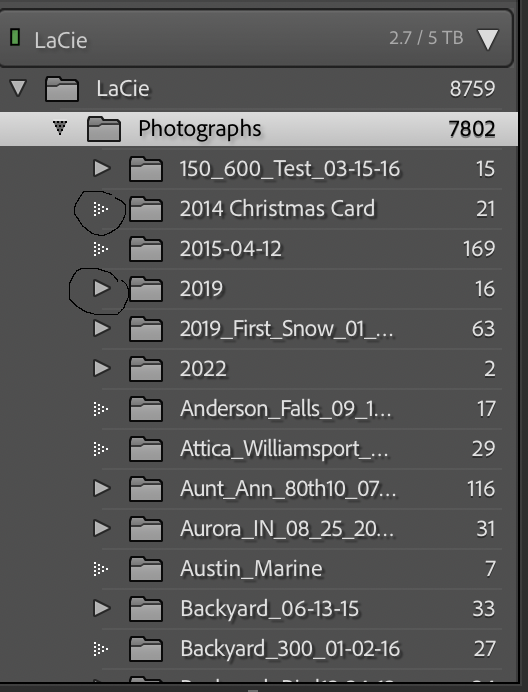
Nothing to do with missing information. Quite simply, a folder with a solid arrow indicates that the folder contains sub-folders (click on the solid arrow to reveal the sub-folders). The non-solid arrow means that the folder does not contain any sub-folders, i.e. it's at the bottom of the particular folder hierarchy that it's in.



 2
Replies
2
Replies


 AdChoices