Exit
  • Global community
    • Language:
      • Deutsch
      • English
      • Español
      • Français
      • Português
  • 日本語コミュニティ
  • 한국 커뮤니티
0

Lightroom Classic won’t save EXIF “UserComment” field changes to file

Explorer ,
Oct 08, 2025 Oct 08, 2025

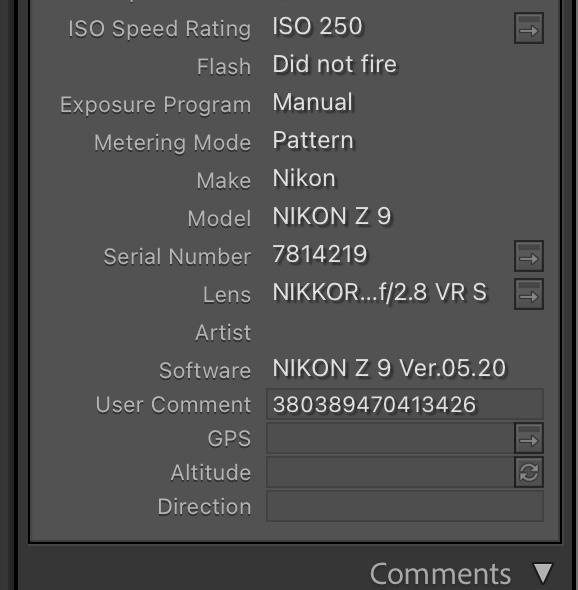
I’m trying to change the UserComment field in the EXIF metadata for Nikon RAW (.NEF) files.

In Lightroom Classic (latest version, macOS), I can edit the value in the right-hand metadata panel — it appears to change in the catalog — but it never actually writes to the file itself.

Even after choosing Metadata > Save Metadata to File, nothing changes in the RAW or XMP sidecar. If I inspect the file with ExifTool or another metadata viewer, the UserComment field remains unchanged.

From what I can tell, LRC treats UserComment as a read-only camera field and doesn’t include it in its metadata sync/export set. That makes my edits effectively meaningless outside the catalog — even exports omit it.

Has anyone found a reliable way to make Lightroom actually write to the EXIF UserComment field (or a supported field that persists in exports)?

I’ve already tried:


  • Editing directly in the metadata panel

  • “Save Metadata to File”

  • Re-importing after saving

  • Checking for changes with ExifTool


No luck — nothing sticks.

Any thoughts, workarounds, or explanations would be appreciated.

TOPICS
macOS
104
Translate
Report
Community guidelines
Be kind and respectful, give credit to the original source of content, and search for duplicates before posting. Learn more
community guidelines
LEGEND ,
Oct 08, 2025 Oct 08, 2025

Hmm. I'm not observing that. In my LR 14.5.1 / Mac OS 15.5, The EXIF User Comment field works as expected: Save Metadata To File saves it to the photo file or .xmp sidecar, re-importing the photo imports the field, Export exports the field, and Sync Metadata copies it from the source photo to the target photos.


I have just one suggestion for effective troubleshooting, sharing a test catalog with the problem.


1. Select two problem photos in which you've set User Comment.


2. Do File > Export As Catalog, selecting just the options Export Selected Photos Only and Export Negative Files.


3. Open the exported catalog in LR and verify the problem still occurs.


4. If the problem remains in the test catalog then zip it up and upload it to Wetransfer, Dropbox, Google Drive or similar free service and post the sharing link here.


Translate
Report
Community guidelines
Be kind and respectful, give credit to the original source of content, and search for duplicates before posting. Learn more
community guidelines
Explorer ,
Oct 08, 2025 Oct 08, 2025

Just to clarify before I try those steps. The issue isn't simply exporting. It's when I have a barcode saved to the usercomment field and need to change it. I can copy and paste the updated barcode and even sync to the additional photos that need the barcode updated which works fine. It's when I export the file into any file format that it has the original barcode not the new one. Let me know if you solution still works and I'll give it a try. Appreicate the assistance.

Translate
Report
Community guidelines
Be kind and respectful, give credit to the original source of content, and search for duplicates before posting. Learn more
community guidelines
LEGEND ,
Oct 08, 2025 Oct 08, 2025
LATEST

The troubleshooting steps won't provide a workaround per se -- step 3 will identify whether the problem is specific to the original catalog; if it is, I can suggest at least one possible workaround. Step 4 will let me look at a reproducible test case, including the detailed metadata inside the catalog and photos, and possibly identify a workaround or at least submit a bug report to Adobe.   

Translate
Report
Community guidelines
Be kind and respectful, give credit to the original source of content, and search for duplicates before posting. Learn more
community guidelines