Exit
  • Global community
    • Language:
      • Deutsch
      • English
      • Español
      • Français
      • Português
  • 日本語コミュニティ
  • 한국 커뮤니티
0

LRC runs out of memory

Explorer ,
Dec 15, 2022 Dec 15, 2022

Hi.

There is a problm with LRC on iMac M1. Using Ventura 13.1 and LRC 12.1
While the catalog is Synching, memory use in the Activity monitor keeps going up for LRC.

I have another catalog that doesnt have synching activated and the problem does not happen. I.ve read other messages that are having the same problem. Is there going to be a bug fic for this problem?

Thanks

TOPICS
macOS
318
Translate
Report
Community guidelines
Be kind and respectful, give credit to the original source of content, and search for duplicates before posting. Learn more
community guidelines
Community Expert ,
Dec 15, 2022 Dec 15, 2022

Where are you syncing the files from?


Does LrC display an alert indicting that you've run out of memory?


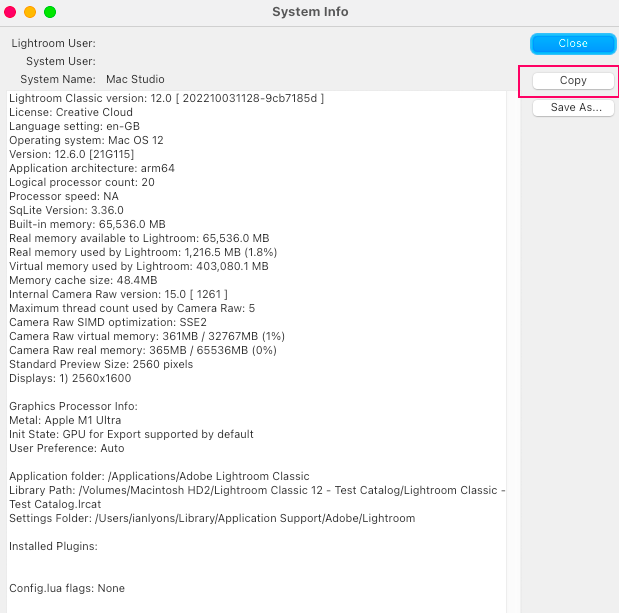
It would aslo be helpful if you would copy / paste your 'System Info', which can be obtained from the LrC 'Help > System Info' menu item (see below screenshot).


System Info.png


Translate
Report
Community guidelines
Be kind and respectful, give credit to the original source of content, and search for duplicates before posting. Learn more
community guidelines
Explorer ,
Dec 15, 2022 Dec 15, 2022

Hi, I'm synching from adobe cloud. The photos were originally downloaded from SD card to iPad, then several folders were created on LRCC so that the synched to my LR cloud account. Then on my desktop the photos synched from the cloud to my hard drive, and that's were the problem, lies. Every time, when synching, the memory usage goes from 5gb up to 50gb and it freezes. Now, I have another catalog on my desktop that does not synch to anything, and it doesn't show the same behavior.

Translate
Report
Community guidelines
Be kind and respectful, give credit to the original source of content, and search for duplicates before posting. Learn more
community guidelines
Community Expert ,
Dec 15, 2022 Dec 15, 2022

I suspect your running out of memory and don't have sufficient space on your SSD for LrC to use as swap. However, since you haven't included a copy of your System Info or any info on either the size or spare space on the SSD, I can't be sure.

Translate
Report
Community guidelines
Be kind and respectful, give credit to the original source of content, and search for duplicates before posting. Learn more
community guidelines
Explorer ,
Dec 15, 2022 Dec 15, 2022
LATEST

Hi and thanks for your reply. My iMac has 1.34TB available of SSD. Photos are being stored on an external drive(OWC THUNDERBAY 4) with 4 16TB drives. , Ram on iMac is 16gb. I can see memory usage, on activity monitor, going from 5Gb to 50gb on LRC and the it freezes. I actually get a message from macOS stating that the computer is running out of memory and it opens the force quit window with a list of running apps and the memory usage for each one.

Translate
Report
Community guidelines
Be kind and respectful, give credit to the original source of content, and search for duplicates before posting. Learn more
community guidelines