Copiar vínculo al Portapapeles
Copiado
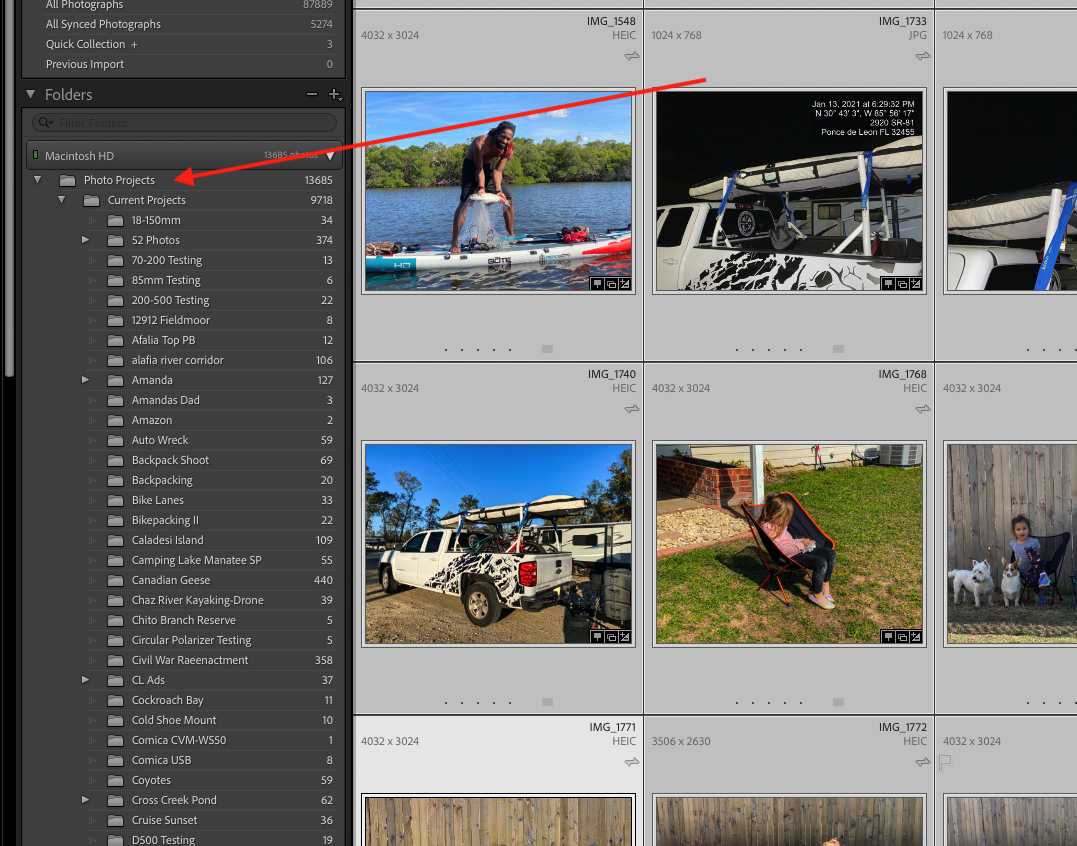
Ok, this is a weird one! The update to LR Classic was yesterday. Today, I load the Catalog, and two of the three drives are showing their Folder structure, but my main Volume is not displaying a Folder Tree - but the photos ARE in the catalog?
How do I get the Folder tree back?
{Moved from Lightroom Cloud to Lightroom Classic Forum by Moderator}
Copiar vínculo al Portapapeles
Copiado
Is the drive listed in the Folders panel? If so, click the white triangle at the right of the that drive to twirl it down.
Copiar vínculo al Portapapeles
Copiado
It is, you can see in the attachement.
Copiar vínculo al Portapapeles
Copiado
Most of us don't open unknown attachments.
Copiar vínculo al Portapapeles
Copiado
Yes - weird! Screen-clip indicates MacHD is active (green light) and spinner is 'down' but no folders showing.
Are the photos in MacHD showing the 'missing' exclamation mark?
Usual suggestions include-
1) Close LrC, reboot computer
2) Reset LrC Preferences Preferences Reset
3) Start LrC while holding Ctrl/Cmd key, and select [Test Integrity]
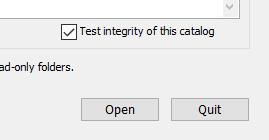
4) Restore and Open a Backup Catalog. RESTORE A CATALOG FROM BACKUP
Copiar vínculo al Portapapeles
Copiado
So I did everything but the restore, and it didn't work.
Copiar vínculo al Portapapeles
Copiado
Copiar vínculo al Portapapeles
Copiado
Pleased you have them back! Nice answer.Thanks
Sounds like a similar problem (bug?) to Missing 'Collections' that I have seen in forum posts, but cannot recall where!
Encuentra más inspiración, eventos y recursos en la nueva comunidad de Adobe
Explorar ahora